Generate a Report
Note: This feature is available for Litmus Edge Manager version 2.18.0 and later.
You can generate a report summarizing license(s) statistics in CSV format via email or export.
The generated report will allow you to:
- License usage, statuses, and key statistics
- View the status of licenses, including total, active, used, expired, or unused
- Track activation details
- Filter usage and availability in real-time
Before You Begin
Ensure you have at least one or more License SKUs.
Generate a Report
- Click Generate Report from the Licenses Summary pane.
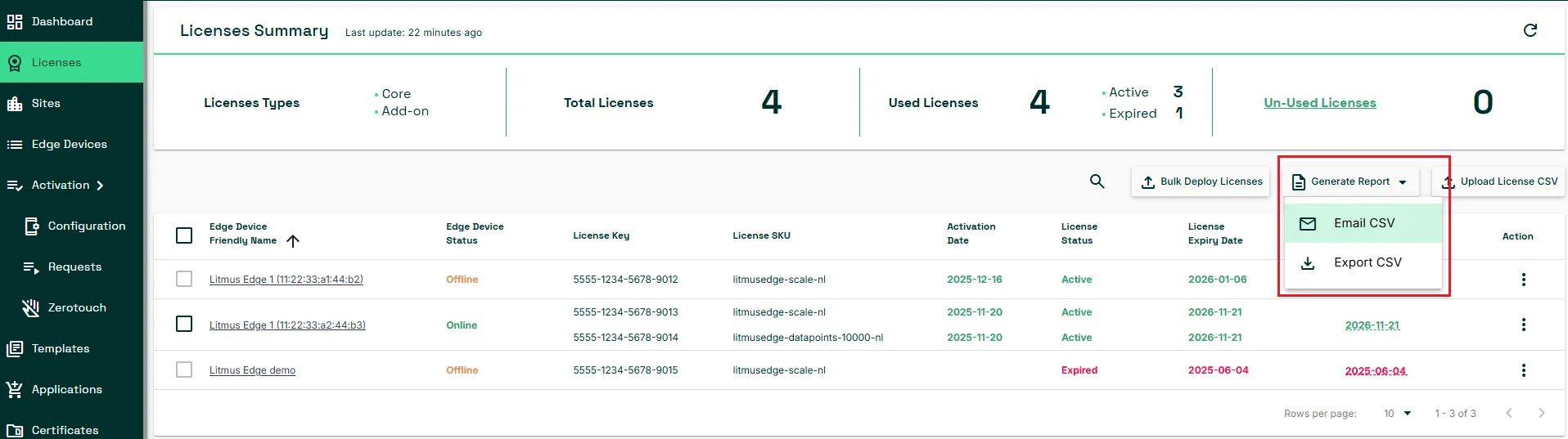
- To send the license report by email:
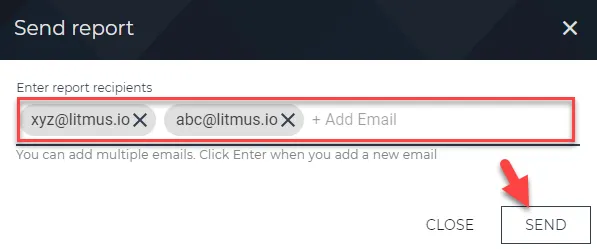
- Select the Email CSV option from the drop-down menu. The Send Report dialog box appears.
- Enter the Email report recipients with the intended addresses.
- Click the SEND button to dispatch the report.
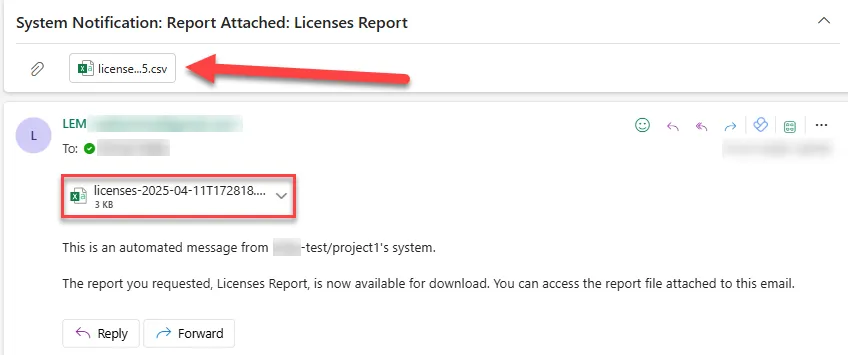
- The recipients will receive the email below containing the generated report in a Microsoft Excel file.
- To download the license report as a CSV file:
- Select Export CSV.
- The report downloads as a CSV file. The downloaded CSV contains the following columns.

Column Name | Details |
|---|---|
Project ID | Identifies the specific project the license is associated with. |
Device ID | A unique identifier for the device the license is applied to. |
Device name | The configured name of the device. |
Device friendly name | A more user-readable name for the device. |
Device MAC address | The Media Access Control address of the device. |
License key | The unique code for the license. |
SKU | The Stock Keeping Unit identifying the type of license. |
Activation date | The date when the license was activated. |
Expiry date | The date when the main license term ends. |
Feature Expiry Date | The expiry date for specific features included in the license. |
Is core | Indicates whether the license is a core license. |
Is trial | Specifies if the license is a trial version. |
Status | The current state of the license (e.g., NEW, EXPIRED). |