Cancel Software Update Tasks
3 min
You have the option of canceling individual tasks and multiple tasks at once.
Note: These options are available for Litmus Edge Manager version 2.15.0 and later.
Cancel Individual Tasks
To delete an individual task, click the Action menu for the task and select Cancel task.
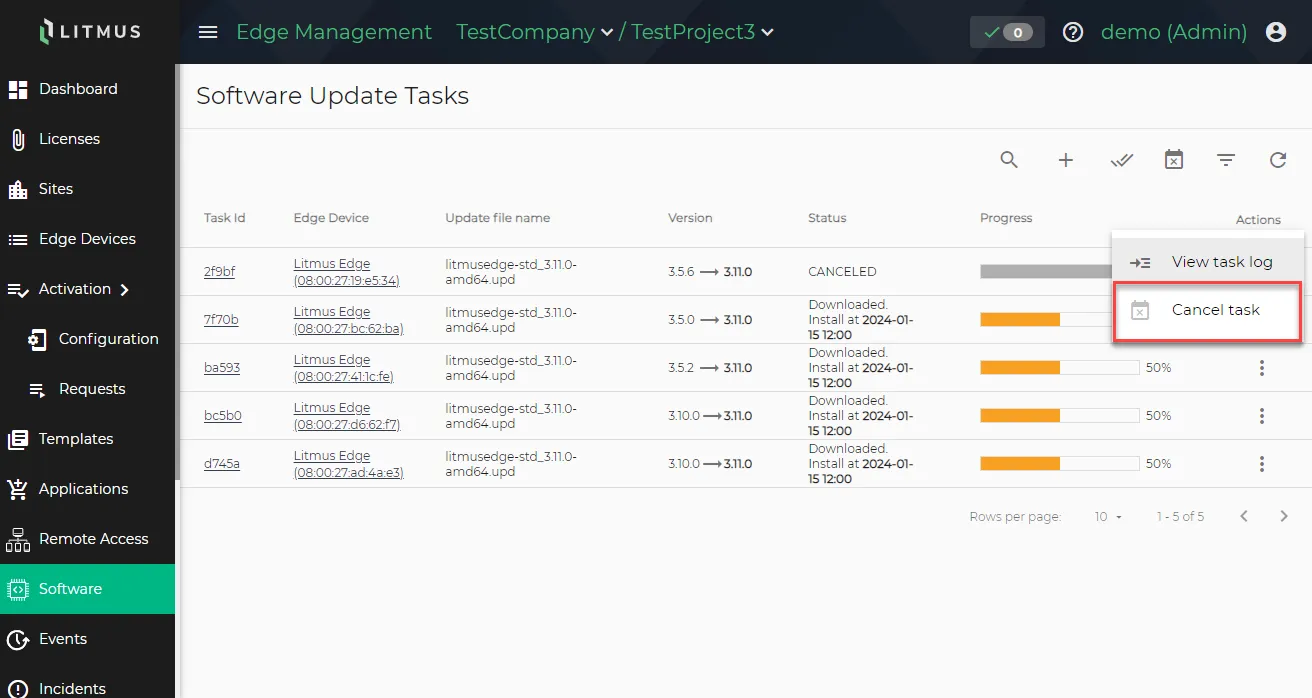
Cancel task option
Cancel All Tasks
To cancel all tasks, click the Cancel all scheduled tasks icon.
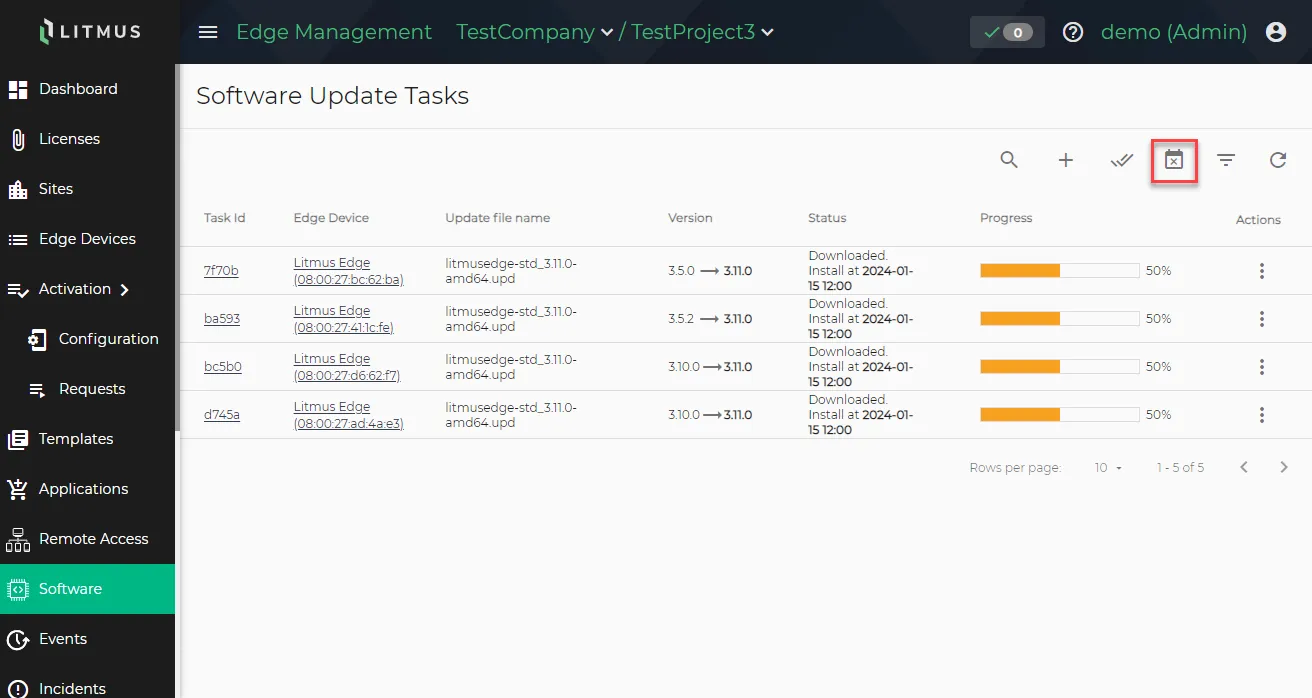
Cancel all scheduled tasks icon
Cancel Selected Tasks
You have the option of selecting multiple tasks to cancel at once.
To cancel selected tasks:
Click the Switch multi-select mode on icon.
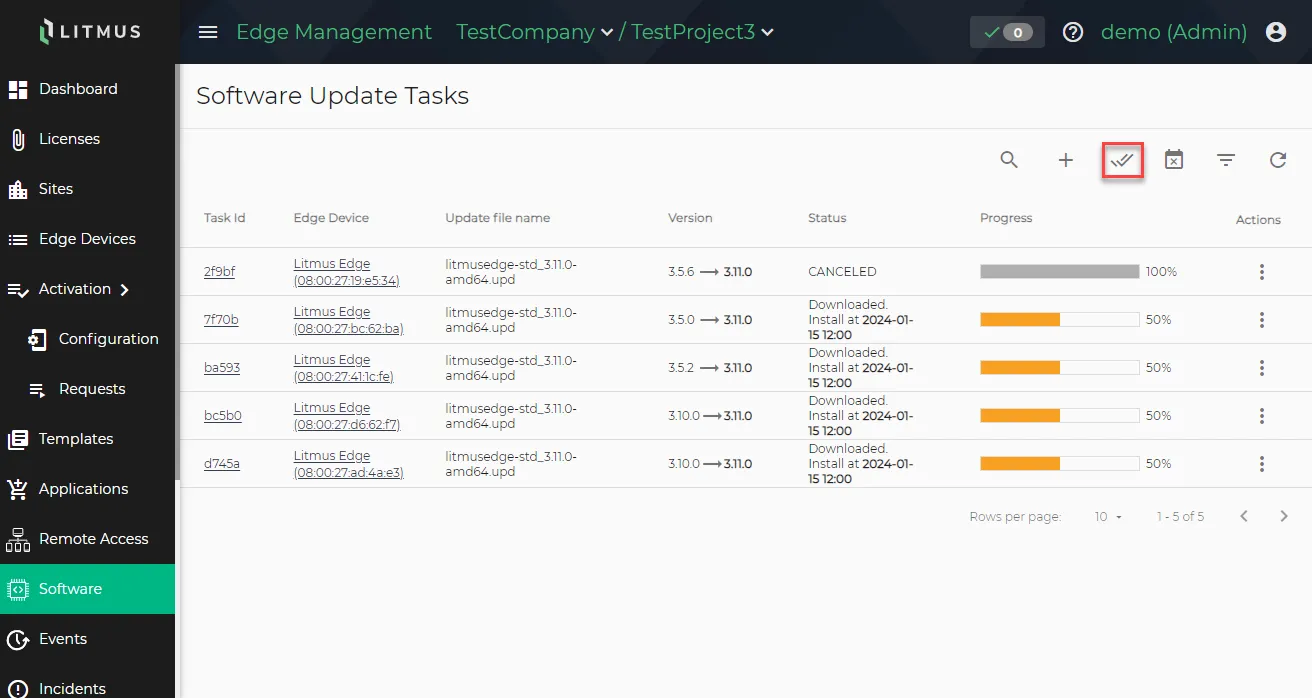 Switch multi-select mode icon
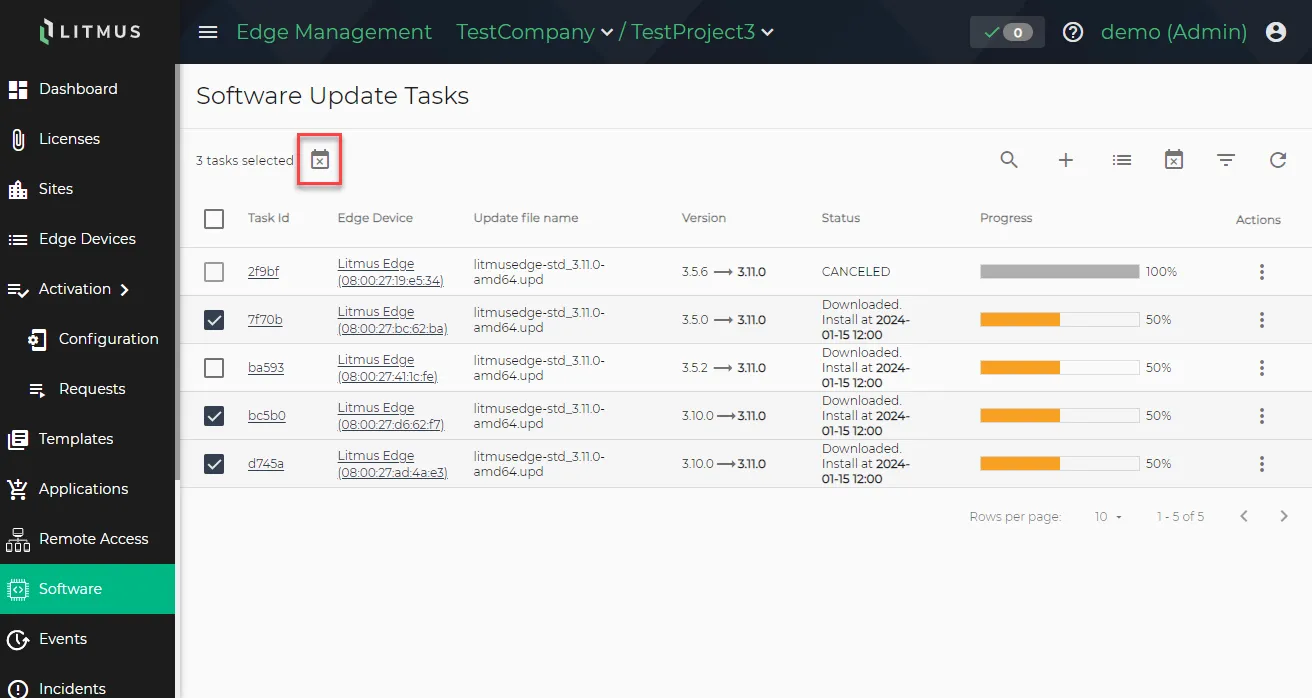
Select the tasks you want to cancel.
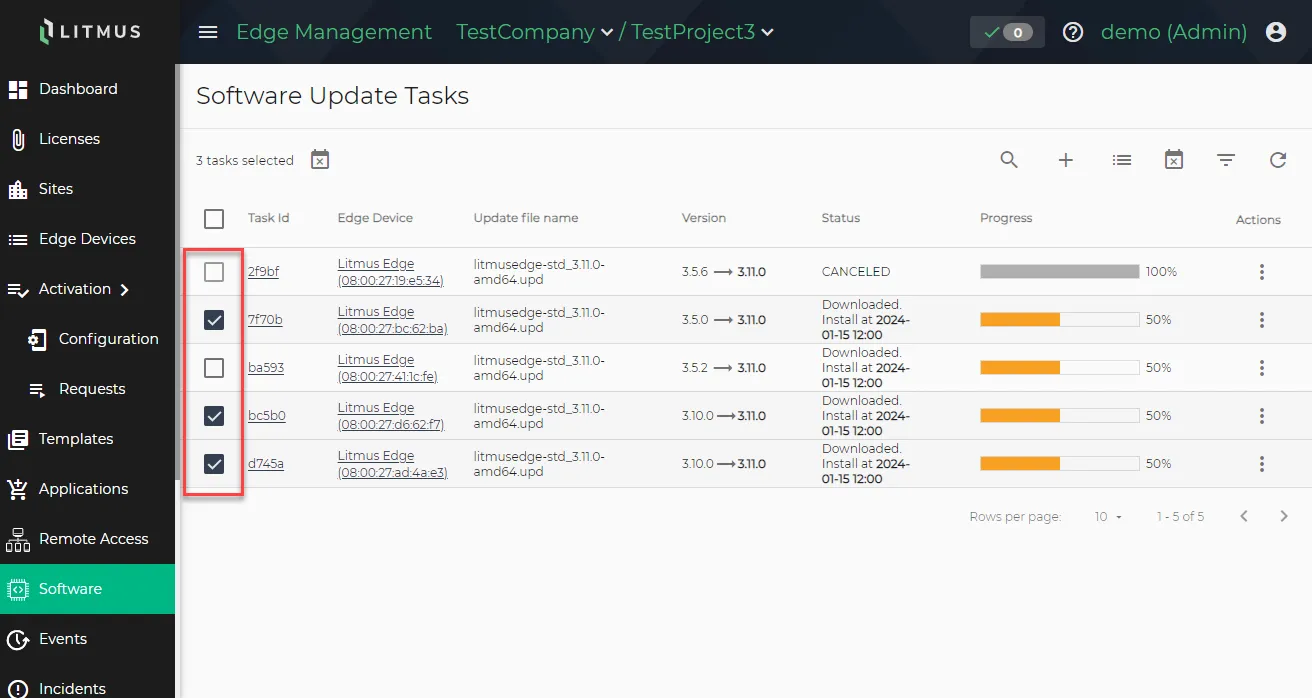 Click checkboxes to select tasks
Click the Cancel task icon. The Confirmation dialog displays.
- Confirm the cancelation and click YES, CANCEL. The selected tasks are canceled.