Step 1: Create a Template with Specific Attributes
3 min
Templates for edge devices may include devices, analytics, flows, and connectors. You can make selections for these categories when creating a template from edge devices.
Before You Begin
- Activate an instance of Litmus Edge to create a template in Step 1: Create a Template with Specific Attributes. See Activate an Edge Device.
- Add two DeviceHub devices to your activated instance of Litmus Edge. To learn more, please refer to Devices.
- Install a second Litmus Edge instance that is not activated to apply the parameterized template in Step 5: Create an Activation Request in Litmus Edge.
To create a template with two DeviceHub Devices:
- Log in to Litmus Edge Manager.
- Select a company. The Projects pane appears.
- From the Projects pane, click a project tile. The Dashboard pane appears for the project.
- From the Navigation panel, select Templates. The Templates pane for the project appears.
Click Create Template from device to import settings from your running instances of Litmus Edge.
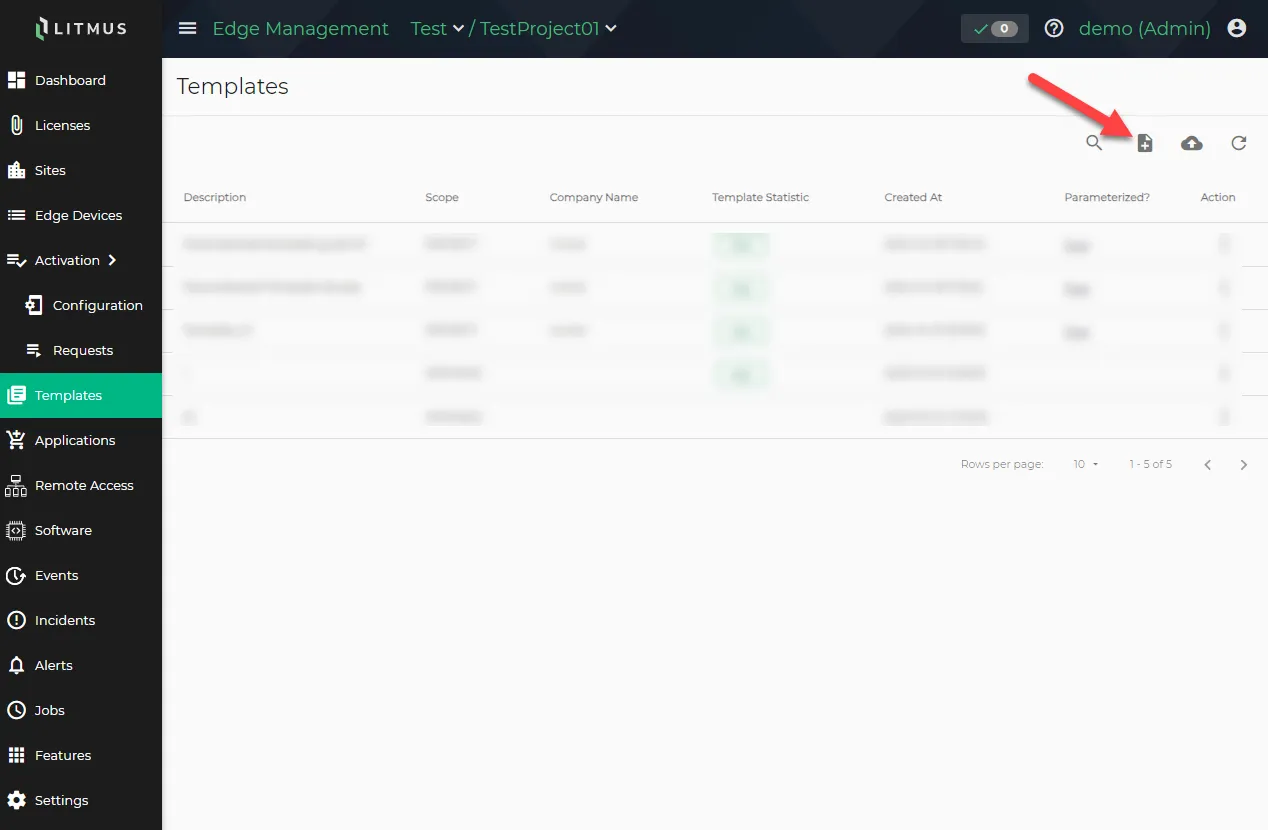 Create Template from device button
From the SELECT EDGE DEVICE page, click the checkbox for the Litmus Edge instance with two DeviceHub Devices added. Then, click NEXT.
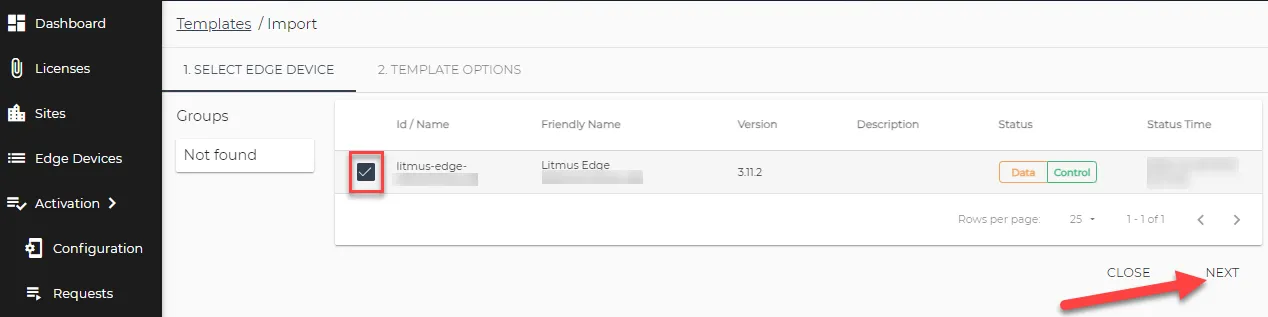 SELECT EDGE DEVICE page
- From the TEMPLATE OPTIONS page, do the following:
- Configurations: Check the boxes for the Litmus Edge components to include in the template. Make sure to select Country and Devices to complete the guide.
- Template Description: Enter the description for template.
Click CREATE. The message Template Created Successfully appears at the bottom.
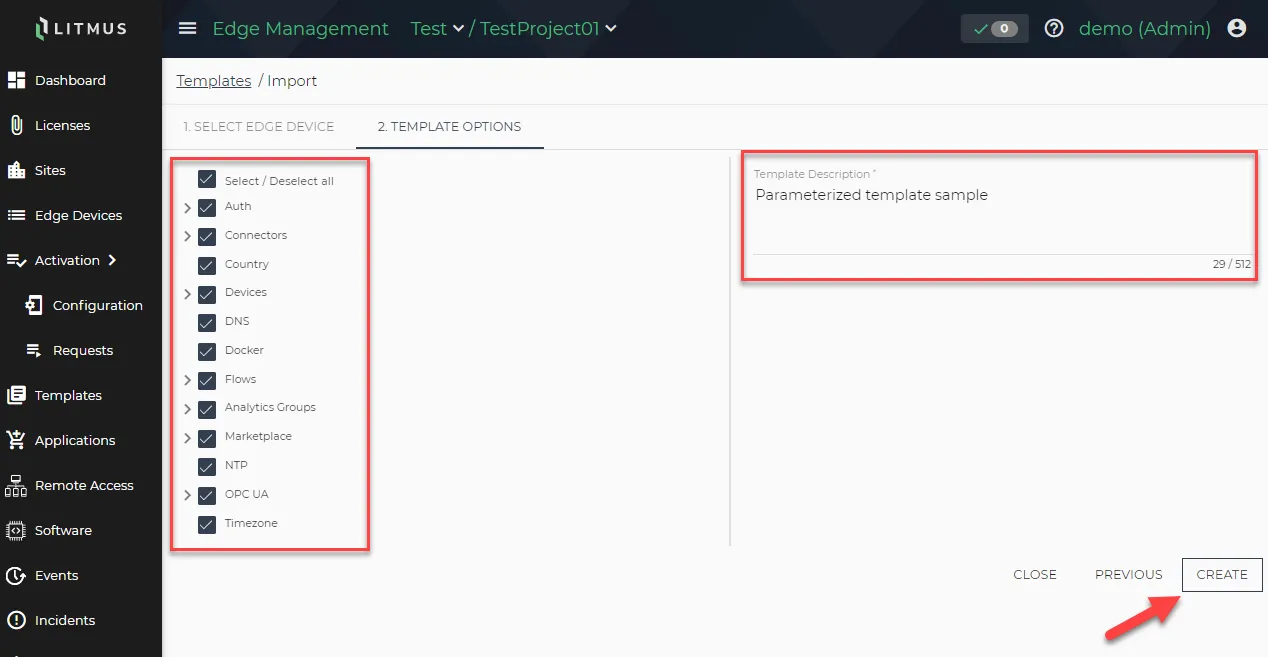 TEMPLATE OPTIONS page
Next Step
After creating a template, the next step is to Add Variables to Parameterize Template in Litmus Edge Manager.