Step 2: Add Variables to Parameterize Template in Litmus Edge Manager
1 min
You can convert an existing template to a parameterized template.
You can add variables and parameterize a template from the Templates pane.
To add variables to a parameterized template:
- From the Navigation panel, select Templates. The Templates pane for the project appears.
Click the Action menu next to a template that has been parameterized and select Parameterize Template. The Template Details pane opens, displaying the Variables and Parameterized Template panels.
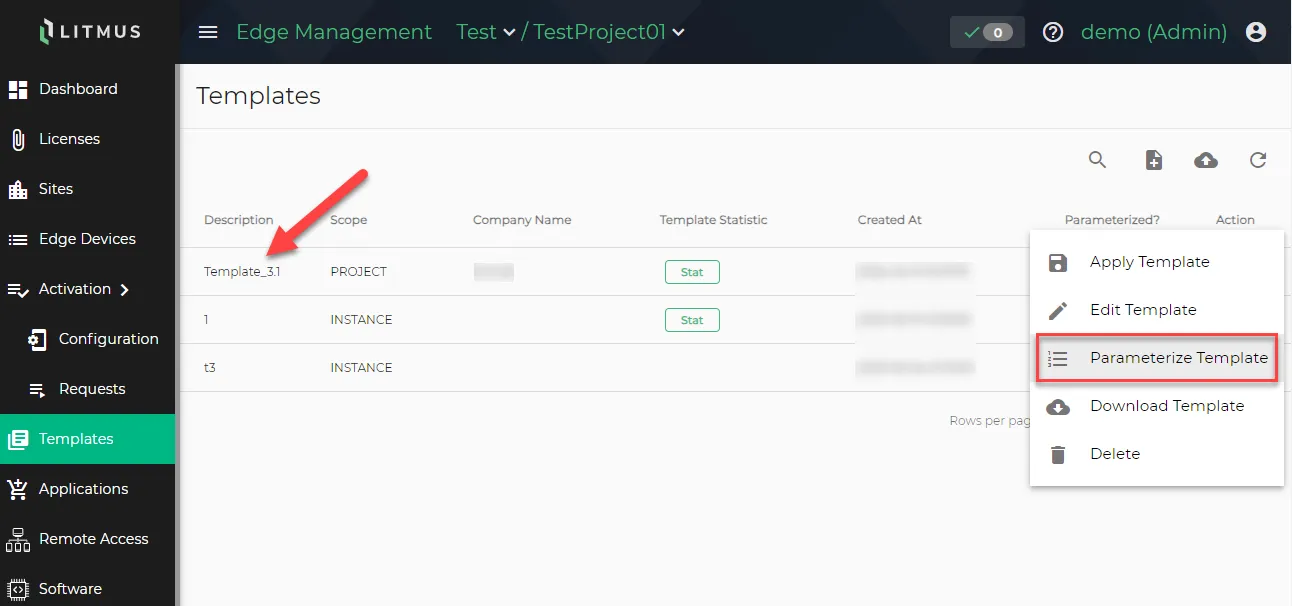 Templates pane for the project
- Click the + icon to add the following new variables:
- Name: Enter Device_Name01.
- Data Type: Select STRING using the drop-down menu.
- Description: Enter a description for the variable.
Click Save.
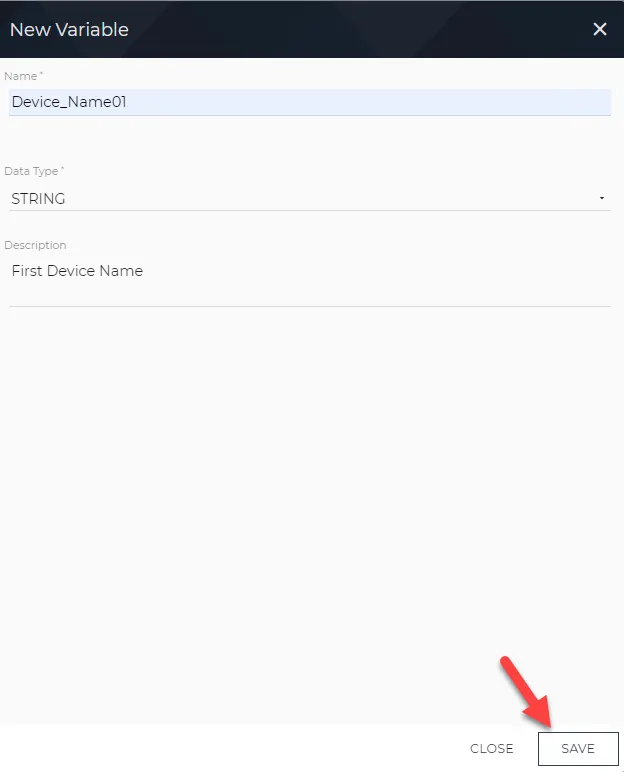 New Variable dialog box
- Repeat the above step to add Device_Name02 and Country_Code with String data types as variables.
After adding new variables, the Variables pane will appear as shown below.
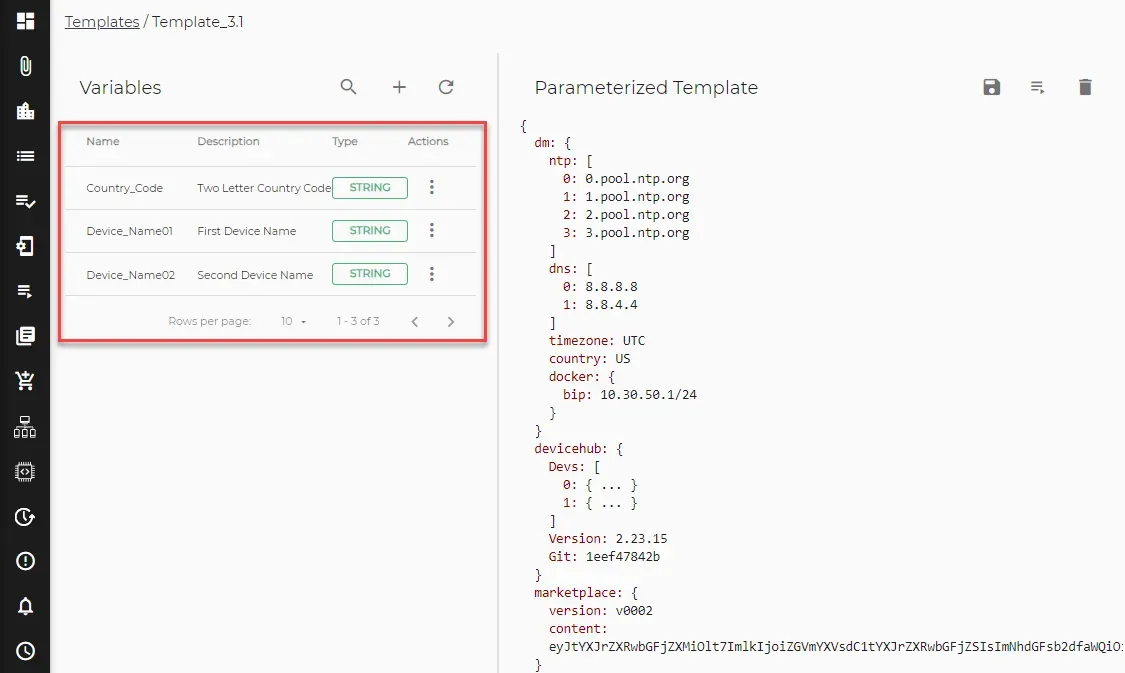
Variables pane with three variables
Next Step
After parameterizing a template and specifying the variables, you will next Verify the Variables and Download the Parameterized Template JSON Configuration.