Upgrade a Node-Locked License Offline
2 min
You can upgrade an active license offline by navigating to System > License.
Before You Begin
Before completing the steps below, make sure you do the following:
- Have an Ethernet connection for your first bootup of the Litmus Edge device after installation.
- Have access to a browser that is connected to the internet to complete this activation.
- If your Internet browser is on a separate computer, use a text file to copy the Activation Key and Offline Activation Key so you can transport the information.
Upgrade a License Offline
To upgrade a license without an Internet connection:
- Navigate to System > License. The License pane appears.
From the Node-Locked License section, click the Upgrade License icon for the license you need to upgrade. The Upgrade License icon only appears for the licenses whose type supports the upgrade operation. The Upgrade License form appears.
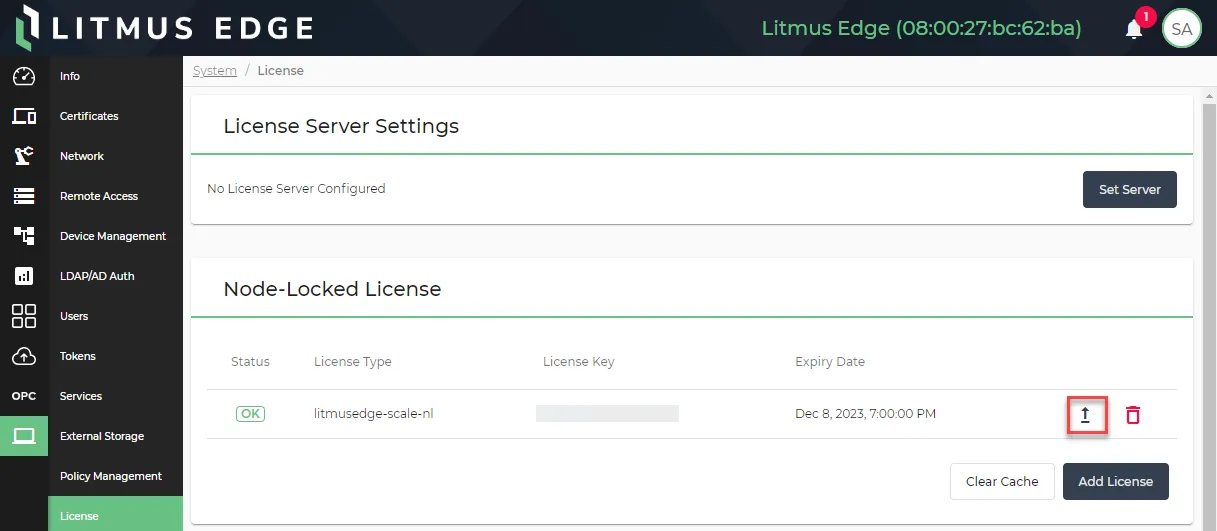 The Upgrade License icon
Click the Upgrade License Offline tab. The Activation Key and Offline Activation Key fields appear.
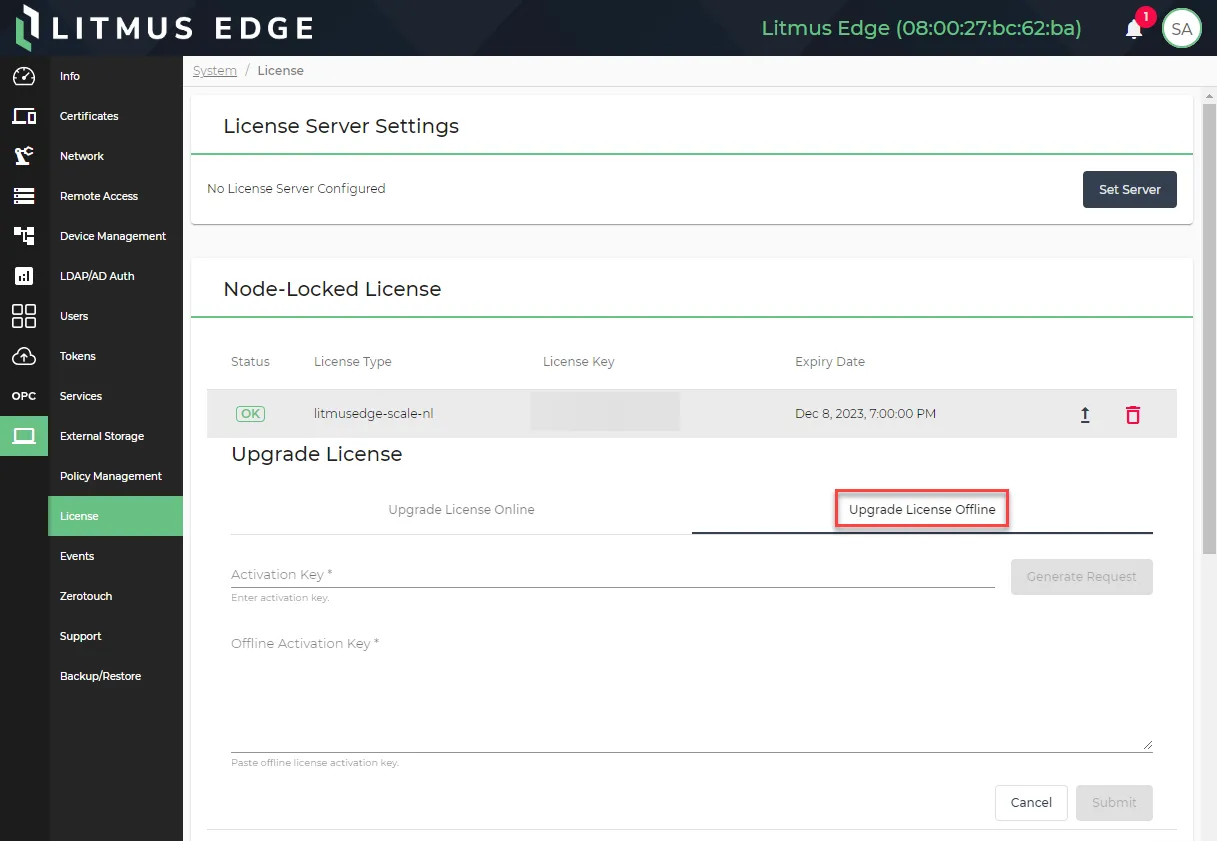 The Upgrade License Offline tab
- Paste or enter the license key obtained from Litmus in the Activation Key field. Then, click Generate Request. The Offline Activation Request value appears.
- Click the Copy icon for the Offline Activation Request.
- Click Open License Portal. The Licensing Portal opens in a new browser tab.
- In the Activation Request field paste the Offline Activation Request copied in step 5.
- Click the I'm not a robot check box. Then, click Make License.
- Click the Copy icon for the Activation Result.
- Return to the browser tab with Litmus Edge and paste the Activation Result in the Offline Activation Key field.
- Click Submit. Your license is now upgraded.