Connection Issues with Docker-Deployed PostgreSQL
2 min
If you try to connect to a PostgreSQL database that is deployed through Docker, you may see the following error message: CONNECTION_LOST | pq: unknown authentication response: 10.
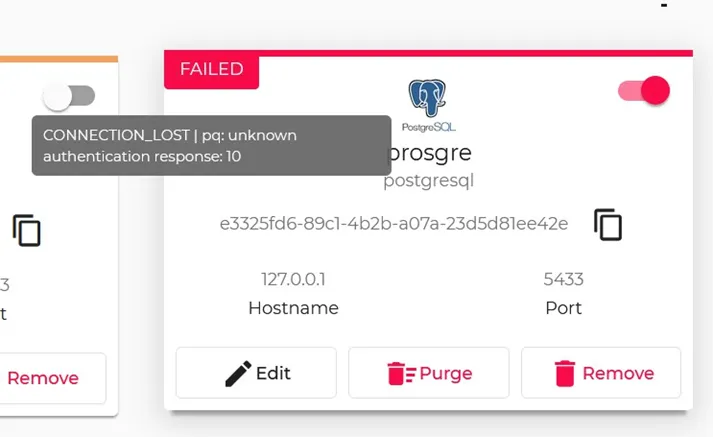
Postgre connector
Solution
Note: This solution is for PostgreSQL version 10 and later.
In Litmus Edge, navigate to Applications > Containers and run the following command.
docker run -d --name some-postgres --restart=always -e POSTGRES_PASSWORD=password -e POSTGRES_HOST_AUTH_METHOD="password" -p 5432:5432 postgresAs of PostgreSQL version 10, the POSTGRES_HOST_AUTH_METHOD parameter was changed to default MD5. Because of this, you will need to override the default POSTGRES_HOST_AUTH_METHOD parameter to be password instead.
Note: Litmus Edge Integration connector does not support the authentication method scram-sha-256.
For information on the PostgreSQL authentication methods, see the PostgreSQL Documentation.