Activate a Node-Locked License Online
4 min
You can activate a license key received from Litmus by navigating to System > Activation > License.
Before You Begin
Before completing the steps below, make sure you do the following:
- Obtain the license activation key from Litmus.
- If your current license is expired, also obtain the Data & Device Management Endpoint value from Litmus.
Activate License Online
Refer to the appropriate steps depending on if your current license is expired or not.
Activate a License Online if Your Current License is Not Expired
To activate a license if your current license is not expired:
- Navigate to System > Activation.
- Click the License tab.
From the Node-Locked License section, click Add License. The Add a New License form appears.
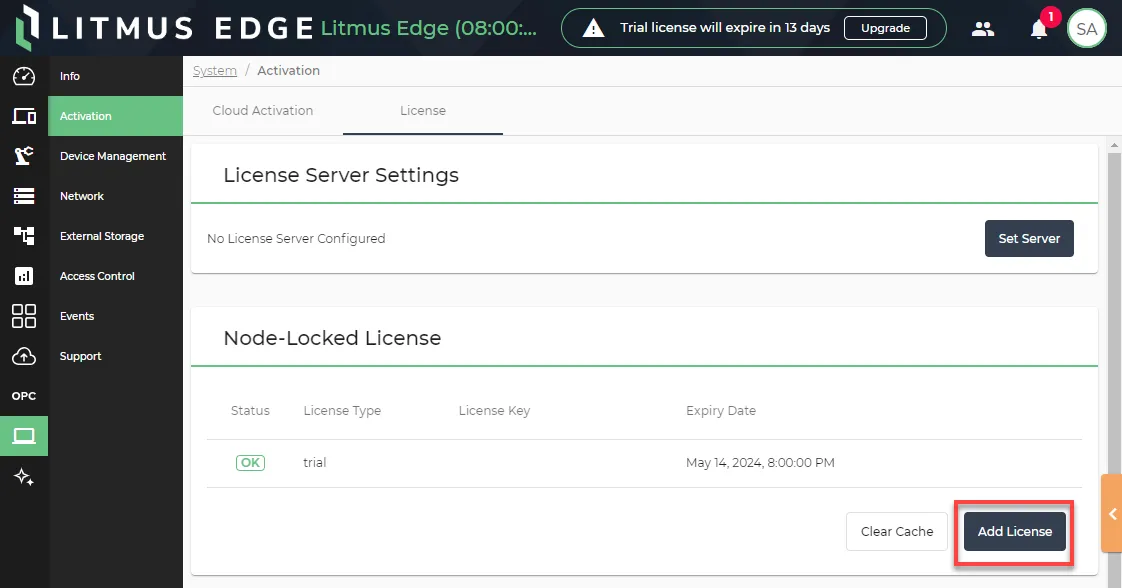
- From the Online License Activation tab, paste or enter the license activation key obtained from Litmus in the Activation Key field.
- Click Submit. The license is activated and appears in the License pane.
Activate a License Online if Your Current License is Expired
To activate a license if your current license is expired:
- Log in to Litmus Edge.
Click License Settings.
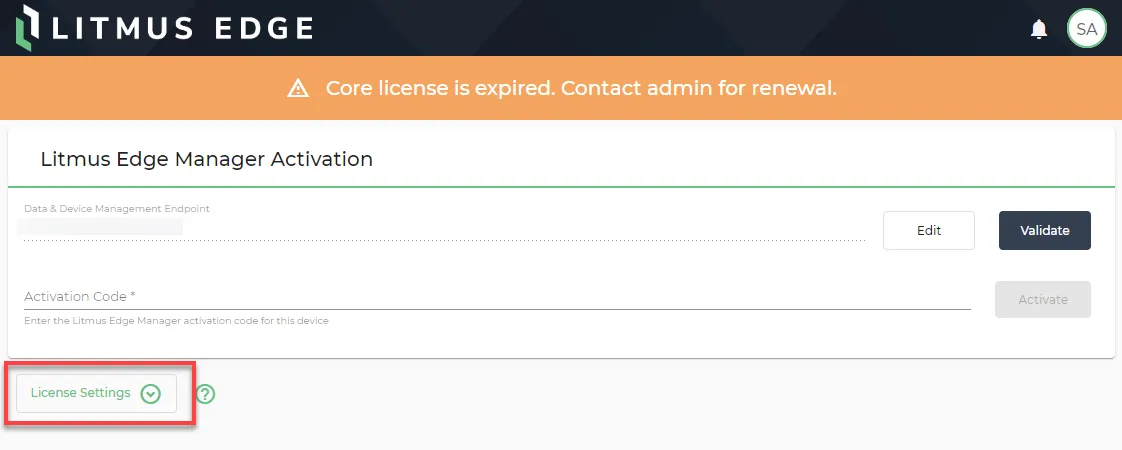
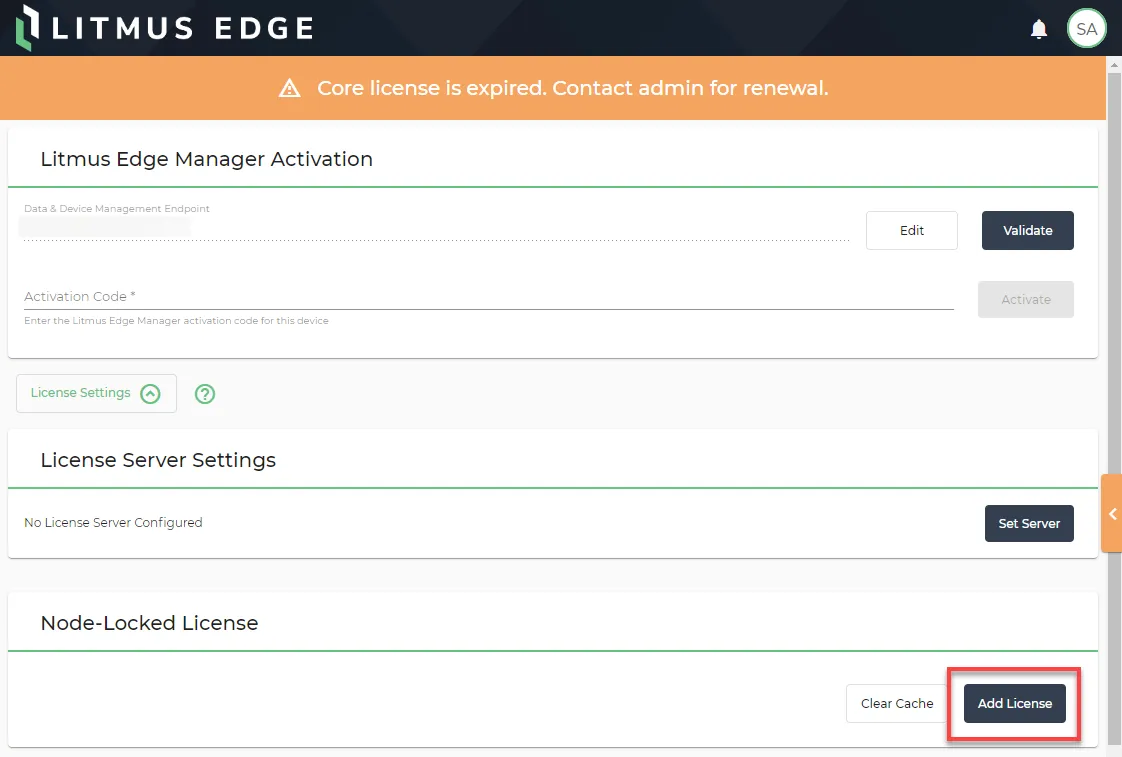
In the Node-Locked License section, click Add License.
Under Online License Activation, paste or enter the license activation key obtained from Litmus in the Activation Key field.
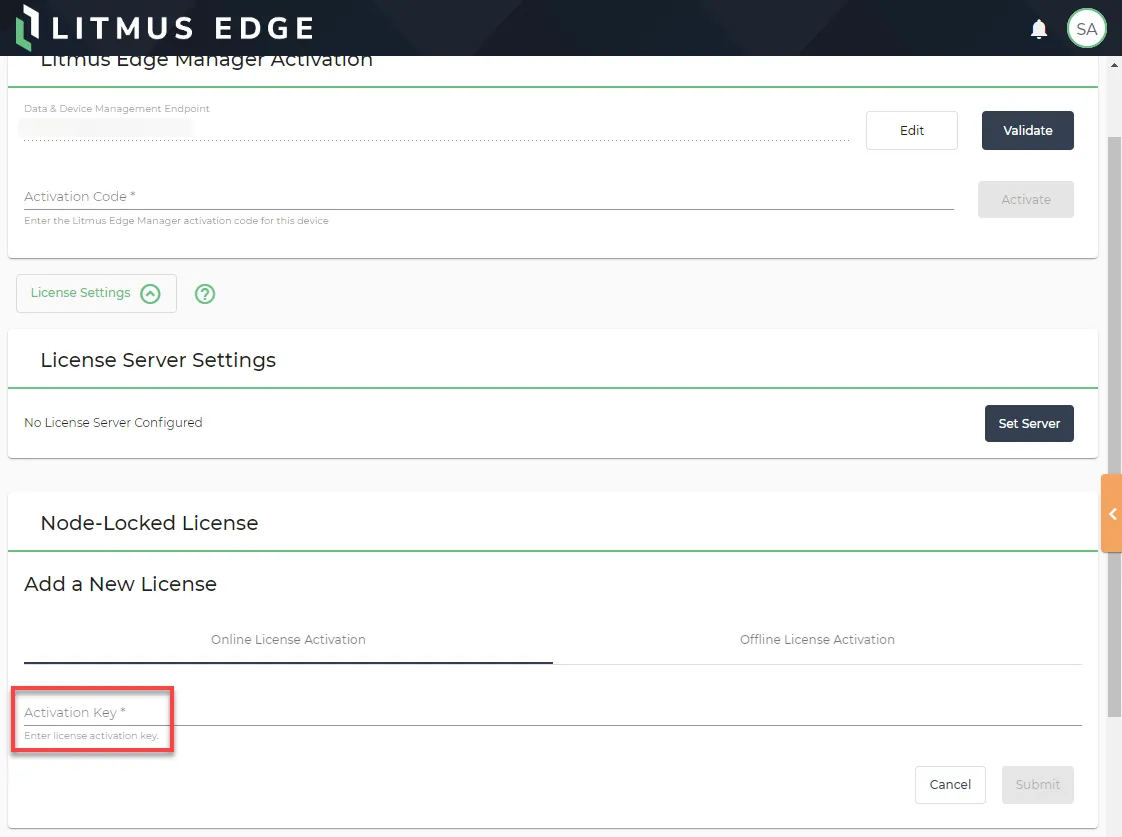
- Click Submit. The license is activated and appears in the License pane.