AB ControlLogix (Gen1)
Important: This driver was deprecated in Litmus Edge version 3.5.2. We recommend using the Gen 2 AB CompactLogix Ethernet FreeTag.
Review the following information for setting up and configuring the AB ControlLogix (Gen1) driver.
Litmus Edge Compatible Series
Compatibility parameter | Compatible items |
|---|---|
Driver type | Ethernet |
Validated devices/series | Certain device drivers do not have a list of register names in the DeviceHub Add Tag form. These are Free Tag PLCs. For Free Tag requirements, see Device Connectivity Status. |
Replaced with Gen 2 driver |
To set up and configure this device in Litmus Edge, you will need to do the following:
- Step 1: Set up and Configure the PLC Device
- Step 2: Set up the PLC Device in Litmus Edge DeviceHub
- Step 3: Configure the List of Registers
Step 1: Set up and Configure the PLC Device
If the device is configured for Ethernet access, find its network parameters. Otherwise, follow the steps below.
The instructions listed here provide only the basic configuration steps. Refer to the Rockwell Automation Allen-Bradley PLC documentation for current, complete details.
- Set the PLC IP address.
- Create new tags (Controller and Program tags supported).
- Export tag data to a CSV file: Tools > Export > Tags and Logic Comments.
The CSV consists of PLC settings along with the Tags which can be read using Litmus Edge.
To configure the PLC:
Note down the following information and refer to it as needed. Device: AB ControlLogix 1756-L55 Communication I/F: Ethernet. Refer to the following figure.
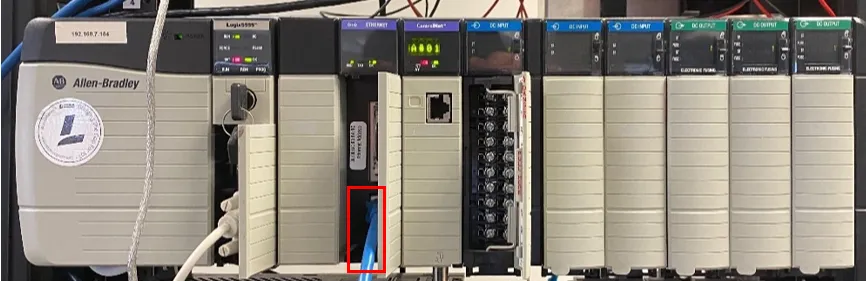 AB ControlLogix
- Launch RSLinx 5000 v16 Software, and then click Configure Drivers.
- Add a new RS-232-DF1 driver.
Set up the communication port and parameters, and then click Auto-Configure.
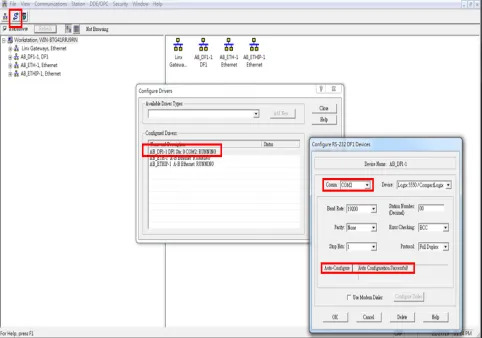 AB ControlLogix parameters
Right-click the Ethernet communication module > Module Configuration to set up its network parameters.
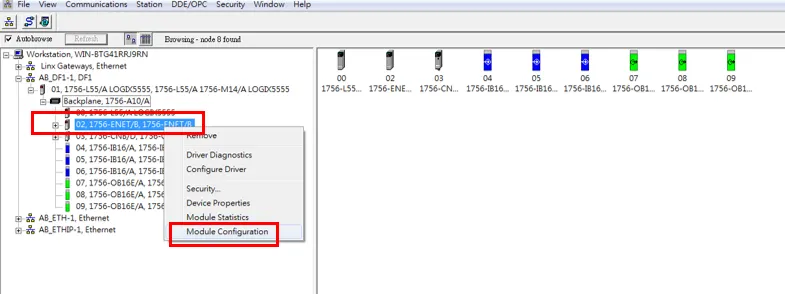 AB ControlLogix network
- Add an Ethernet Device driver.
Click Configure and select the IP for the device.
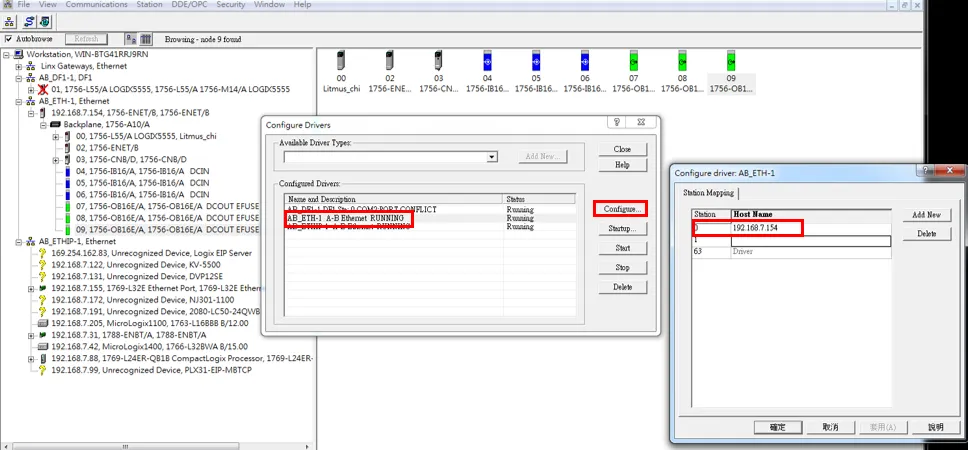 AB ControlLogix configure
Step 2: Set up the PLC Device in Litmus Edge DeviceHub
Configure the following parameters when you Connect a DeviceConnect a Device with this driver. Update default values to the specific setup of your device.
Parameter | Value |
|---|---|
Type | Allen-Bradley |
Driver | AB ControlLogix (Gen1) |
Network address | The device address you defined in Step 1 |
Port | 44818 |
Slot Number | 0 |
Step 3: Configure the List of Registers
When you Add Tags to the connected device, use the following tag/register mapping table.
Name | Value Type |
|---|---|
R | BOOL |
R | SINT |
R | INT |
R | BIT(INT) |
R | DINT |
R | REAL |
R | LINT |