Configure an HTTPs Proxy
1 min
You can enable and configure an HTTPs proxy for the Device Management, Authentication, and Licensing components.
Consider setting up an HTTPs proxy when you need to activate or setup authentication for a Litmus Edge device without internet access.
Setup an HTTPs Proxy
Add an HTTP/HTTPs Proxy using the following syntax:
http://proxy-name.com:port
- where proxy-name.com is the name of the additional Litmus Edge instance and port is the port number on which the proxy is listening.
To setup an HTTPs proxy:
- Navigate to System > Network and select the Proxy tab.
- Click Add Proxy in one of the available components tiles, for example Device Management.
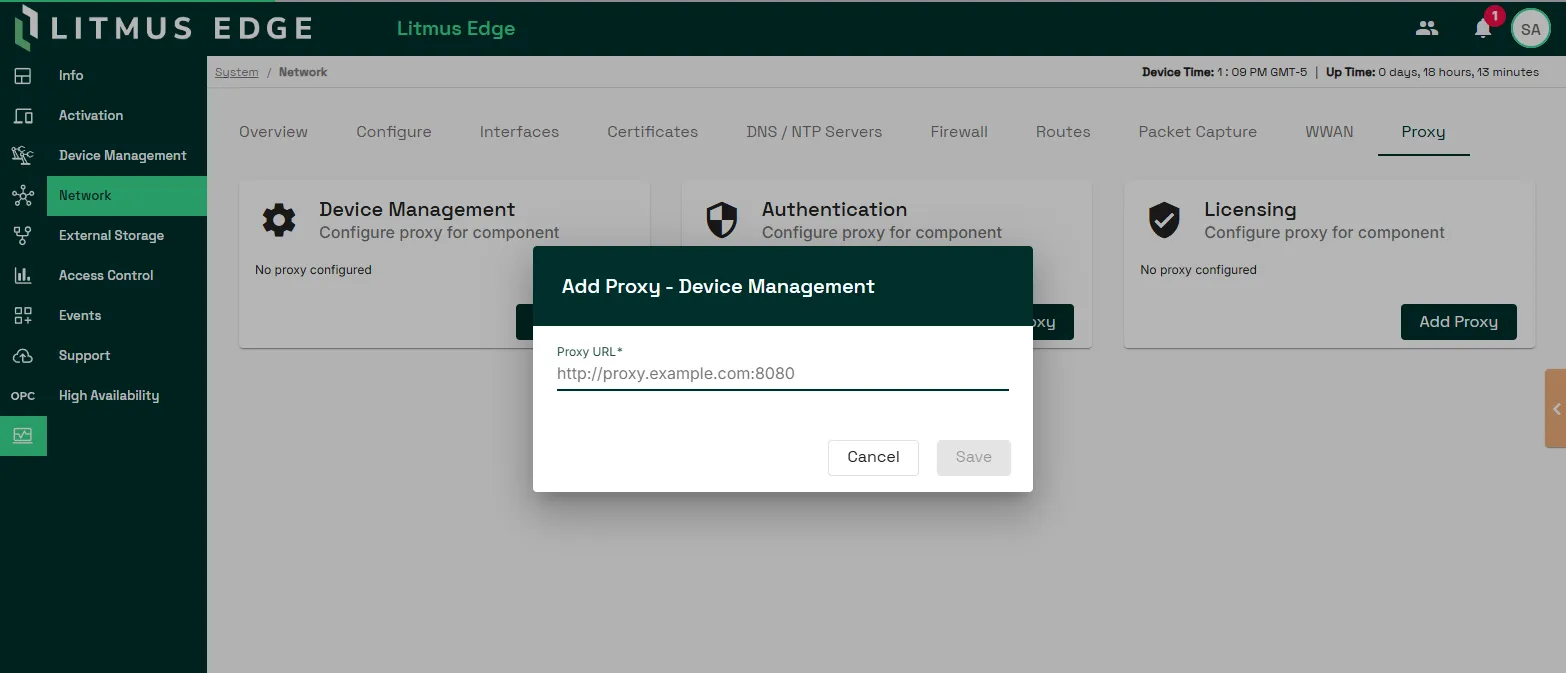
- Click Save.