High Availability
High Availability (HA) provides a built-in backup node that keeps Litmus Edge (LE) running when the primary node goes down or is taken offline. The backup node stays in sync and takes over automatically if the primary node fails, which protects your configuration and state. HA works reliably even with low bandwidth or uncertain connectivity, so you get continuous data collection with predictable recovery times.
HA also handles:
- Offline scenarios with either the primary or backup node
- Disabling and enabling High Availability again
Note: High Availability is available as a beta feature only.
Before you begin
Before you set up HA, make sure you have the following:
- Two separate LE instances running the same LE version, each with a valid license
- Network connectivity between the primary and backup nodes
- Permission to modify system settings. Users with the Viewer role cannot turn on the High Availability Configuration toggle.
Heartbeat model
When HA is enabled, the primary and backup nodes exchange heartbeat checks every two seconds. If three consecutive heartbeats are missed, HA starts an automatic failover.
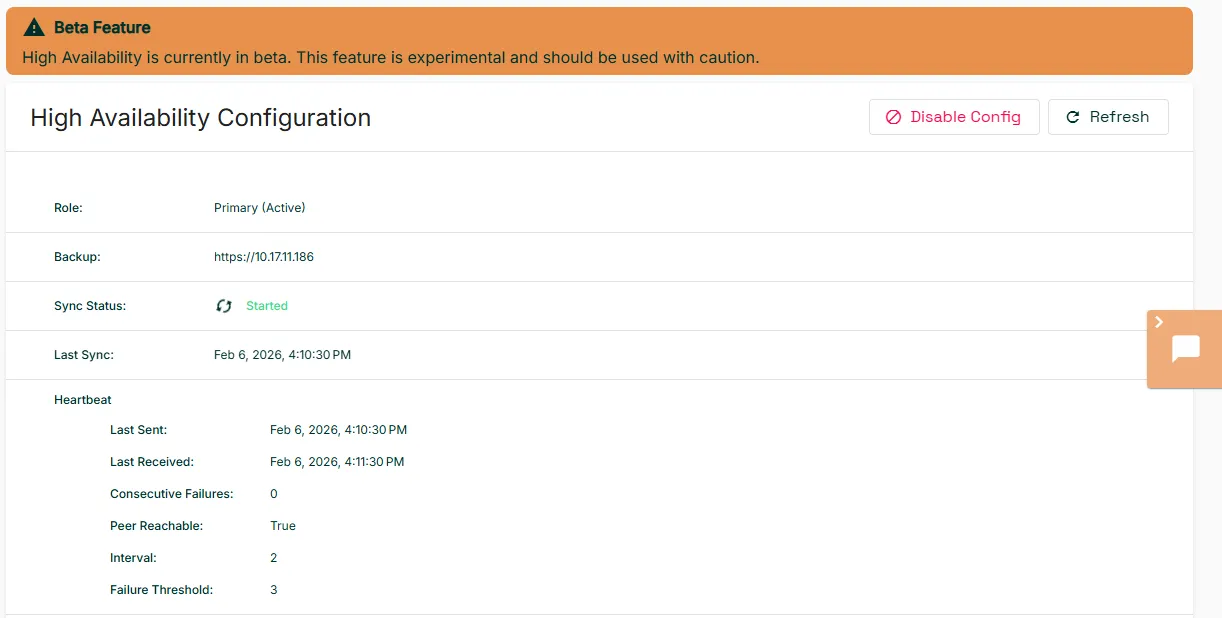
HA records heartbeat activity, current role, rsync status, and sync timestamps in log files. The primary node also displays the following fields:
Field | Description |
|---|---|
Last Sent | Last heartbeat sent to the backup node |
Last Received | Last heartbeat received from the backup node |
Consecutive Failures | Number of consecutive missed heartbeats |
Peer Reachable | Whether the backup node is currently reachable from the primary |
Interval | Heartbeat frequency in seconds |
Failure Threshold | Number of missed heartbeats that triggers failover |
When HA is active, LE disables the following operations in the UI so that they do not trigger a failover by accident:
- Reboot
- System reset
- Software update
- Configuration restore
- Network and timezone changes
System validation
Before setup completes, HA verifies the following:
- The backup node is not the same instance as the primary node.
- Both nodes run the same LE version. You cannot enable HA when the versions differ.
- Both nodes have a valid license.
Configuration workflow
Configure the backup node first, then register the backup node's credentials on the primary node.
To configure the backup node:
- Navigate to System > High Availability.
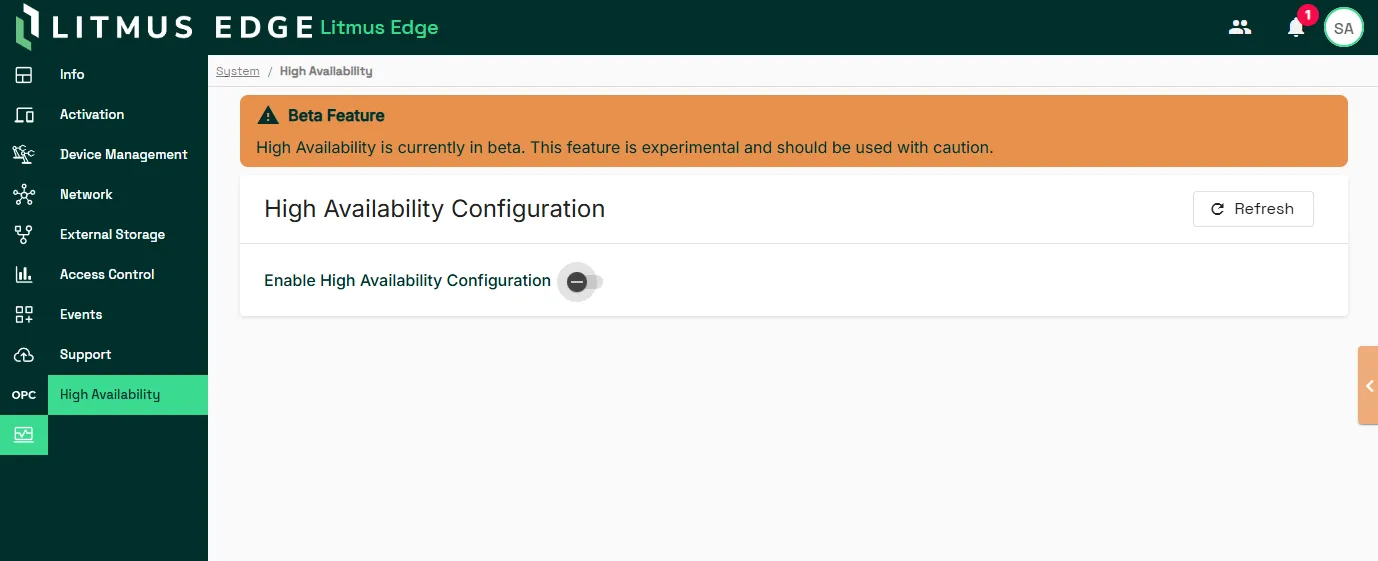
- Turn on the High Availability Configuration toggle.
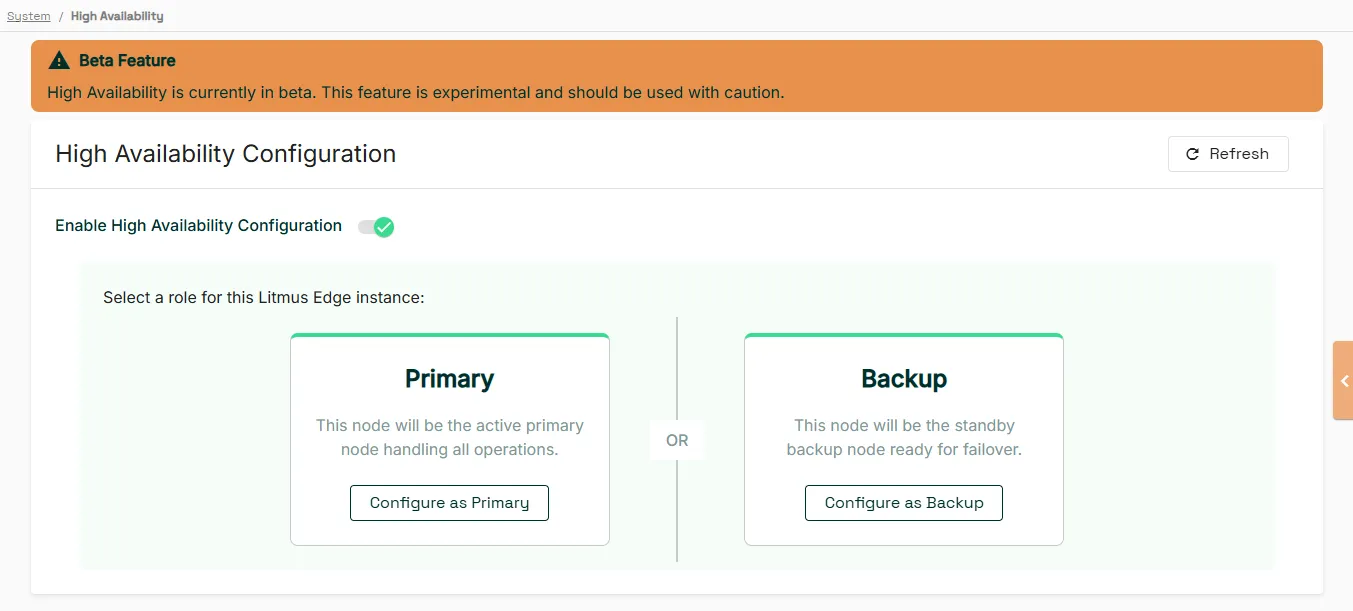
- Click Configure as Backup.
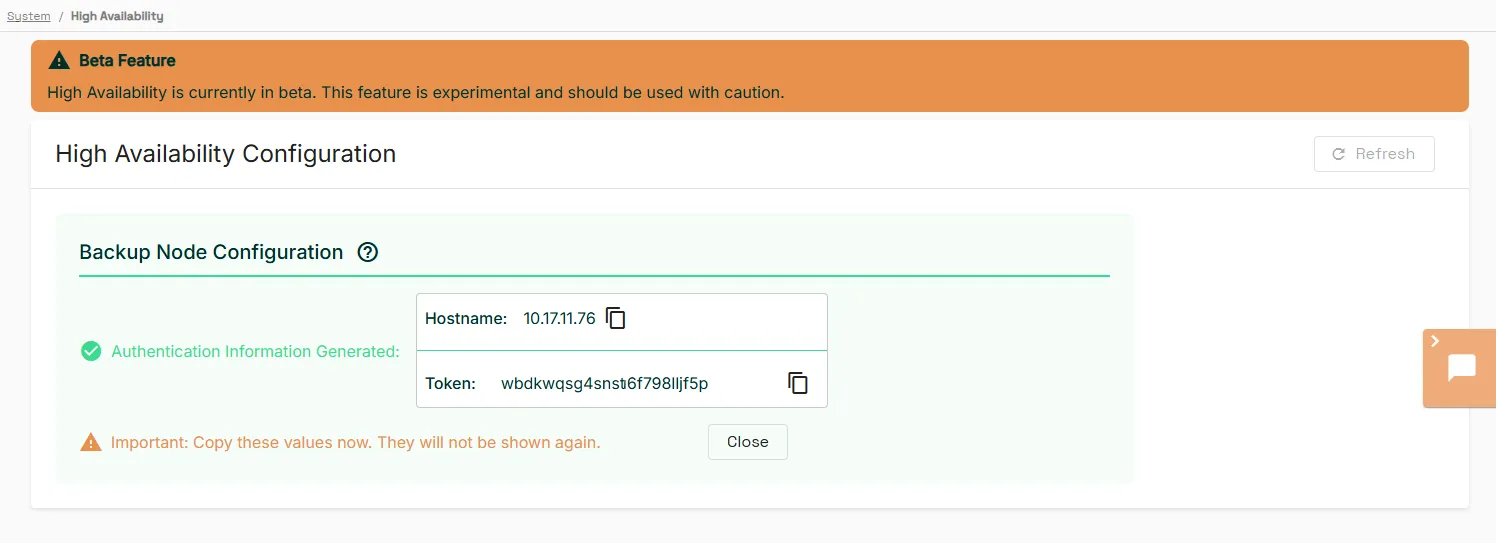
- Copy the hostname and token values. The token values do not display again after you close this page.
- Click Close.
To configure the primary node:
- Navigate to System > High Availability.
- Enter the hostname and token from the backup node in the Backup Hostname and Backup Token fields.
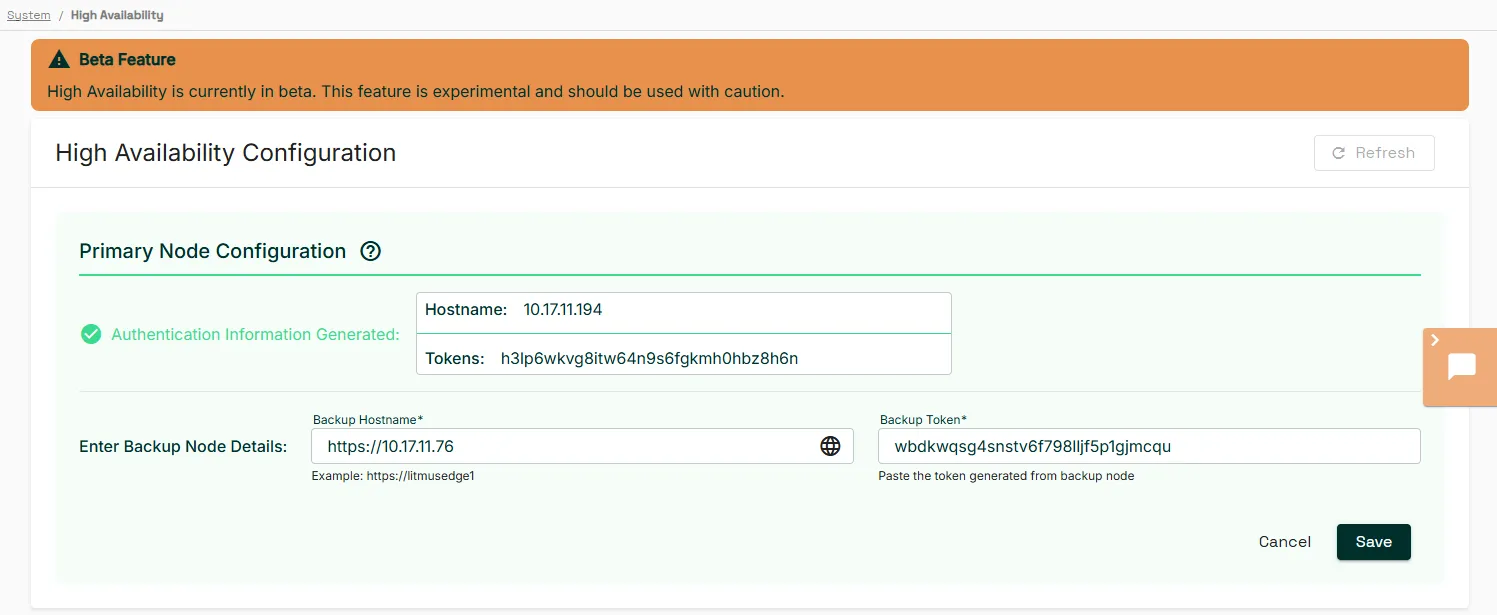
- Click Save.
- In the confirmation dialog, click Enable.
After you enable HA, the primary node displays live status for the backup relationship.
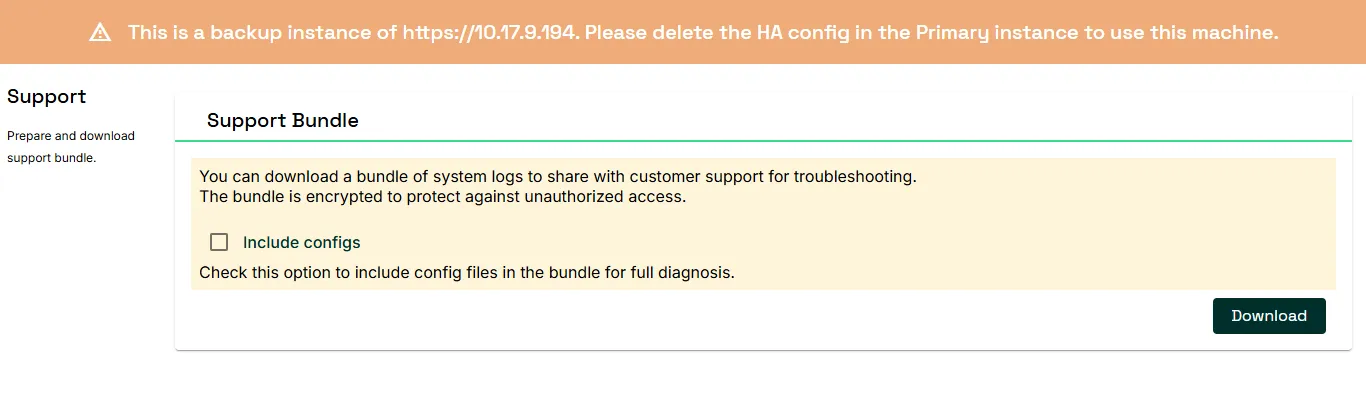
The backup node usually stays dormant after you enable HA, and displays the IP address of the primary node. You can also download a support bundle from the backup node if needed.
What happens to the original primary node after a failover
When the primary node fails, the backup node takes over as the new primary node. When the original primary node comes back online, it stands down. It does not rejoin the HA pair as the backup node.
On a stood-down node:
- Every page redirects to an out-of-service page.
- A banner displays the message This instance was replaced during a failover and is out of service. To use this machine again, perform a factory reset.
- A Factory Reset tile appears under the Support Bundle tile.
To use the stood-down node again, reset it to its factory settings:
- On the stood-down node, click Reset in the Factory Reset tile.
- In the confirmation dialog, click Yes.
The factory reset erases all configurations, user settings, and stored data. LE keeps the license. To reset the node, you need the same permission as the factory reset in System > Device Management. For details, see Manage Edge Devices.
After the reset, you can configure the node again, for example as the new backup node.