Install Litmus Edge on NVIDIA DGX Spark
Overview
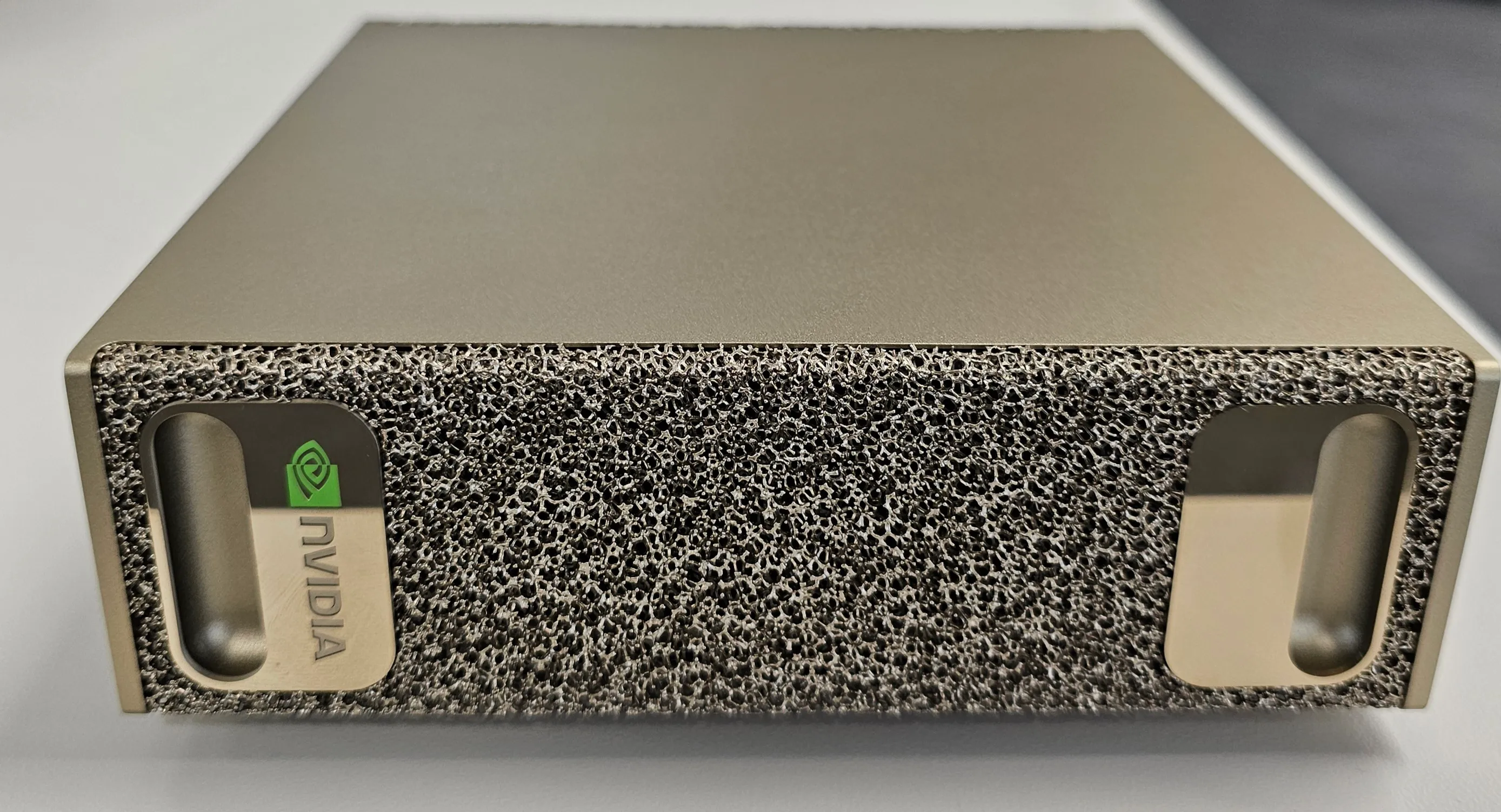
The NVIDIA DGX Spark is NVIDIA's compact, high-performance AI workstation built to deliver data-center-level compute in a desktop form factor. It is designed for developers who want powerful inference, model tuning, and edge analytics capabilities locally. Key hardware highlights include:
- Grace + Blackwell Superchip architecture: The system integrates a Grace CPU and Blackwell GPU over NVLink-C2C for high-bandwidth, low-latency coherent memory access.
- High compute density: It delivers up to 1 petaFLOP of AI compute (with sparsity / mixed precision) in a compact chassis.
- Unified memory: Offers 128 GB of coherent memory spanning CPU + GPU, enabling large models and data sets to reside in shared memory without explicit copies.
- NVMe storage: High-speed NVMe SSDs for fast data throughput and low-latency I/O.
- ConnectX-7 Smart NIC: Built-in high-speed networking and inter-Spark connectivity for model scaling across multiple devices.
- Scalability: Two DGX Spark units can be linked to support larger model sizes (e.g. up to ~405B parameters) via peer-to-peer interconnect.
By combining these capabilities with LitmusEdge, you can leverage edge telemetry, device orchestration, and local data analytics capabilities on top of a powerful AI compute substrate.
Below is a step-by-step Docker-based setup that runs directly on the DGX Spark.
System Requirements
- Operating System: Nvidia DGX OS (Ubuntu)
- Architecture: ARM64 (aarch64)
- Docker Engine: Already installed
- Network: Outbound access to pull LitmusEdge image
- Ports: 8443 (HTTPS) open for dashboard access
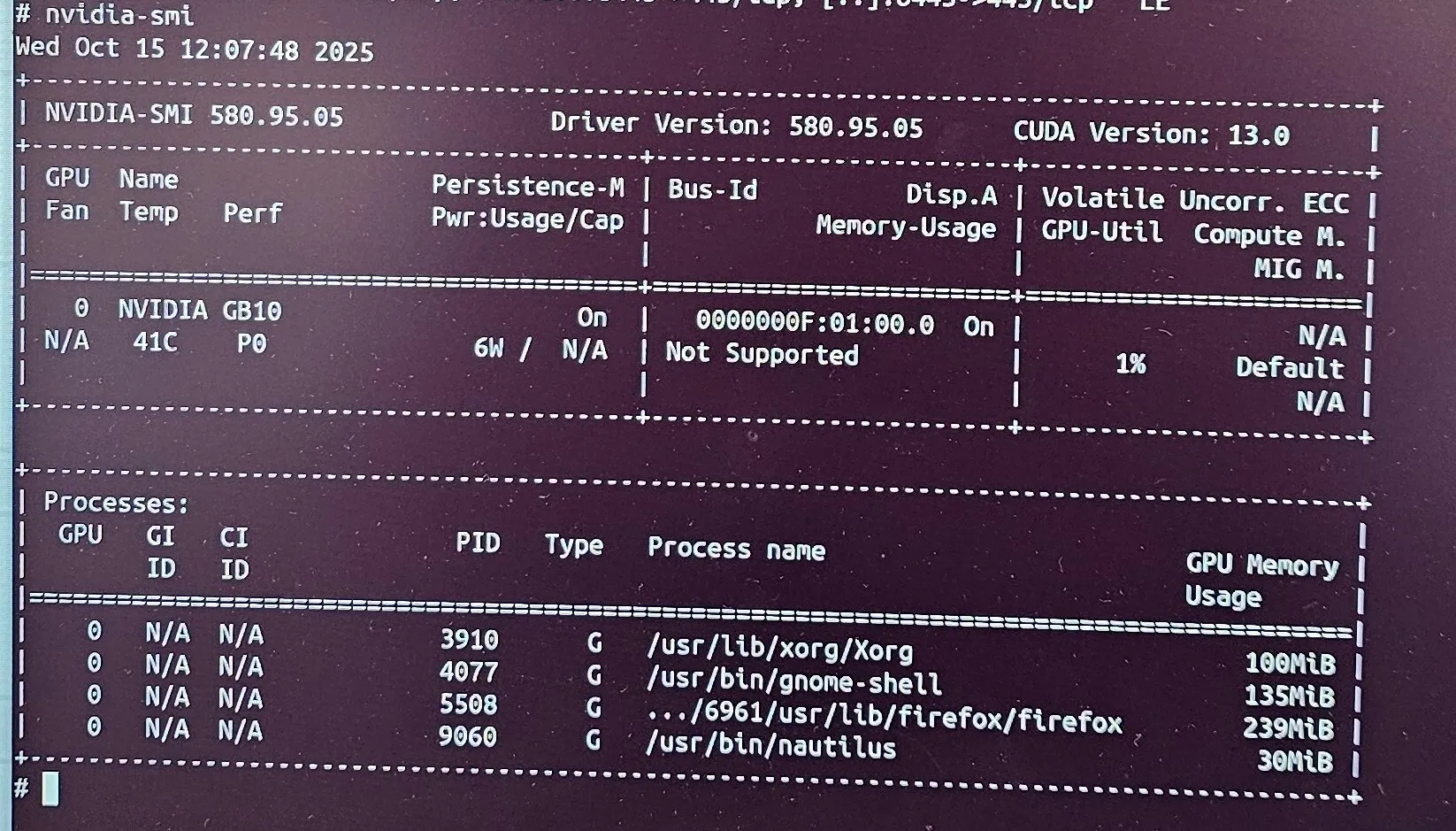
Verify GPU and Docker Environment
Pull and Run the LitmusEdge Docker Image
Access the Litmus Edge Dashboard
To extend LitmusEdge with local LLM capabilities, you can deploy Ollama on the same DGX Spark, a lightweight framework for running LLMs/SLMs locally. It allows you to serve models such as Llama, Mistral, or Gemma directly from your DGX Spark without cloud dependency.
Run the Ollama Container on DGX Spark
What this does:
- Starts Ollama as a background service.
- Allocates all GPUs for model inference.
- Mounts persistent storage for model files.
- Exposes port 11434 for API access.
Once running, Ollama can be integrated with LitmusEdge Analytics to provide local inference, summarization, or AI-assisted decision logic directly on your DGX Spark.
Pull Specific Models in Ollama
Once the container is up, you can pull AI models of your choice. Connect to the container shell:
List available models to confirm download:
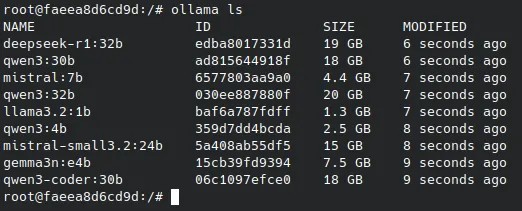
Here, each model is stored locally and uses GPU acceleration through the DGX Spark hardware. Larger models such as Qwen3-30B or DeepSeek-R1-32B take longer to load but provide higher accuracy and reasoning depth.
Connect Ollama to LitmusEdge Analytics
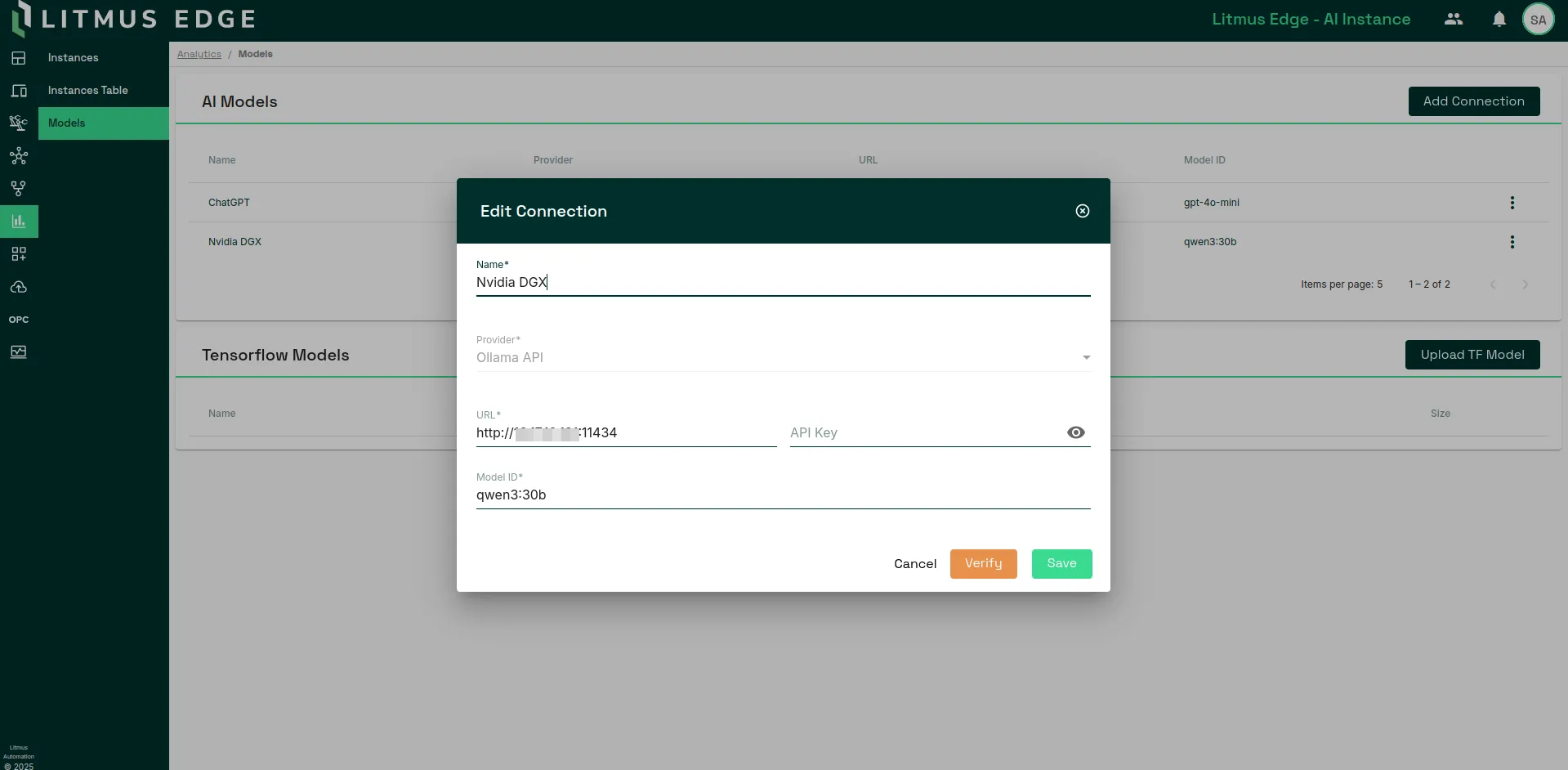
- Open the LitmusEdge Dashboard and navigate to Analytics -> Models.
- Click Add Connection.
- In the Provider field, select Ollama API.
- Enter the DGX Spark’s local Ollama endpoint in the URL field: http://<DGX-IP>:11434
- Specify the model you want to use, for example: qwen3:30b
- Click Verify, then Save.
Your connection will now appear under AI Models as shown in the example screenshot.
Use Ollama Models in LitmusEdge Analytics
Once the connection is verified, Ollama models can be used in LitmusEdge Analytics for real-time inference.
In the Instances section, you can:
- Add an AI processor node referencing your connected Ollama model.
- Use inputs from DataHub, preprocess them via JSONata, and feed into the AI processor.
- Collect the inference output downstream for visualization or publication back to devices.
- Some sample workflows -
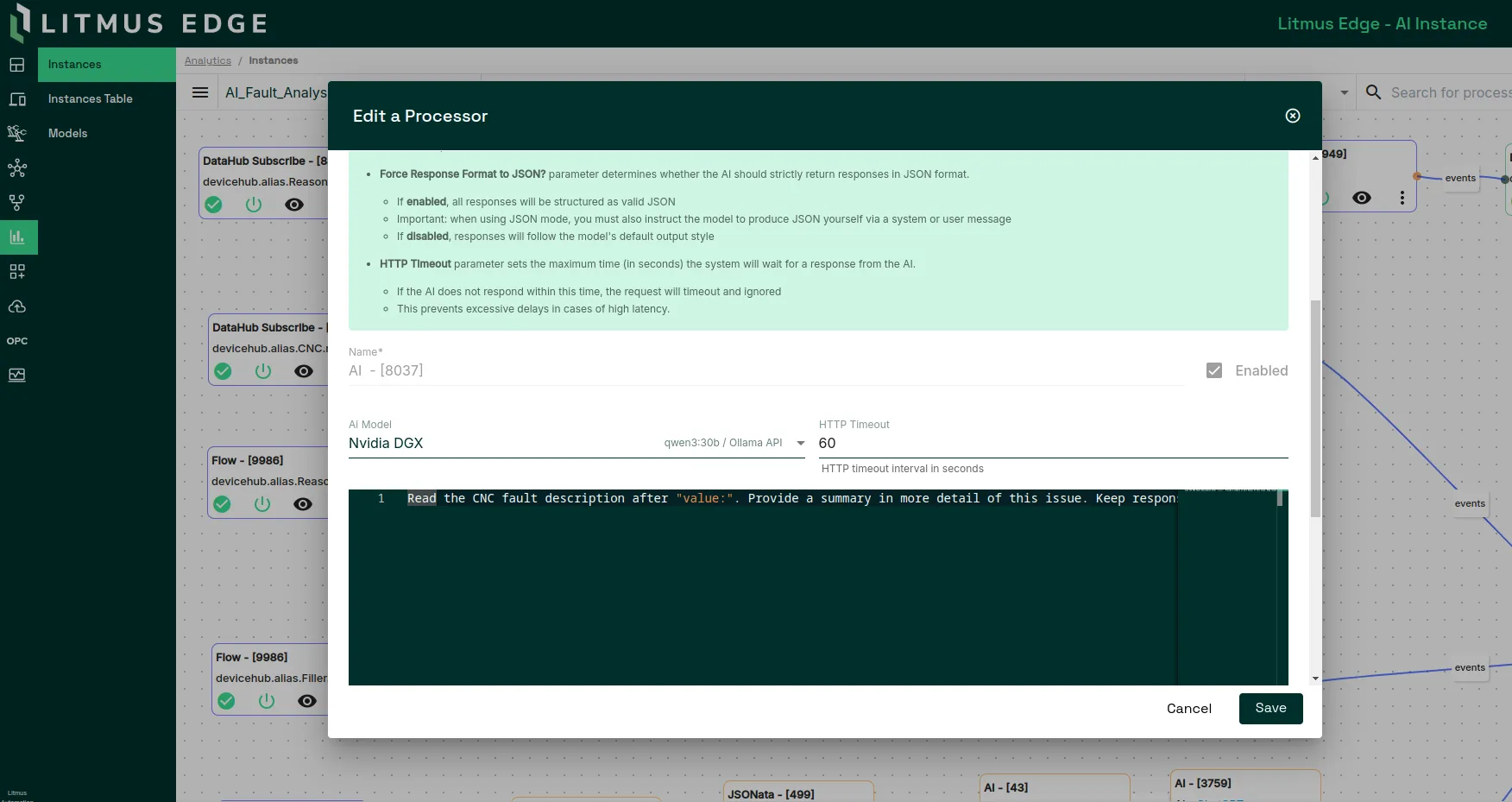
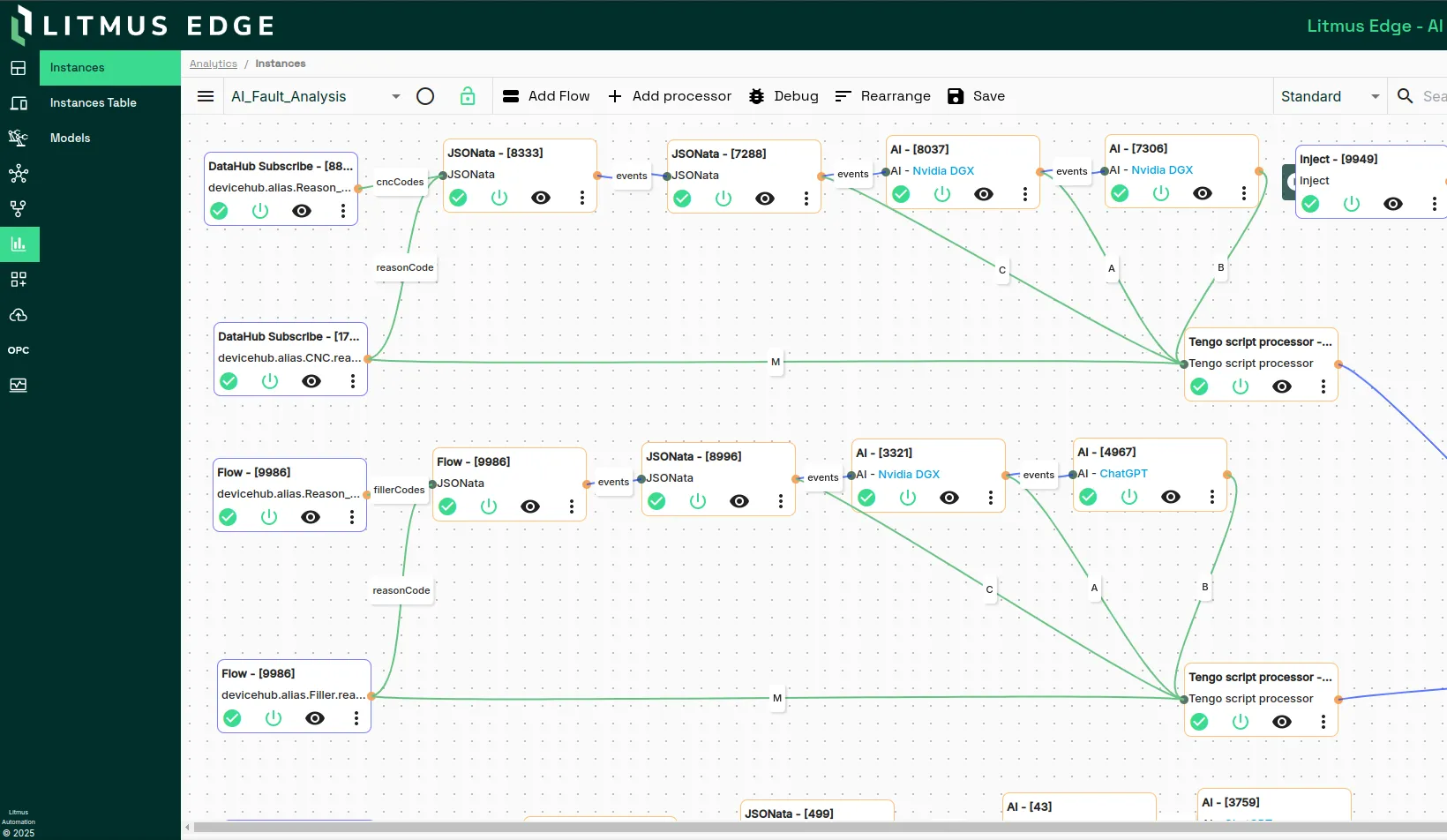
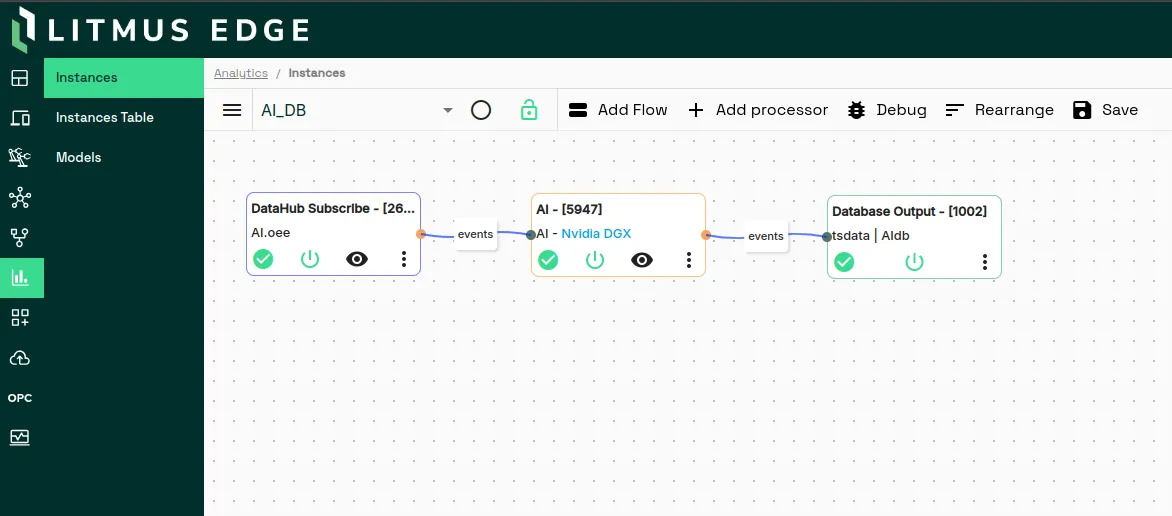
This workflow allows you to execute LLM-based analytics locally, without sending data to external cloud APIs. The DGX Spark GPU accelerates the model inference, making it ideal for high-throughput or edge AI deployments.
This architecture enables:
- Offline or on-premise generative AI.
- Real-time reasoning and fault analysis from edge data.
- Full control of AI pipelines without depending on external LLM APIs.
Conclusion
You have now deployed LitmusEdge on an NVIDIA DGX Spark using Docker and integrated it with Ollama for local large language model inference. The DGX Spark’s advanced hardware architecture, featuring unified memory, high compute density, and seamless CPU-GPU coordination, provides a strong foundation for running AI workloads at the edge.
With LitmusEdge Analytics, you can create intelligent data flows that collect, process, and analyze industrial data in real time. By connecting the Ollama container, LitmusEdge gains direct access to local SLMs such as Gemma, Qwen, Mistral, or DeepSeek, enabling offline and high-performance inference without external dependencies.
This setup allows users to design analytics pipelines that combine device data, preprocessing logic, and AI reasoning within the same environment. The result is a unified, GPU-accelerated platform that supports on-premise model execution, predictive insights, and operational decision-making at the edge.
Together, LitmusEdge and DGX Spark form a scalable edge AI ecosystem capable of transforming industrial data into actionable intelligence while keeping processing secure, fast, and completely within your infrastructure.