OIDC Providers
You can enable authentication through the OpenID Connect (OIDC) protocol to log in using your organization's identity provider. Litmus Edge acts as an OIDC client that connects to a configured OIDC provider. Litmus Edge supports both static and dynamic client registration.
The OIDC providers page allows you to:
- View the list of configured OIDC providers.
- Add, edit, and delete OIDC providers.
- Assign Role-Based Access Control (RBAC) groups to users authenticating through OIDC.
Important Note: When working with OIDC providers, remember that:
- OIDC provider configurations are included in system backups.
- Users can export and import configurations through templates.
- The assigned RBAC Groups determine user access levels upon authentication.
Required OIDC Scopes for Microsoft Entra ID
When configuring Microsoft Entra ID as an OIDC provider for Litmus Edge, ensure the following standard scopes are enabled:
- openid
- profile
Litmus Edge uses these scopes to authenticate users and retrieve basic identity information. No additional custom scopes or permissions are required.
Access OIDC Providers
Navigate to System > Access Control > OIDC Providers and refer to the actions you can take:
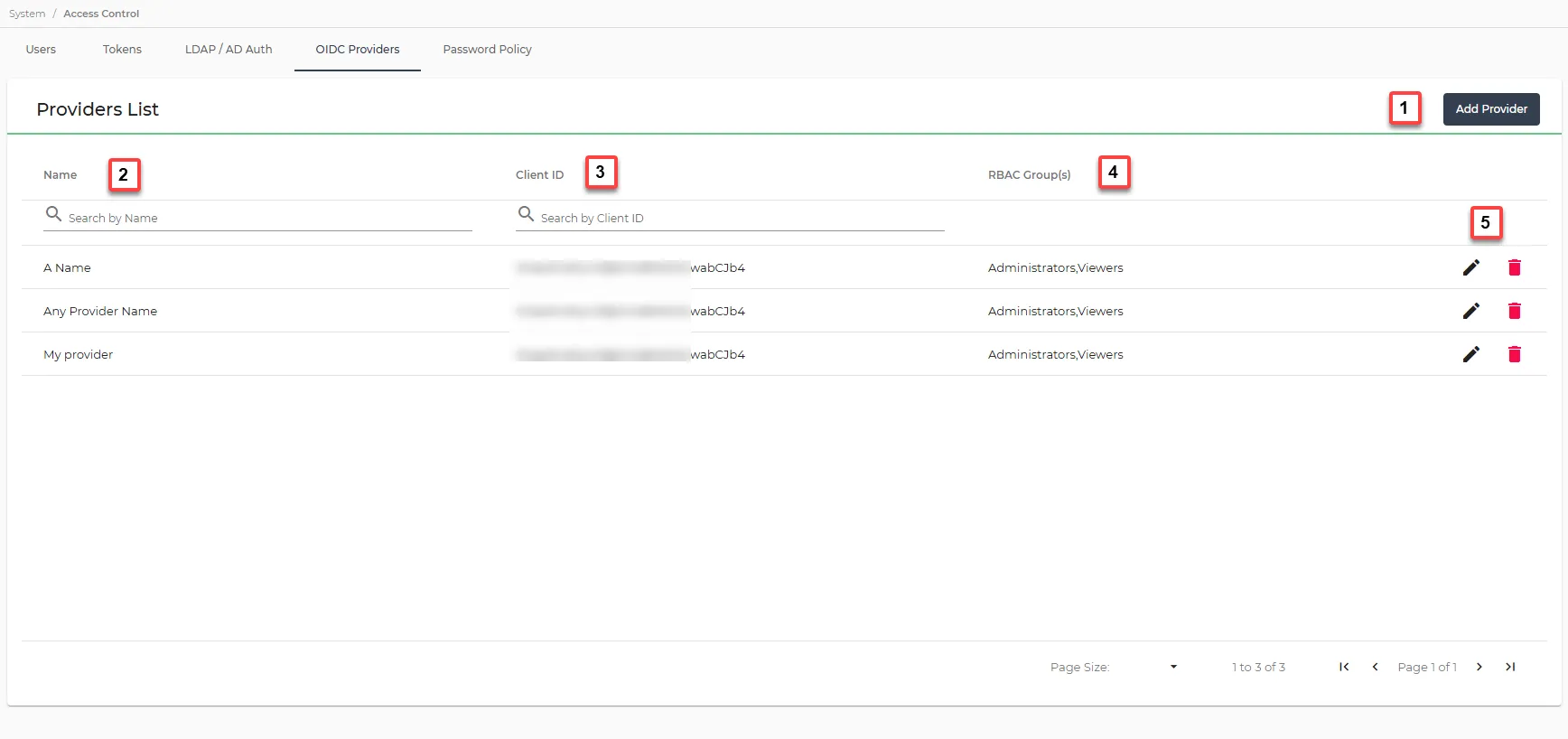
Action | Details |
|---|---|
[1] Add Provider | See Add an OIDC Provider for details. |
[2] Name | The identifier for the OIDC provider (for example Keycloak or Okta). |
[3] Client ID | The unique identifier for the client registered with the OIDC provider. |
[4] RBAC Group(s) | The user roles assigned via Role-Based Access Control (RBAC). |
[5] Actions | Options to edit or delete an OIDC provider. |