Flows and Analytics
Flows and Analytics are two data processing features in Litmus Edge that serve different use cases. Flows is a low-code, Node-RED based editor for building custom data pipelines. Analytics provides prebuilt processor functions for common analytical and statistical tasks. This page compares both features to help you choose the right one for your requirements.
See Flows Manager and Analytics for detailed feature documentation.
Flows and Analytics compared
The following table compares the capabilities of both features.
Feature | Flows | Analytics |
|---|---|---|
Out-of-the-box setup | No. Requires JSON knowledge. All functions must be manually configured. | Yes. No coding knowledge required. Predefined functions are ready to use. |
Canvas data preview | Yes. Use the debug node to view output. | Yes. Click the View icon on a processor. |
Output publishing | Yes. Use the DataHub Publish node. | Yes. Use the DataHub Publish output function. |
Pipeline setup | No. Flows must be manually configured. | Yes. Select an input, processor, and output. |
Function customization | Yes. Fully customizable to your requirements. | No. Predefined functions have limited customization options. |
Multi-format data parsing | Yes. Parser nodes support CSV, XML, and YAML. | No |
Dashboard creation | Yes. Create and customize Flow dashboards. | No |
Email and SMS alerts | Yes. Use the email and Twilio Out nodes. | No |
Flows
Flows is a low-code, Node-RED-based flow editor for building customized data processing pipelines. Use Flows for complex workflows that require custom logic, multi-source data integration, or data format transformation. Building and maintaining flows requires familiarity with JSON and Node-RED.
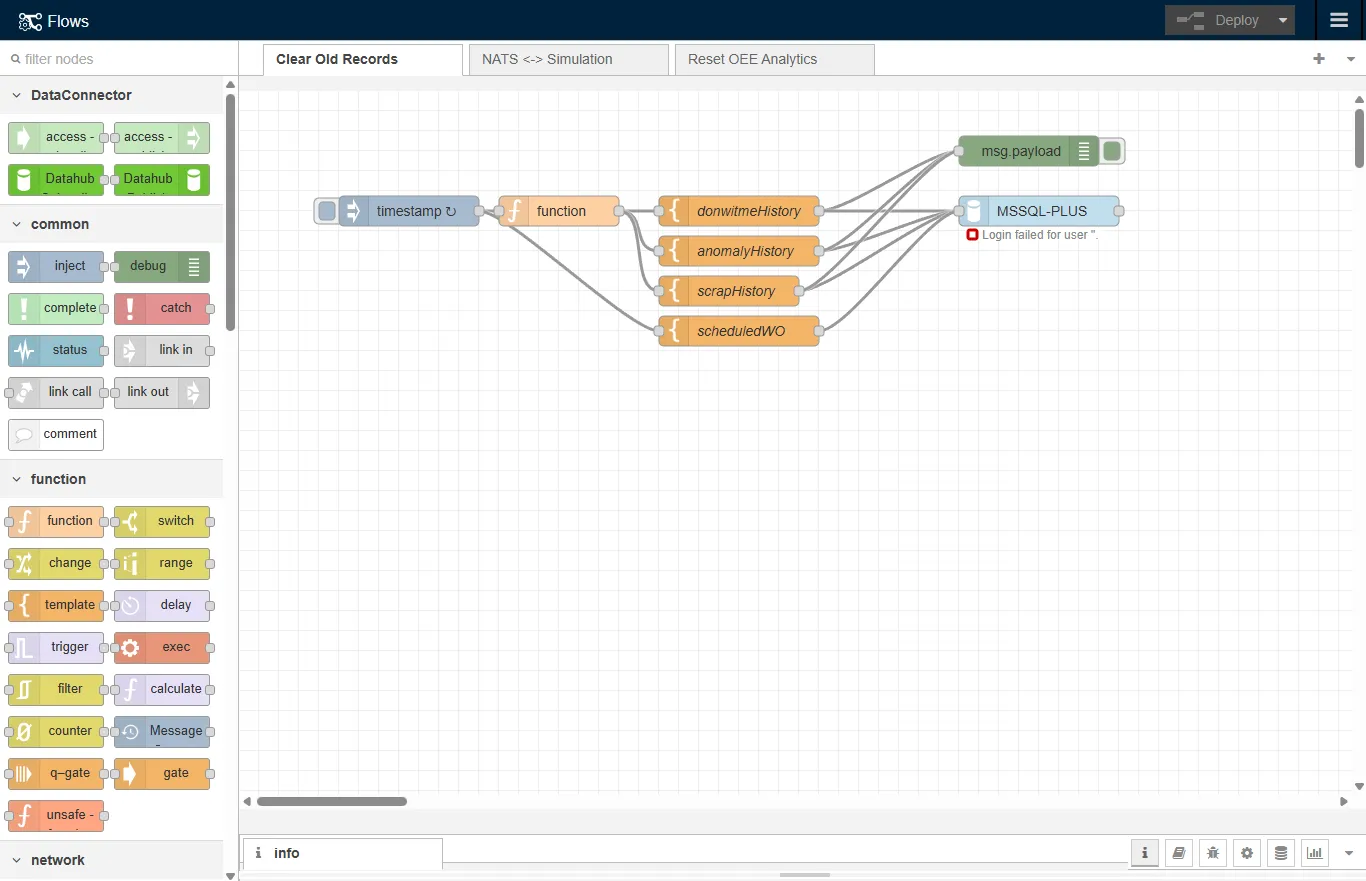
The Flows canvas lets you connect the following processing nodes visually in a browser:
- DataHub Subscribe and Publish
- Inject
- Debug
- Trigger
- Execute
- JSON Parser
- Read File
When to use Flows
Use Flows when your workflow requires:
- Automated manufacturing sequences: Flows controls the sequence of operations, adjusts settings, routes materials, and changes schedules based on real-time data.
- Custom data processing algorithms: For specialized equipment, Flows can analyze sensor data to optimize usage, predict maintenance needs, and prevent failures.
For additional guides and user scenarios, see Flows Guides.
Limitations
Consider these limitations before choosing Flows:
- JSON and Node-RED knowledge required: Syntax errors in JSON configuration can cause flow malfunctions and affect the reliability of your manufacturing operations.
- Scaling complexity: As the number and complexity of flows increase, managing them becomes more demanding, particularly in large deployments where thousands of sensors and devices generate data continuously.
Analytics
Analytics provides prebuilt mathematical and statistical processor functions for industrial data analysis. Use Analytics to analyze and visualize industrial data without writing custom logic or learning Node-RED. To set up a pipeline, select an input, apply a processor, and configure the output.
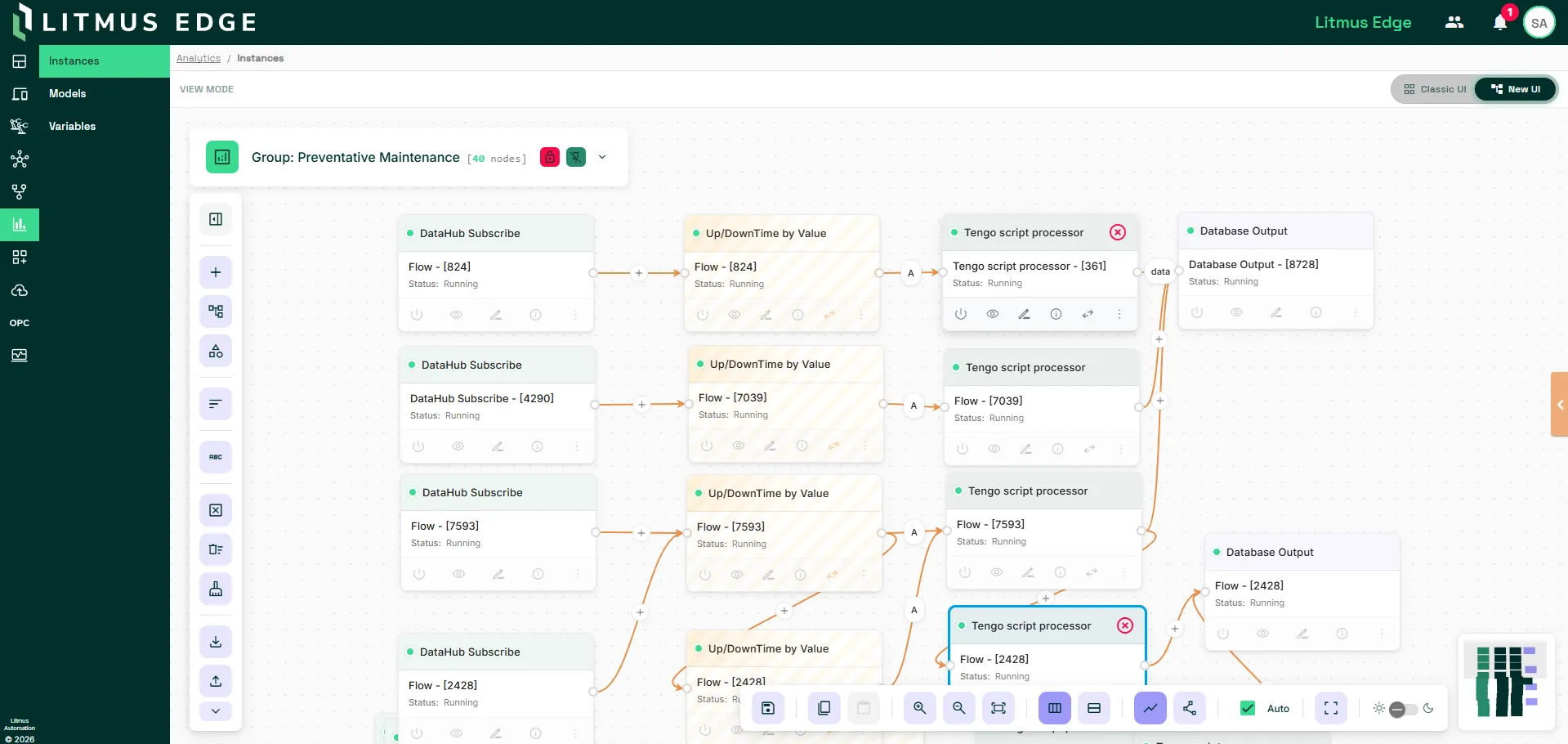
Litmus Edge Analytics includes the following processor functions:
- Anomaly Detection
- ARIMA Filter
- Feature Extraction
- Linear Prediction
- Normalization
- Statistical Prediction
- XMR Chart
When to use Analytics
Use Analytics when your workflow requires:
- Routine performance monitoring: Analytics tracks key performance indicators (KPIs) such as production output, operational efficiency, and machine uptime and presents data in configurable visual formats.
- Predictive maintenance: Analytics identifies patterns in historical and real-time data to predict machine or component failures and support proactive maintenance scheduling.
For additional guides and user scenarios, see Analytics Guides.
Limitations
Consider these limitations before choosing Analytics:
- Limited customizability: Analytics works with predefined functions and is not suited to workflows that require logic outside the available processor types.
- Not designed for complex datasets: For datasets that require in-depth pattern recognition or multi-variable correlation analysis, Flows provides the customization that Analytics cannot.