Manage the Timeseries DB
You can manage the Timeseries DB by navigating to DataHub > DB Management.
DataHub's DB Management module offers the following functionalities:
- Drop Tables
- Delete a Database
View Tables
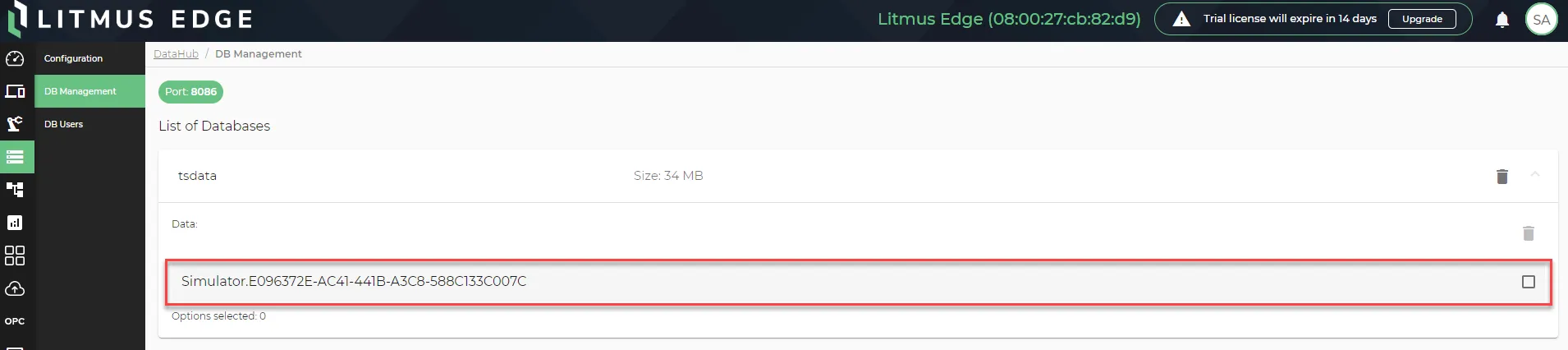
You can view database tables from the DB Management pane by clicking the tsdata database name.

The DataHub tables are the data from the devices you added in DeviceHub if you enabled data store.
After clicking tsdata, the tables drop down and are selectable.
Drop Tables
You can drop a table from the timeseries database in the DB Management pane.
Note: By dropping a table, you delete the data stored for devices you had added in DeviceHub with data store enabled.
To drop a table from the database:
- From the DB management pane, click the database name: tsdata. The selected database's tables dropdown.
Select a table's check box and click the Remove Selected Data icon. The Confirm Deletion dialog box appears.
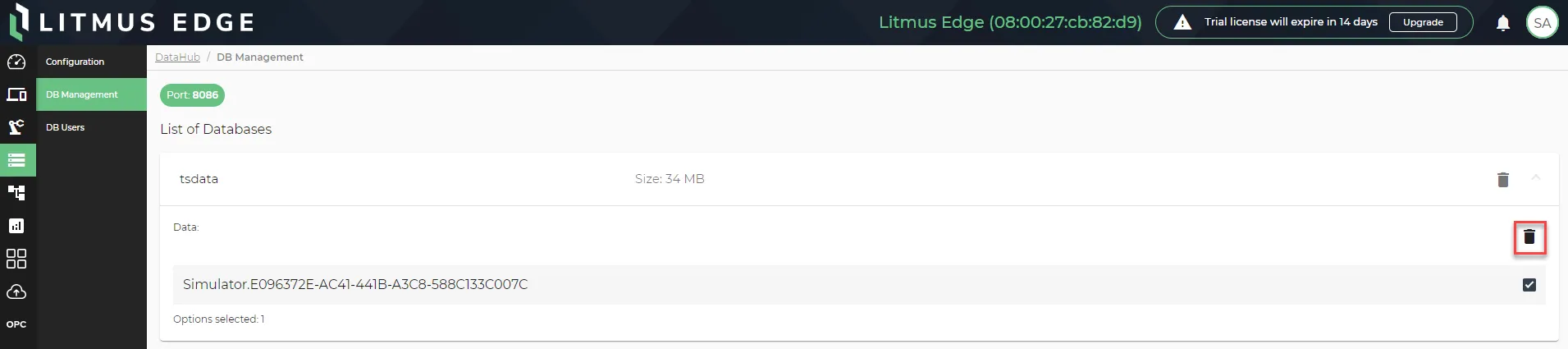 The Remove selected table icon
- Click Yes. The selected table's data is removed from the database.
Delete a Database
You can delete the time series database from the DB Management pane.
To delete the database:
From the DB management pane, click the Remove Database icon by the database name. The Confirm Deletion dialog box appears.
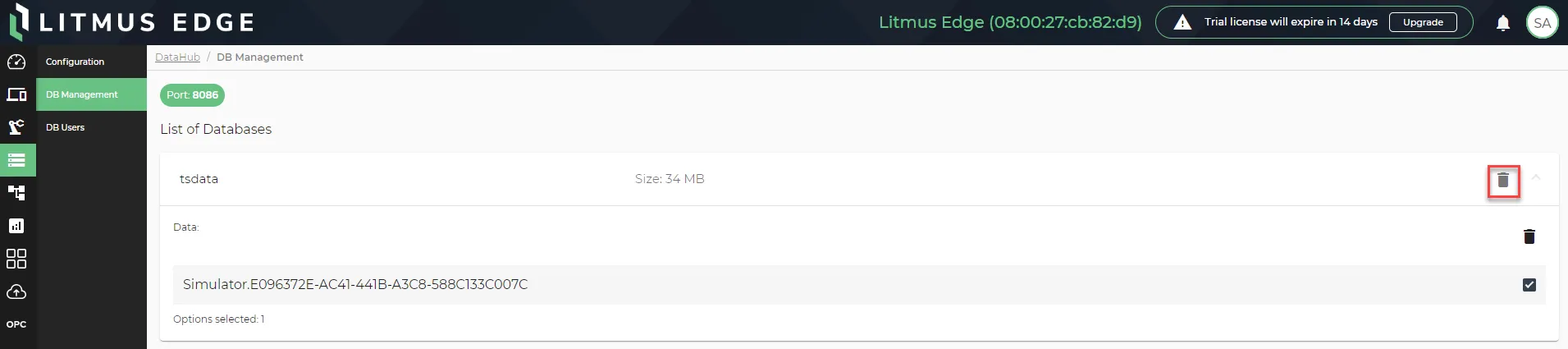 The Remove Database icon
- Click Yes. The database is removed from the DB Management pane.