Import Nodes
3 min
You can import nodes from your DeviceHub configuration by navigating to OPC > Hierarchy.
Note: The imported nodes merge with the existing hierarchy rather than replace it.
Import Nodes
You can import topics from DeviceHub and Analytics simultaneously.
- Import All adds the correct folders and tags.
- Import Select allows adding a list of topics that you define.
To import nodes:
- Navigate to OPC > Hierarchy.
- To import all DeviceHub and Analytics topics:
- Select Import from DeviceHub > Import All.
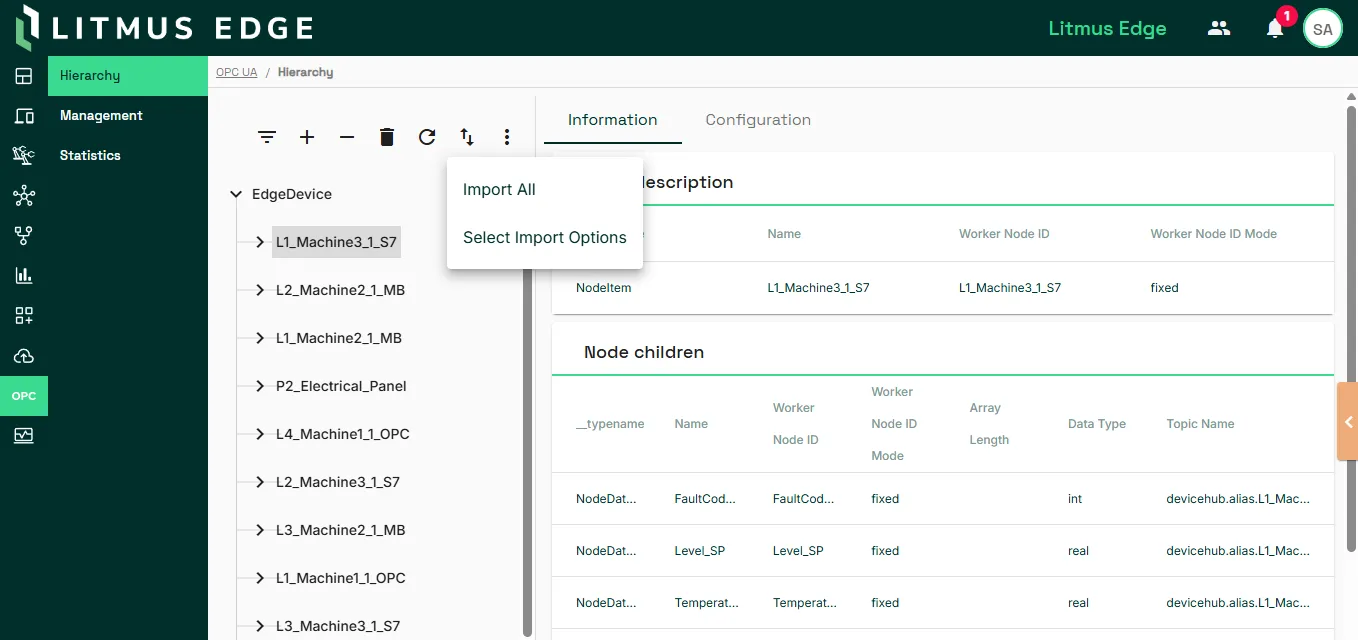
- In the Confirmation dialog, click Yes.
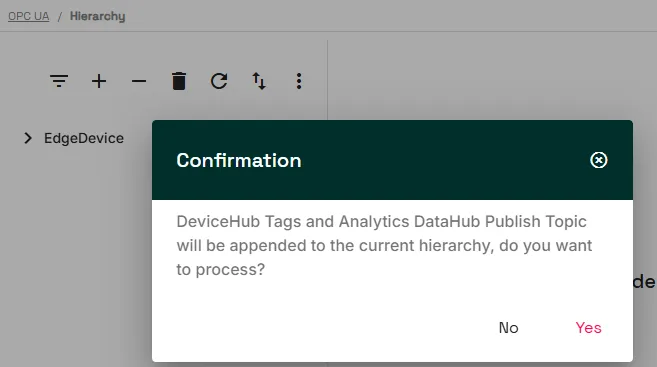
- To import specific topics:
- Select Import from DeviceHub > Select Import Options.
- In Manage Data Import, expand the DeviceHub or Analytics section.
- To add DeviceHub topics, select a device and then choose topics to import and click Next.
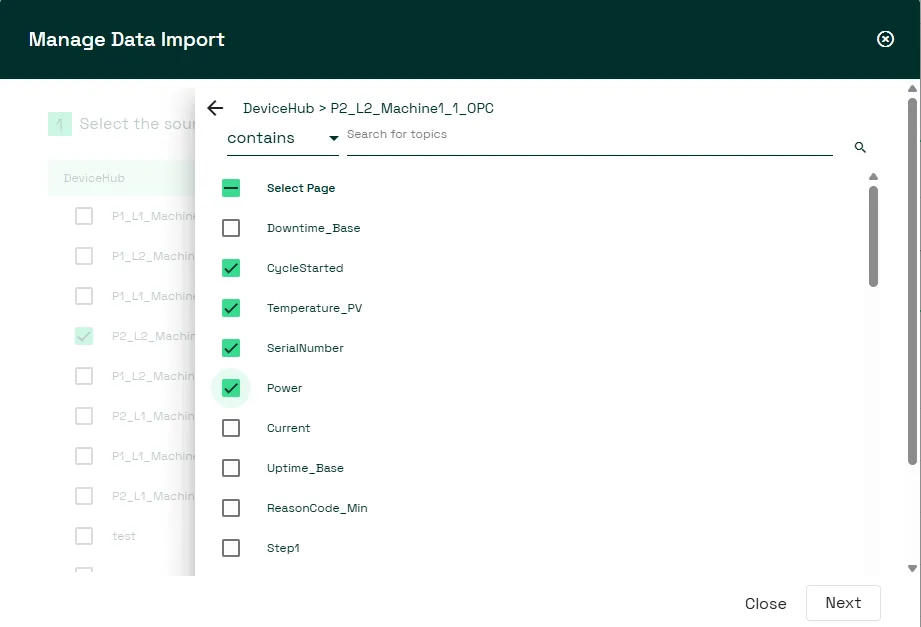
- To add Analytics topics, select a device and then choose topics to import and click Next.
- Click Import.
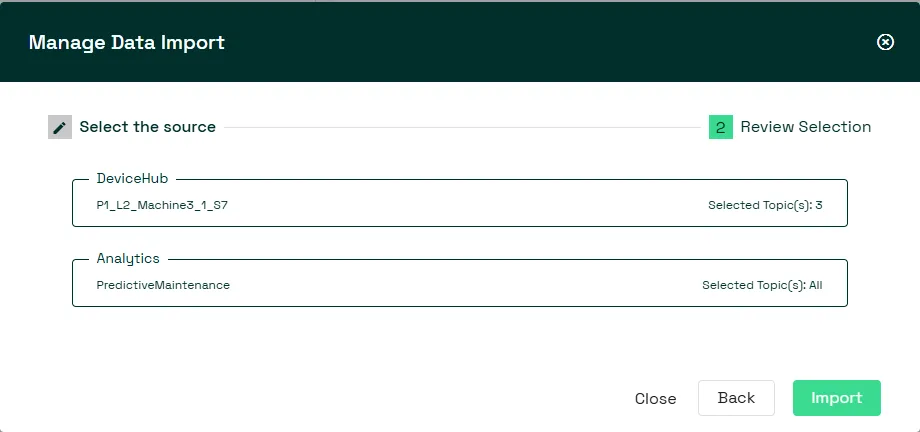
Restart OPC UA server
After importing nodes, you must restart the OPC UA server. See Manage the OPC UA Server to learn more.