Configure Network Settings
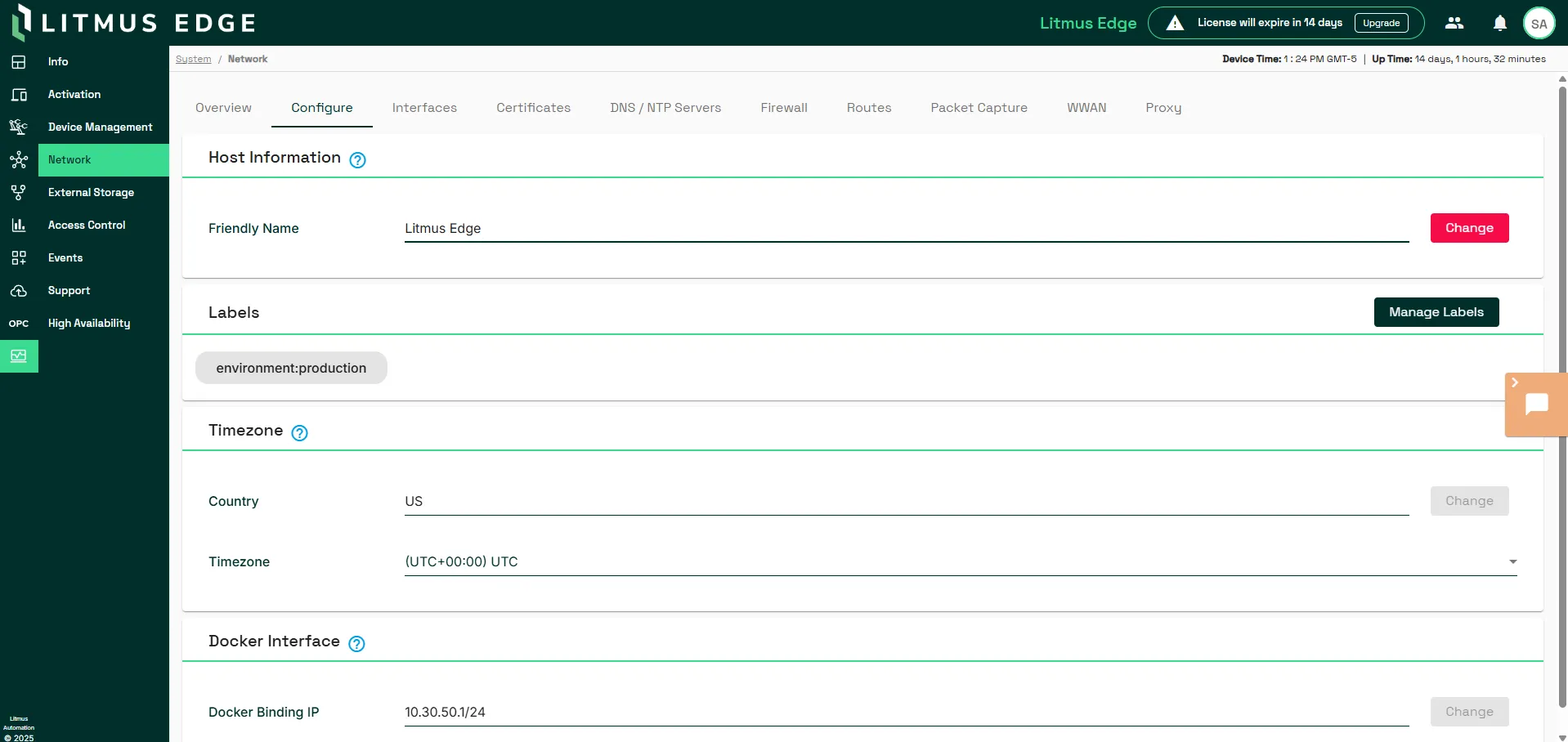
You can configure the network settings by navigating to System > Network > Configure.
Host Information
In the Friendly Name field, update the host friendly name and click Change. You can verify the updated friendly name by clicking the Overview tab and reviewing the Host Information section.
Labels
Add and manage labels for your Edge instances with custom key-value pairs. For example, label an instance with environment : production or environment: development.
Timezone
- In the Country field, update the country and click Change. Refer to the list of country codes for ISO 3166 when choosing the appropriate country.
- In the Timezone field, use the drop-down list to update the time zone and click Change. You must reboot the device for the time zone change to take effect.
You can verify the updated time zone by clicking the Overview tab and reviewing the Host Information section.
Docker Interface
You can modify the Docker binding IP address range for your system. Changing the Docker binding IP restarts the Docker service. All deployments restart.
In the Docker Binding IP field, enter an IP address range and click Change. For example: 10.30.50.1/24.
You can verify the updated Docker binding IP address range by clicking the Overview tab and reviewing the Docker Interface section.