Add Processors and Processor Connections
3 min
Use this page to add processors to the Instances canvas individually and connect them manually. To create a complete flow with connections added automatically, see Create an Analytics Flow.
Add a Processor
To add a processor:
- Navigate to Analytics > Instances.
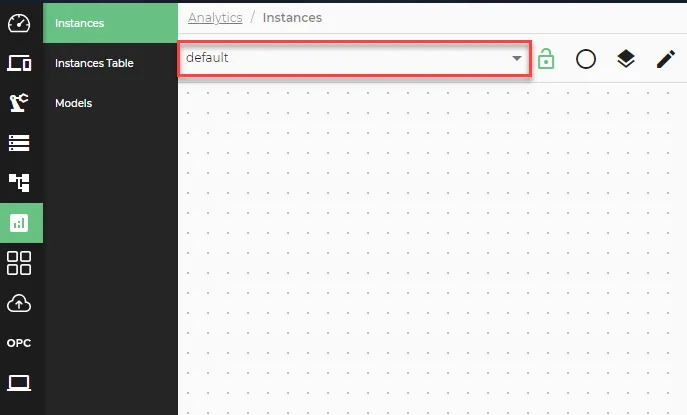
- In the Instances pane, use the Analytics Groups drop-down list to select the group you want to add the processor to.
- Open the Action menu and select Add a processor.
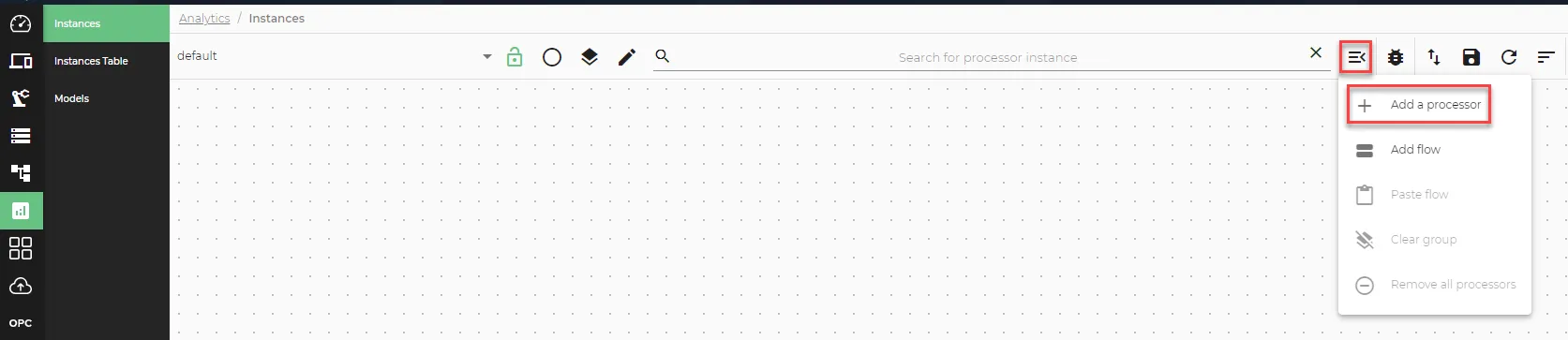
Add a processor icon
- In the Create a Processor dialog, use the drop-down list to select a processor. Processors are categorized as Inputs, Functions, and Outputs.
- Configure the parameters for the processor.
- Click Save.
Add a Processor Connection
To connect two processors, click the orange circle on a processor and drag to the green circle on the other processor. Select the connection type:
- Events (individual data source): The receiving processor reacts to each data value immediately.
- Values (combined data sources): The function processor waits for values from all connected input sources before processing.
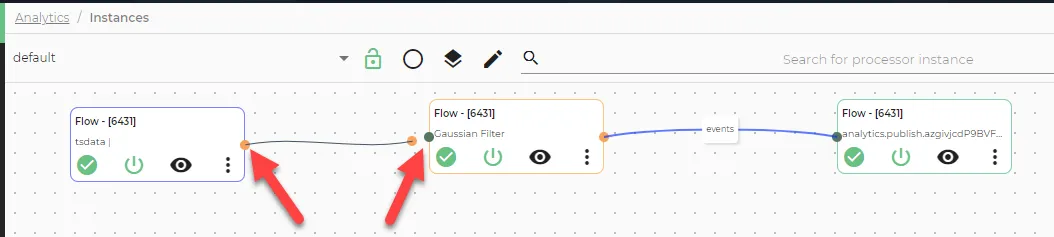
If a red error icon appears on a connected processor, hover over the connection to view the error message.
Note: Some function processors require multiple inputs. Each additional input requires its own input processor and connection.