Litmus Edge - Fanuc CNC Generic Template
Overview
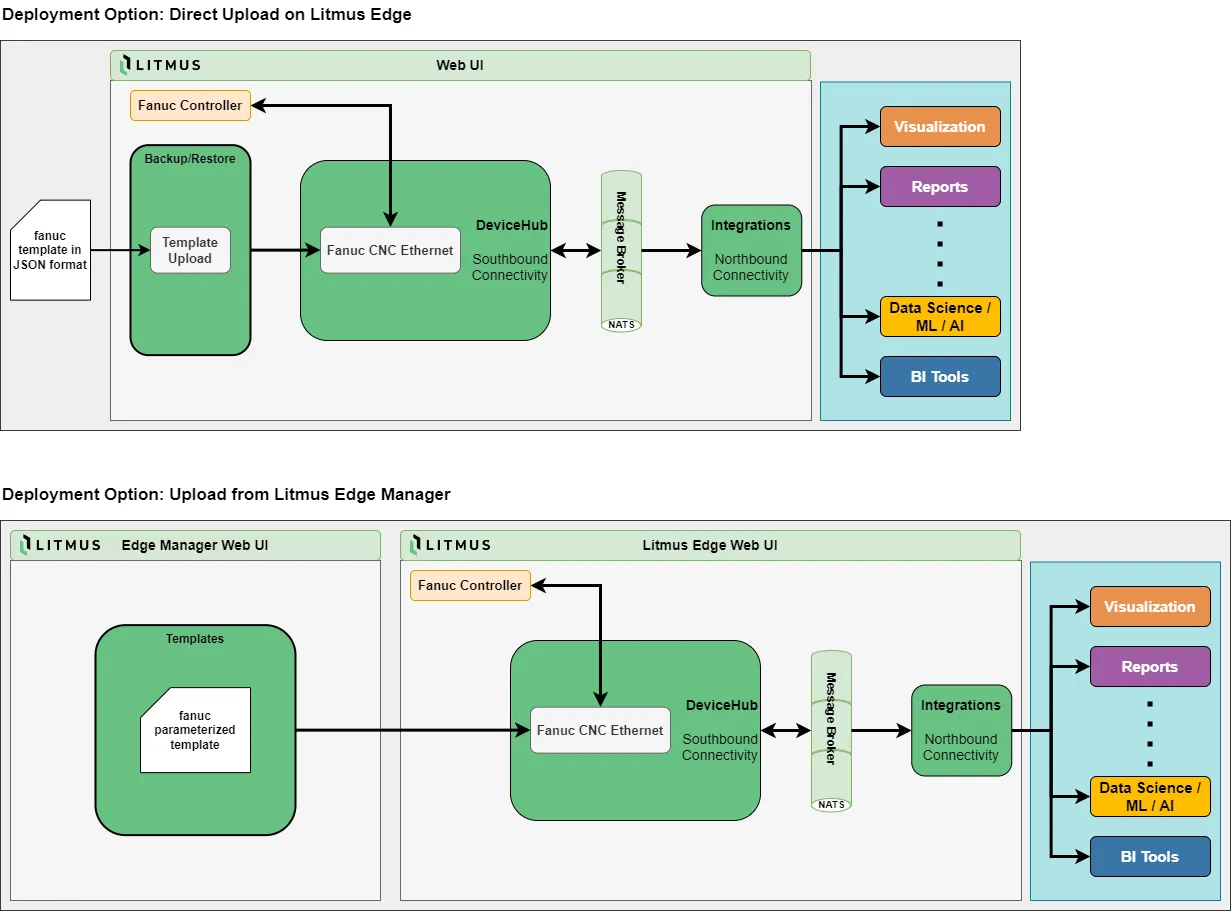
How to deploy a generic template on Litmus Edge
These steps apply to the download "LitmusEdge Fanuc CNC Generic Template" which stored the file fanuc_cnc_generic_template.json in your download directory.
To deploy a template on Litmus Edge, please follow this guide.
This generic template will create a DeviceHub device with a generic name of "Fanuc_CNC" and a generic IP of "192.168.0.1".
To modify the device after import, please follow this guide to edit the device.
How to import a parameterized template into Litmus Edge Manager
These steps apply to the download "Litmus Edge Manager Fanuc CNC Parameterized Template" which stored the file LEM_Fanuc_CNC_Parameterized_Template.zip in your download directory.
To import the parameterized template into your Litmus Edge Project follow this guide to load the zip file into the template UI.
How to deploy a parameterized template from Litmus Edge Manager
For the steps to deploy a parameterized template to a connected Litmus Edge, please follow this guide.