Step 5: Deploy an Application from Secondary Catalog to Edge Devices
Once synchronization is successfully completed, the secondary site situated in Japan receives the same versions and releases of software as their headquarters in Canada.
This allows engineers working in Japan location to deploy any application from their synchronized catalog to multiple edge devices on their sites.
To deploy an application from secondary catalog to edge devices:
From the Litmus Edge Manager User UI, select the appropriate company and project. Then, navigate to Applications.
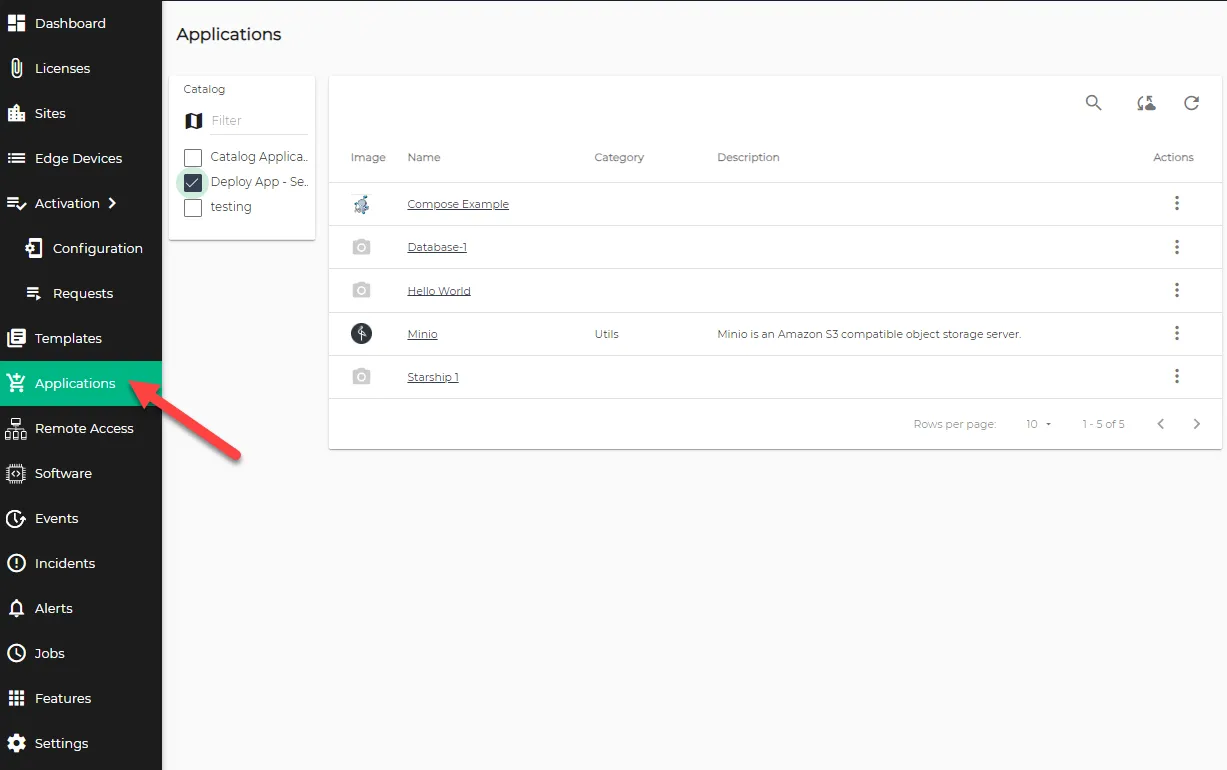 Applications page
- From the Catalog menu, select the Secondary marketplace catalog you created in Step 2: Create Secondary Catalog.
Click the Actions button for Analytics application and click Launch App. The Application master: Step 1 - Select at least one online device dialog box appears.
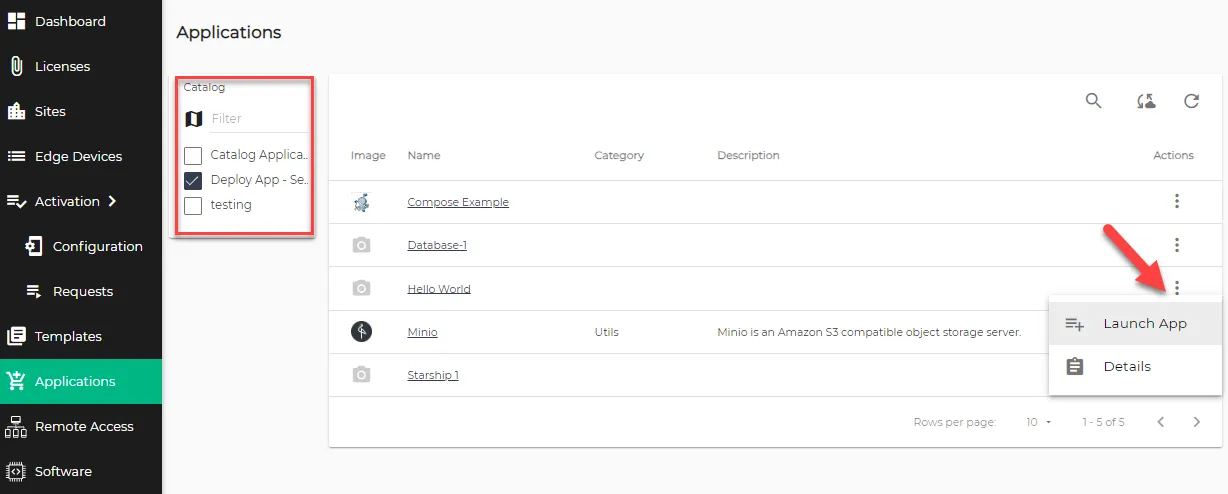 Applications pane
Check the box for one or more Litmus Edge instances on the EDGE DEVICES tab and click Next.
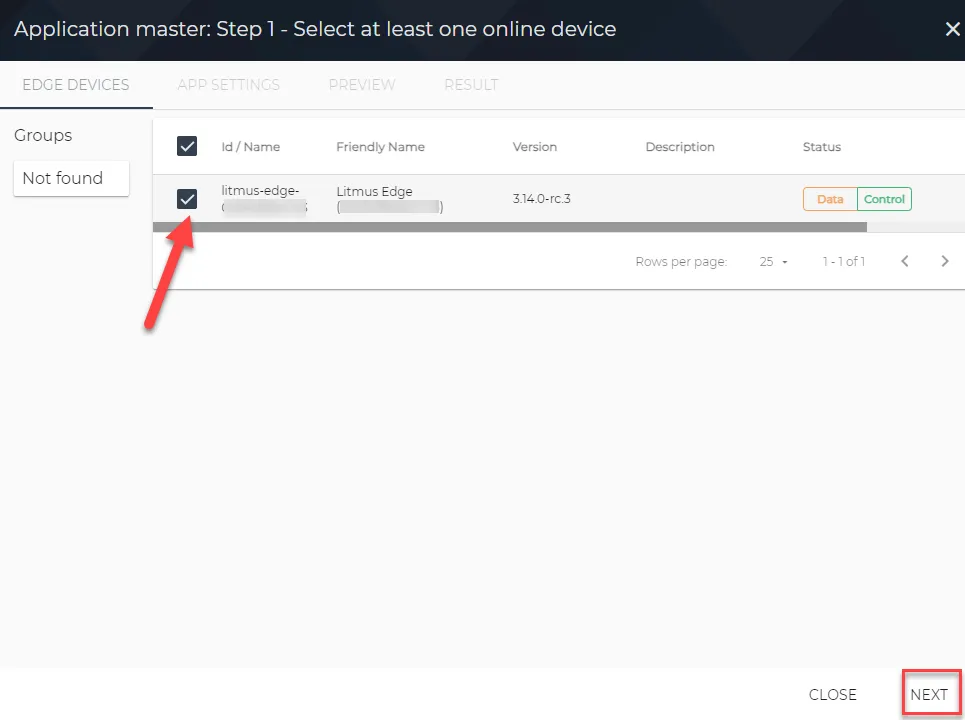 Application master: Step 1 - Select at least one online device dialog box
- From the APP SETTINGS tab, complete the following steps:
- Enter the Application Name.
- Select the Application Release version from the drop-down menu.
- (Optional) Configure Parameters such as Port and API Token based on the selected application for deployment.
Click Next.
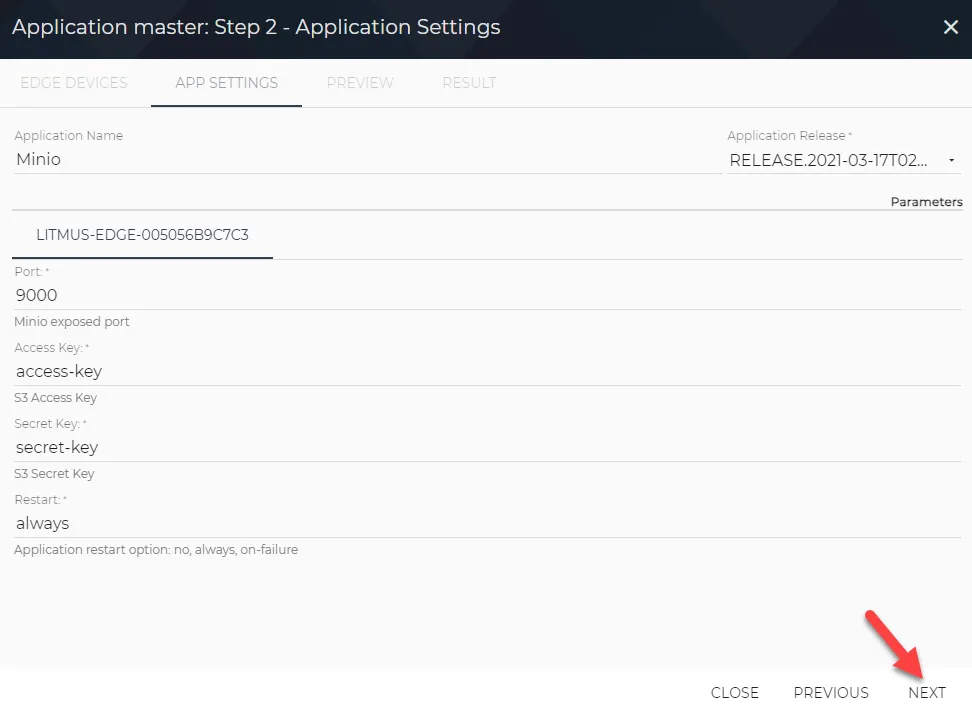 Application master: Step 2 - Application Settings dialog box
From the PREVIEW tab, review the Summary of the deployment and click Launch to deploy the application.
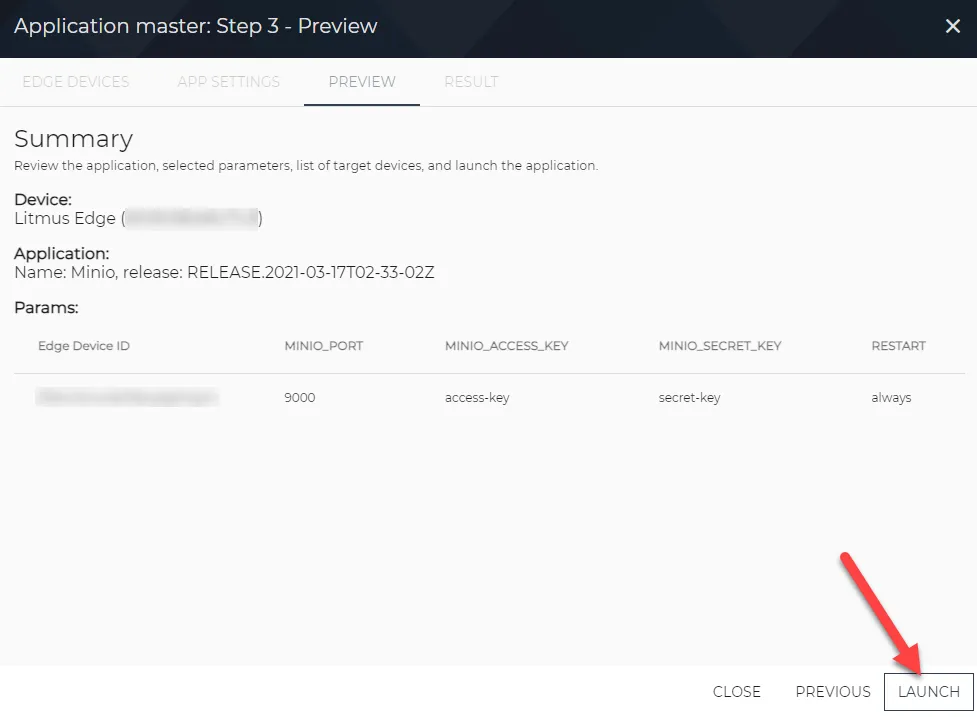 Application master: Step 3 - Preview dialog box
To confirm a successful deployment, go to the RESULTS tab and check the Status column. If it shows Success, click on APP DETAILS.
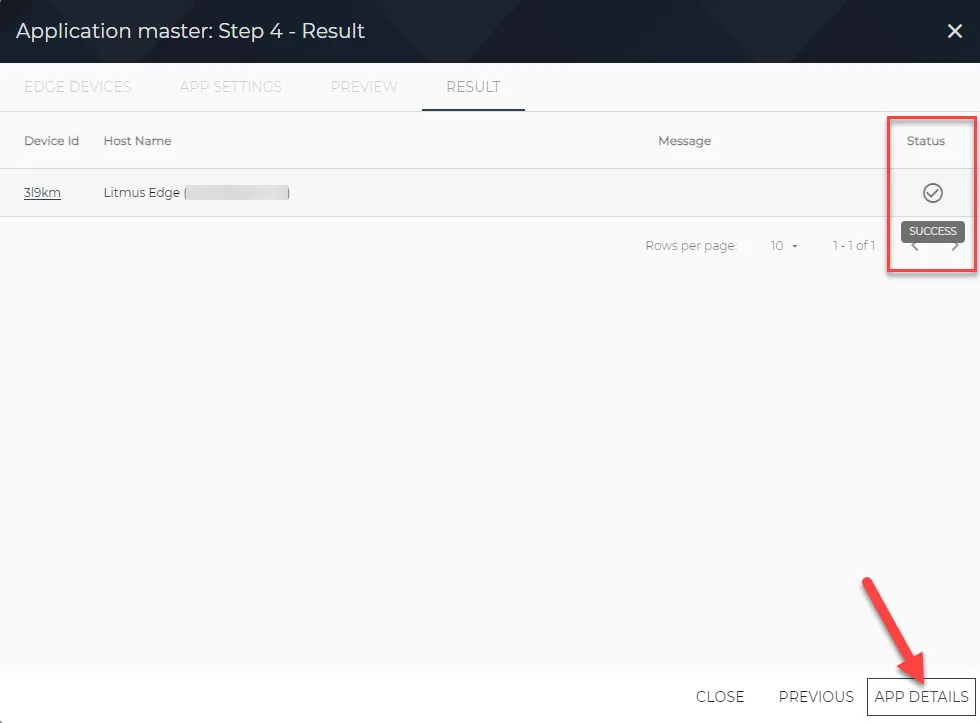 Application master: Step 4 - Results dialog box
The Application Details page provides information about your deployed application.
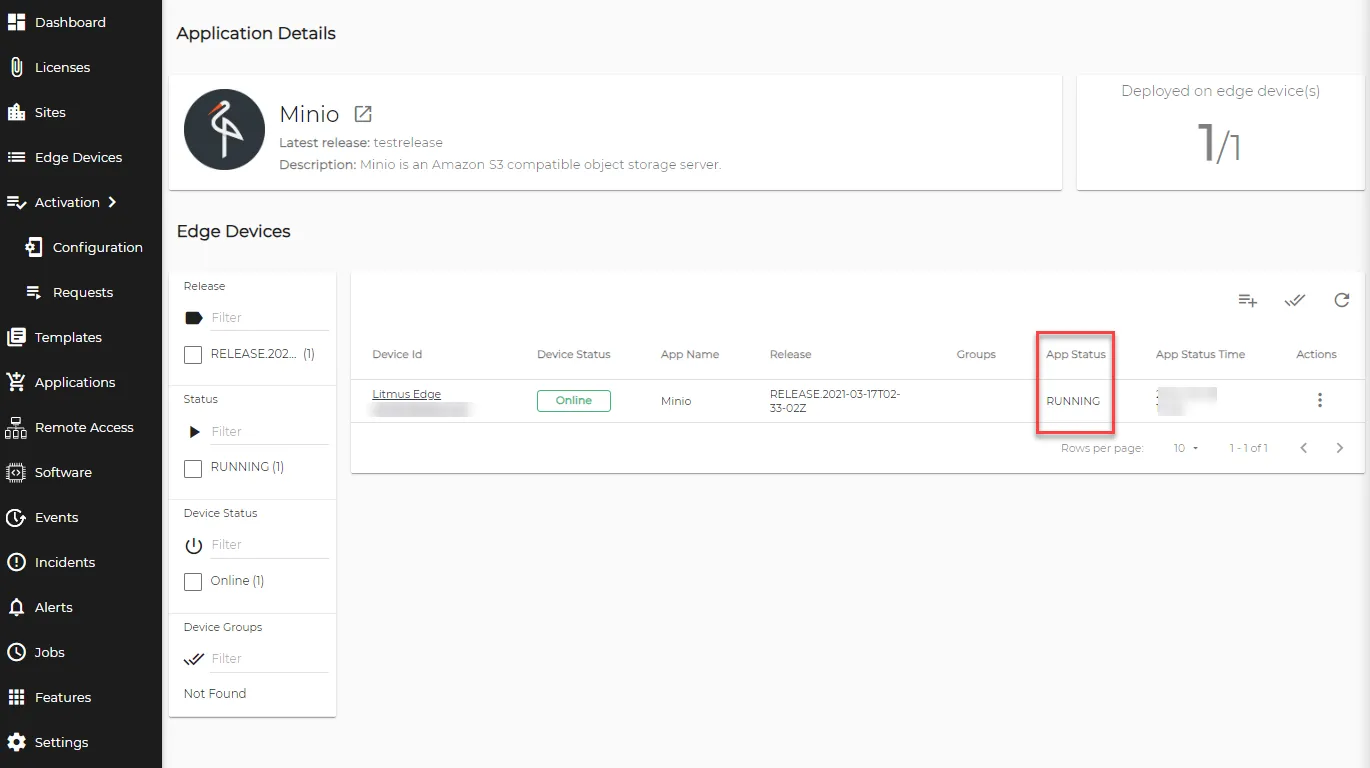 Application Details page
Log in to the Litmus Edge instance used for deployment, and navigate to Applications > Catalog Apps. The Running status confirms that the application with the same release version was deployed successfully.
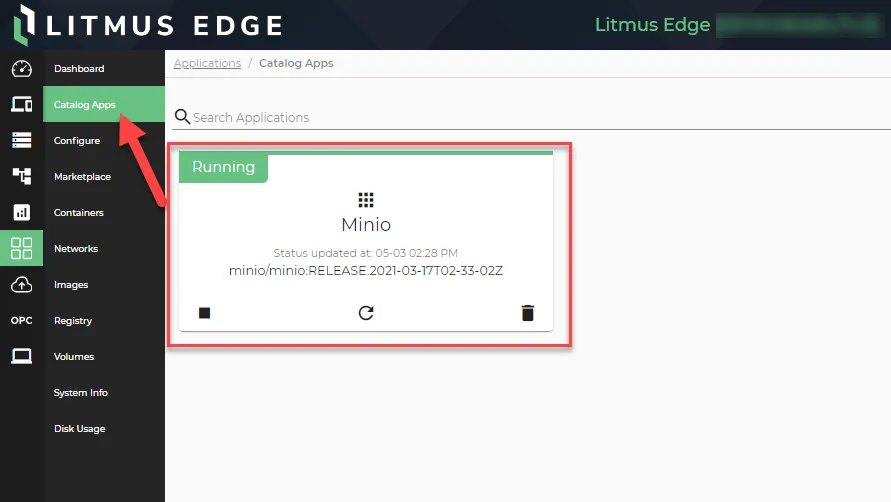 Applications > Catalog Apps page