Action logs
2 min
Action log settings controls how Litmus Edge Manager (LEM) retains Syslogs and logs forwarded from edge devices. You set a retention period and a maximum disk allocation. When either limit is reached, LEM removes the oldest logs first. Logs are stored in VictoriaLogs on the LEM host.
Settings reference
Setting | Default | Description |
|---|---|---|
Retention period | 30 days | Number of days LEM retains action logs. Logs older than this value are deleted automatically. |
Maximum disk usage | 10 GB | Maximum disk space allocated for action log storage. When the limit is reached, the oldest logs are deleted to make room for new ones. |
Both limits are enforced independently. If the disk limit is reached before the retention period expires, older logs are deleted regardless of age.
Specify action log settings
To specify settings:
- In the Admin Console, select Integration > Action Log.
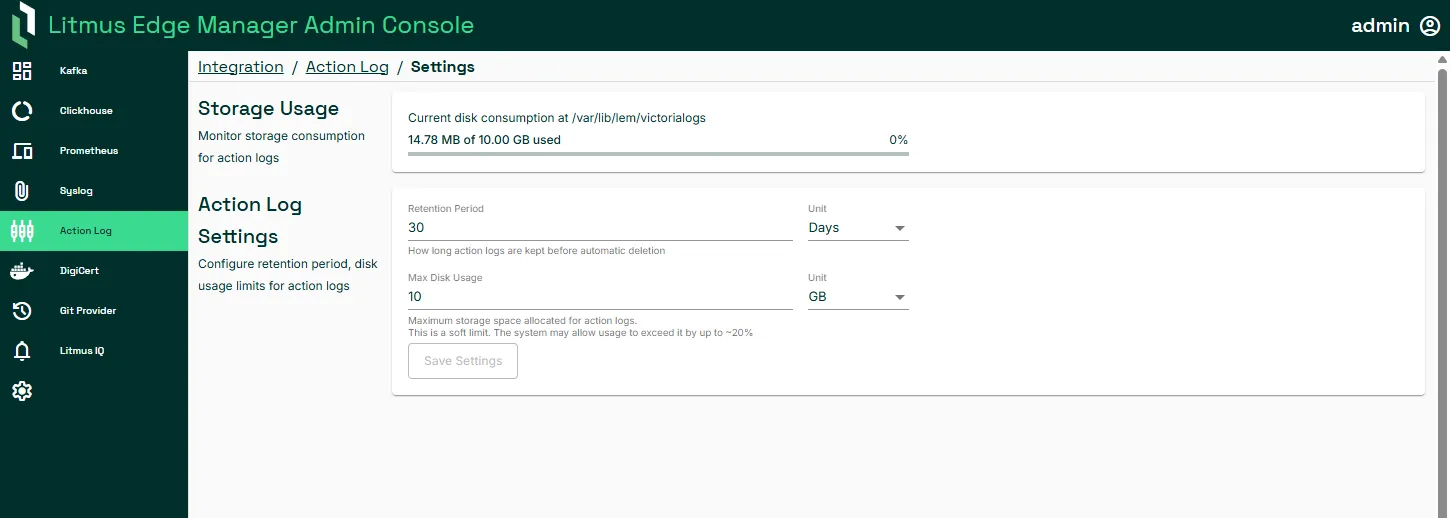
- In Storage Usage, view the current disk space consumed by action logs.
- To configure retention and disk usage, in Action Log Settings:
- In Retention period, enter the number of days to retain logs.
- In Maximum disk usage, enter the storage limit in GB.
- Click Save.