Manage remote network
1 min
You can add and view remote networks.
- To add a new network, click the Add icon from Edge remote networks.
- To view/update a network, click the network name from Edge remote networks.
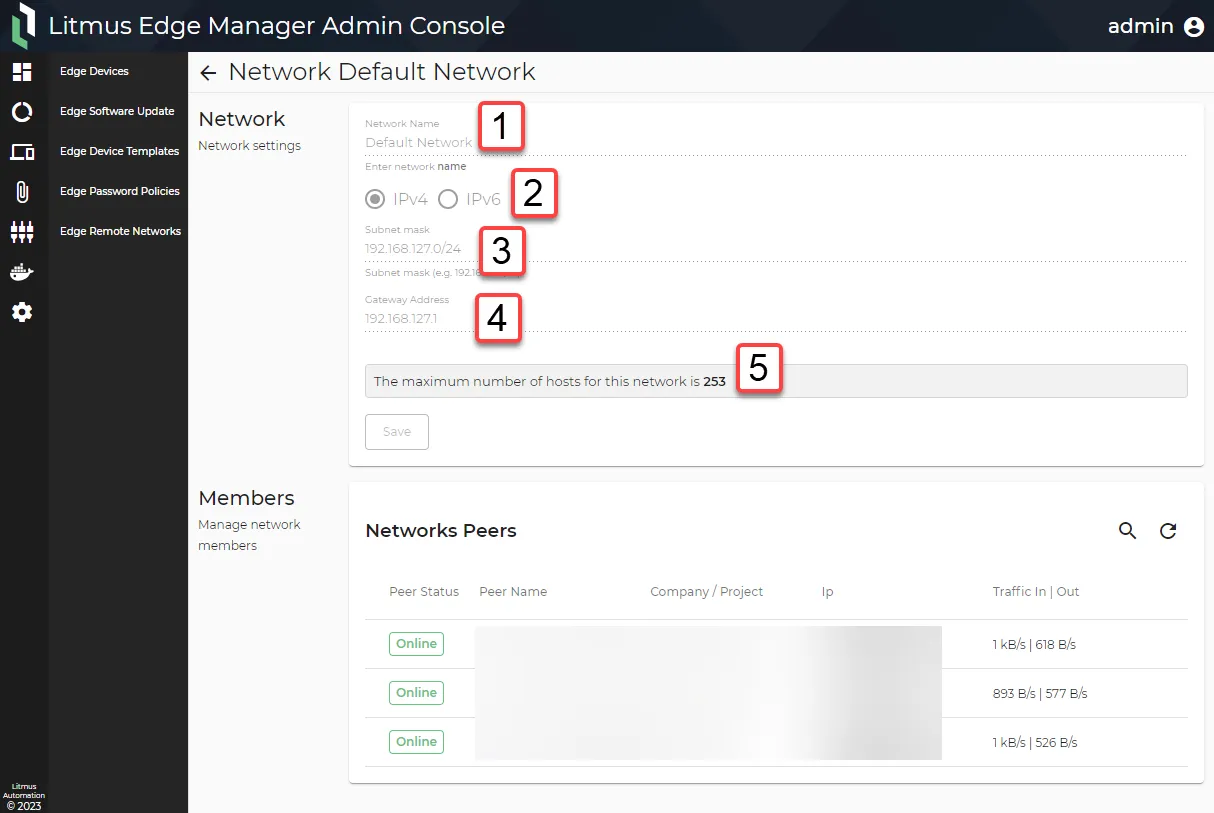
Edge Remote Networks: Network View
Action |
|---|
[1] Enter the network name. |
[2] Select IPv4 or IPv6. |
[3] Enter the subnet mask.
|
[4] Enter the gateway address. |
[5] Review the capacity for activated devices on the network (available for Litmus Edge Manager version 2.15.0 and later). |