View Edge devices
2 min
You can open a Litmus Edge (LE) device from the Edge Devices pane.
Before you begin
- Have the edge device login credentials ready.
- The edge device must be running version v3.11.0 or later.
To open the edge device:
- Click the Open UI icon next to the device.
- Or select Open UI from the Actions menu.
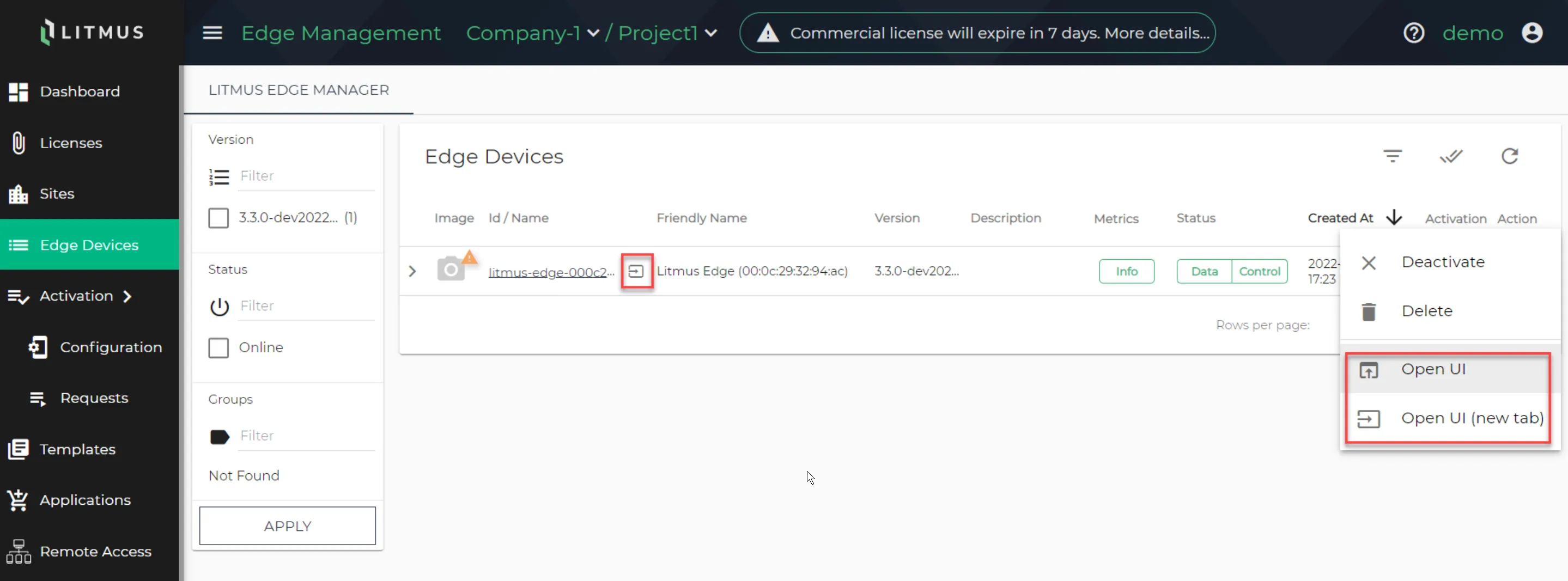
Open Litmus Edge UI icon
Opening an edge device from Litmus Edge Manager to access and manage your connected edge devices. When you open an edge device, you can access and manage your Litmus Edge device without requiring internet access.
File upload limit
The Remote UI supports file uploads up to 512 MB. This limit applies to all file transfers through the Remote UI tunnel, including firmware images, configuration files, and other large assets.
Note: Access to the edge device is through Litmus Edge Manager. The IP address in the browser is the same as Litmus Edge Manager.