Bulk actions
2 min
Note: This feature is available for Litmus Edge Manager version 2.26.0 and later.
The Certificates Management pane allows the deployment of certificates to multiple edge devices at once.
Ensure you do the following:
- Have imported a ZIP file that contains the necessary certificate configurations and parameters.
To add a certificate in bulk to your edge device(s):
- Click Bulk Actions button from the Certificates Management pane. The Bulk Actions dialog box appears.
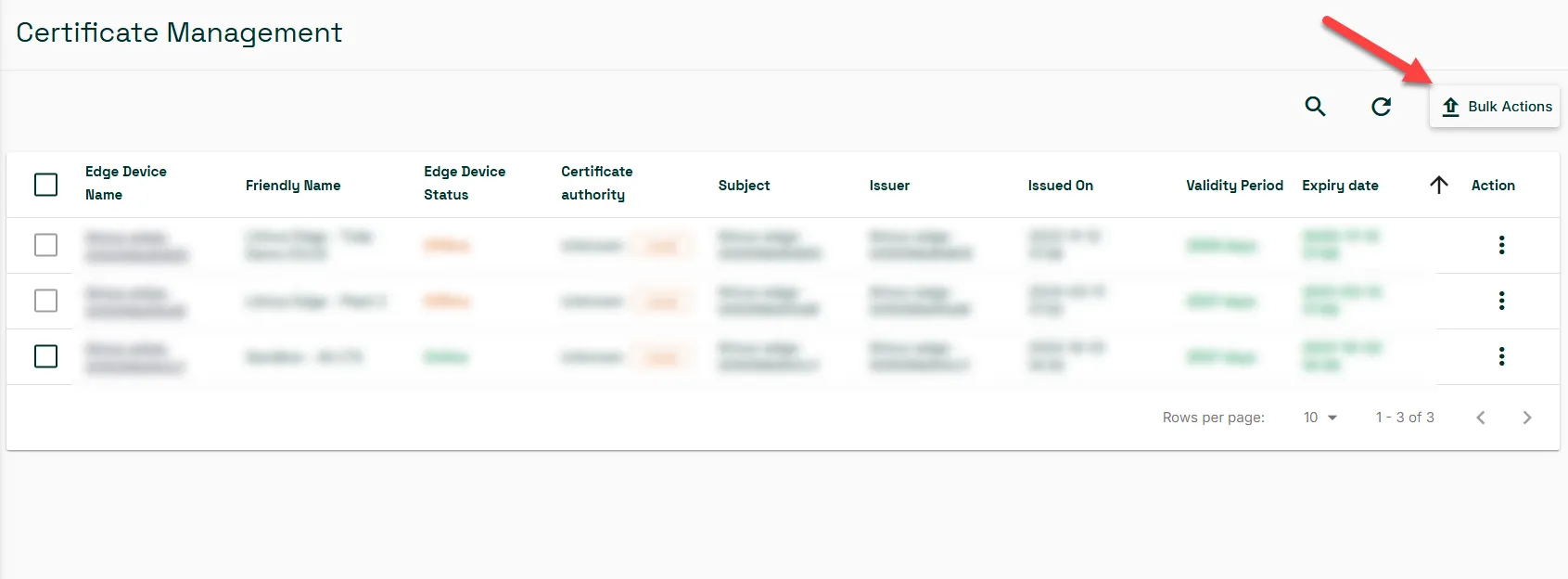
Certificates Management pane
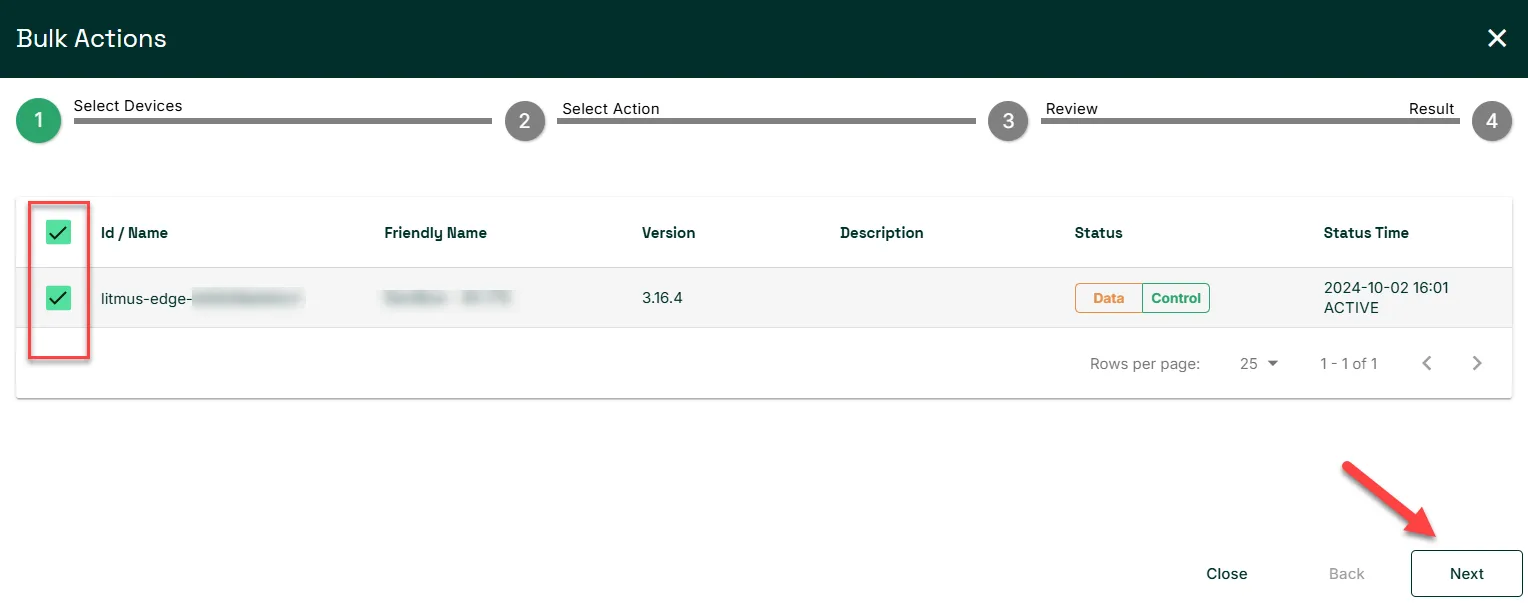
- From the Select Devices pane, select the checkbox next to the edge device(s) you wish to add the certificate to. Then, click Next.
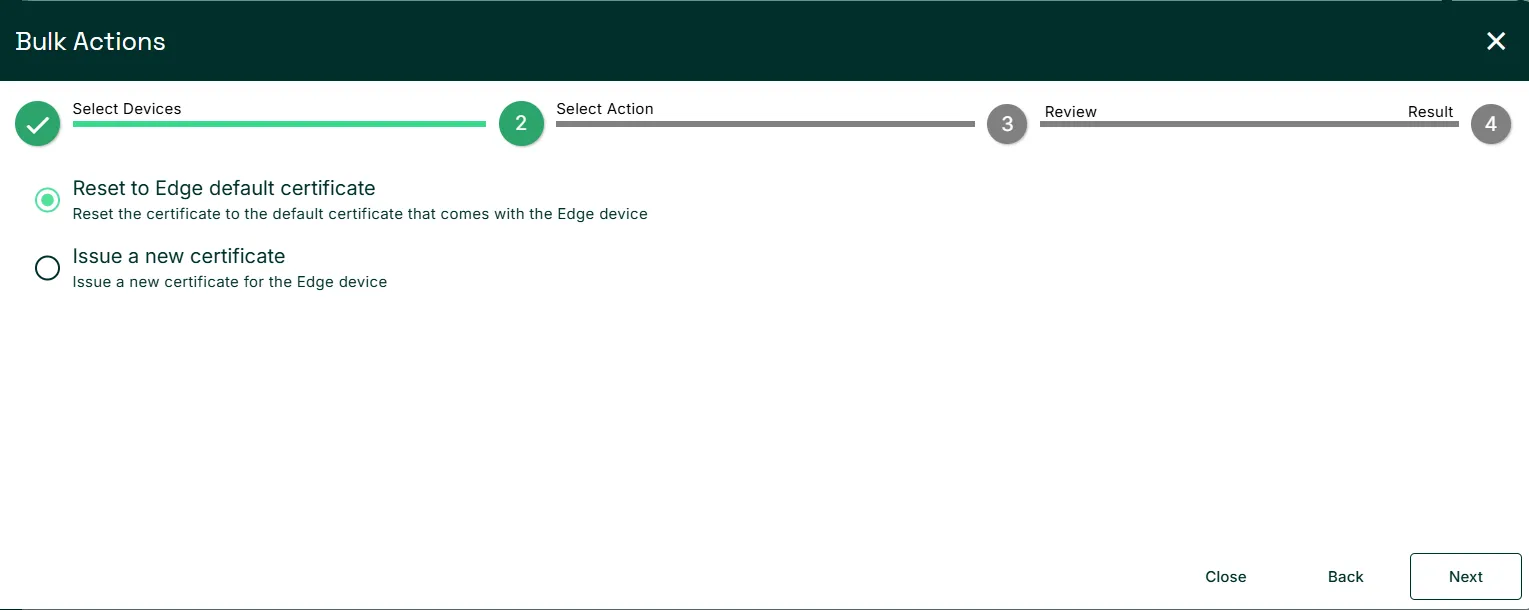
- From the Select Action pane, select the option you need from:
- Reset to Edge default certificate: Reset the certificate to the default certificate that comes with the Edge device.
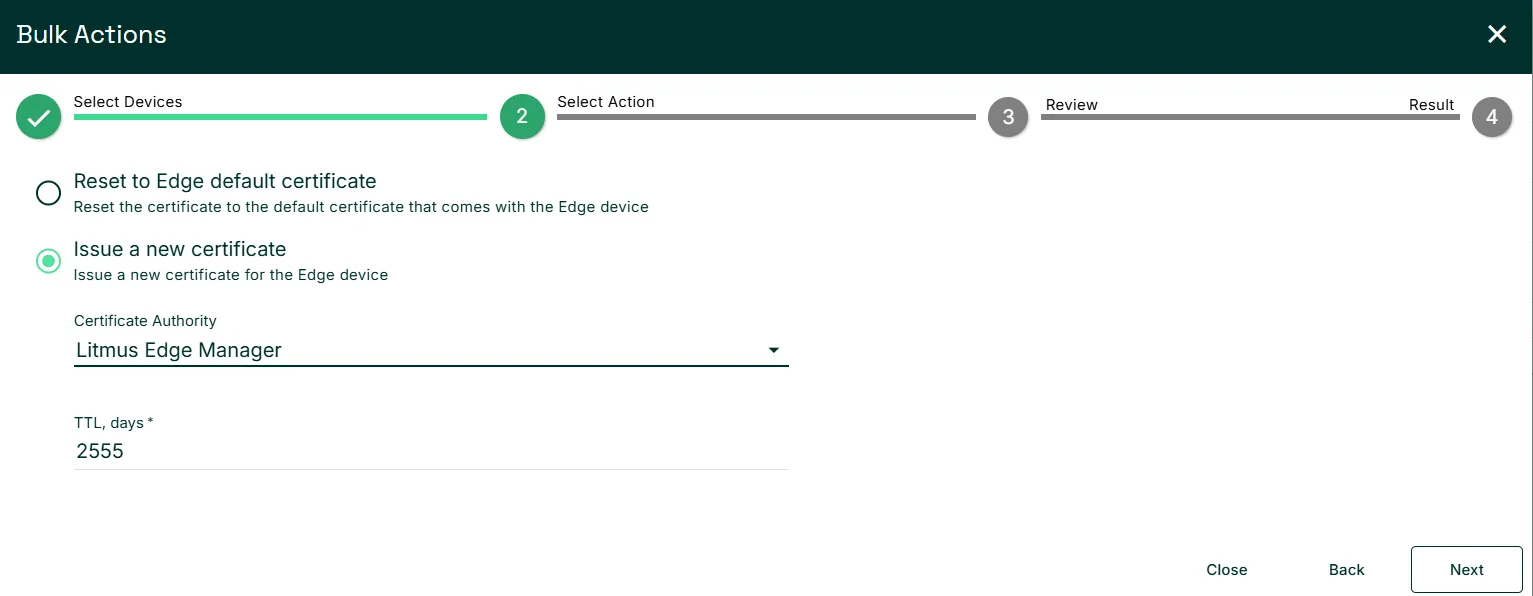
- Issue a new certificate: Issue a new certificate for the Edge device. Options include Litmus Edge Manager self-signed certificate and DigiCert IoT Trust Manager.
- Then, click Next.
- Review the Summary of the target devices and the selected certificate allocation method, and click Issue certificate.
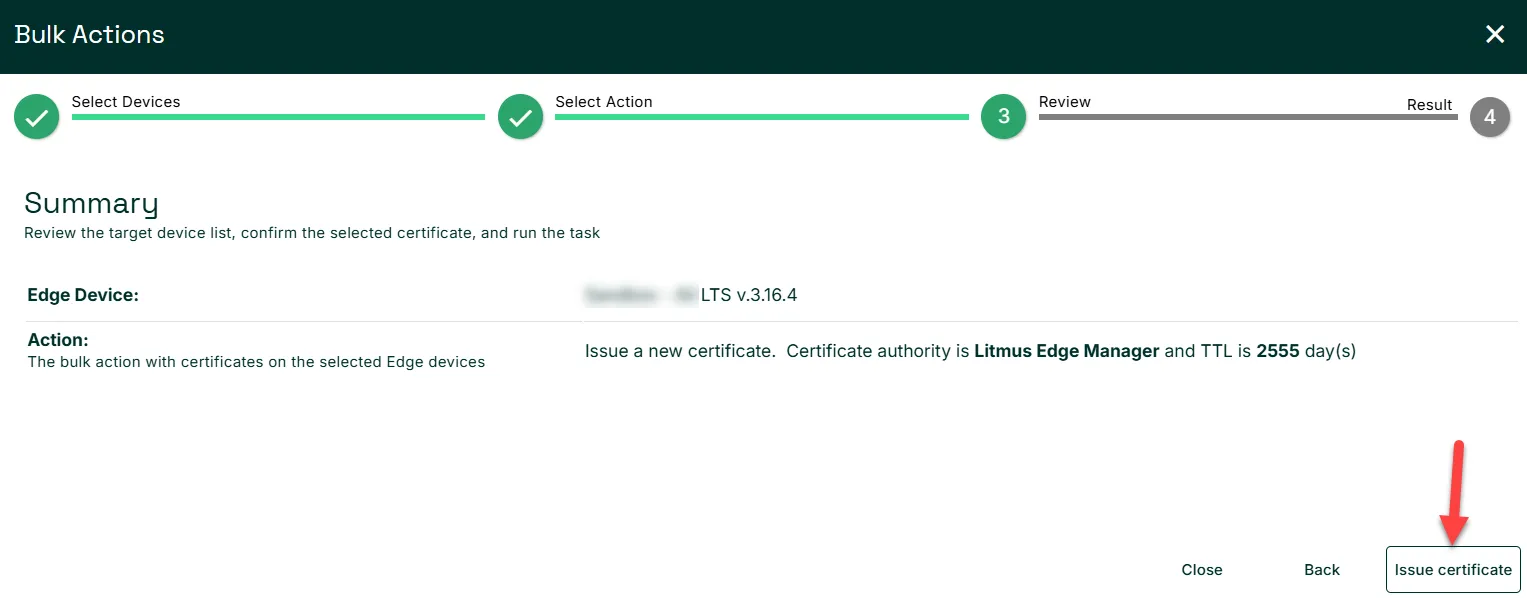
Review page
- Once the Status has changed to SUCCESS, click FINISH.
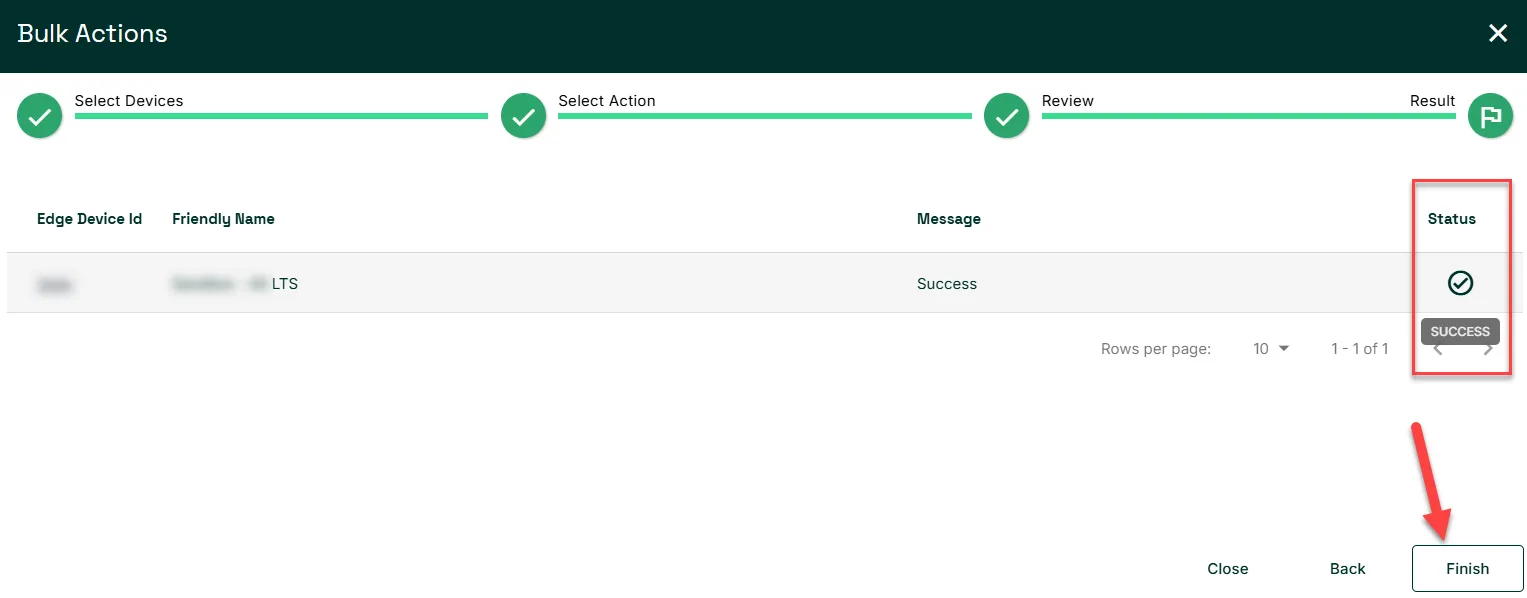
Result pane