Upload license CSV
1 min
You can add multiple licenses with a single CSV file.
Note: Ensure that the CSV file contains the required column names in the correct order as follows: license key, license SKU, isCore
Ensure you have a CSV file with the required License keys.
To upload license keys from a CSV file:
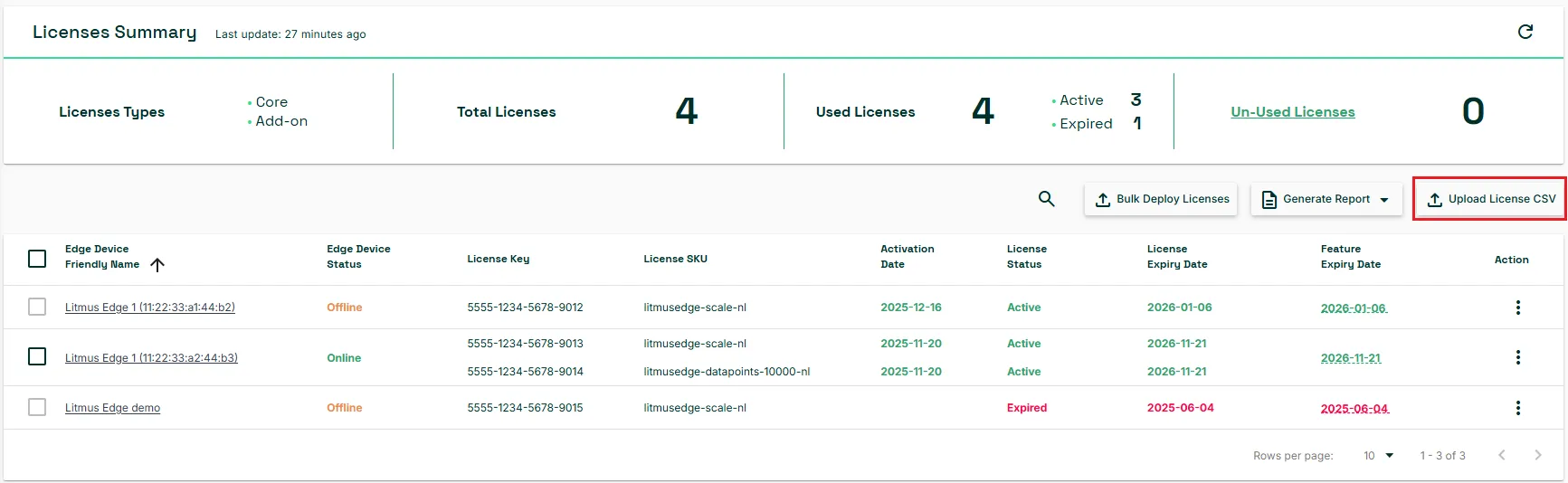
- From the Licenses Summary pane, click Upload License CSV. The Upload license keys dialog box appears.
- Click the SELECT FILE button and navigate to select the file from your local computer.
- File Name: (Optional) Rename the file if needed.
- Example of the CSV file is available here.
- Click UPLOAD.
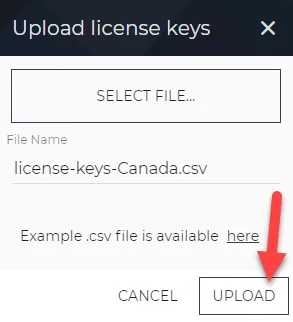
Upload license keys dialog box