Ping a Host
1 min
You can use Flows to ping a host or an IP address that belongs to the network where your Edge device resides.
To ping a host:
- In Litmus Edge, navigate to the Flows Manager and create a new flow. See Create a Flow to learn more.
Drag an Inject node, a Ping node, and a Debug node to the canvas.
 Flows canvas with ing node
- Double-click the Ping node. The Edit ping node dialog box appears.
- Target: Enter www.google.com, <PLC IP Address>.
- Protocol: Select Automatic from the drop-down menu.
- Mode: Select Triggered from the drop-down menu.
- Name: Enter Ping PLC.
Click Done.
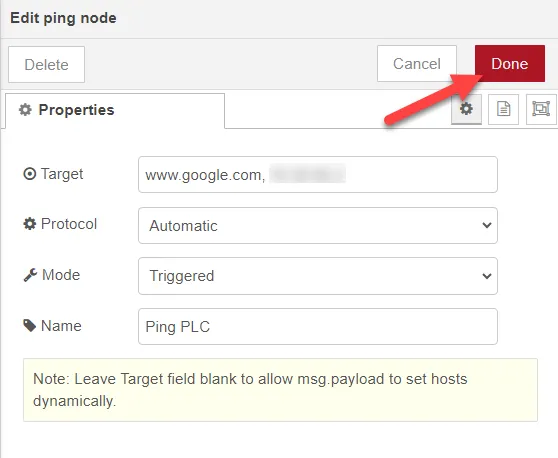 Edit ping node dialog box
Connect the nodes together. You cannot connect the Inject node to the Ping node unless you select Triggered in the Edit ping node dialog box. If you select Timed in the Edit ping node dialog box, the Ping node sends the messages to the Debug pane every 20 seconds by default.
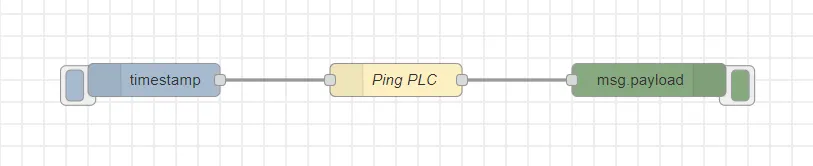 Flows canvas with connected nodes
- Click Deploy.
Drag the Sidebar up from the bottom of the canvas and select the Debug icon.
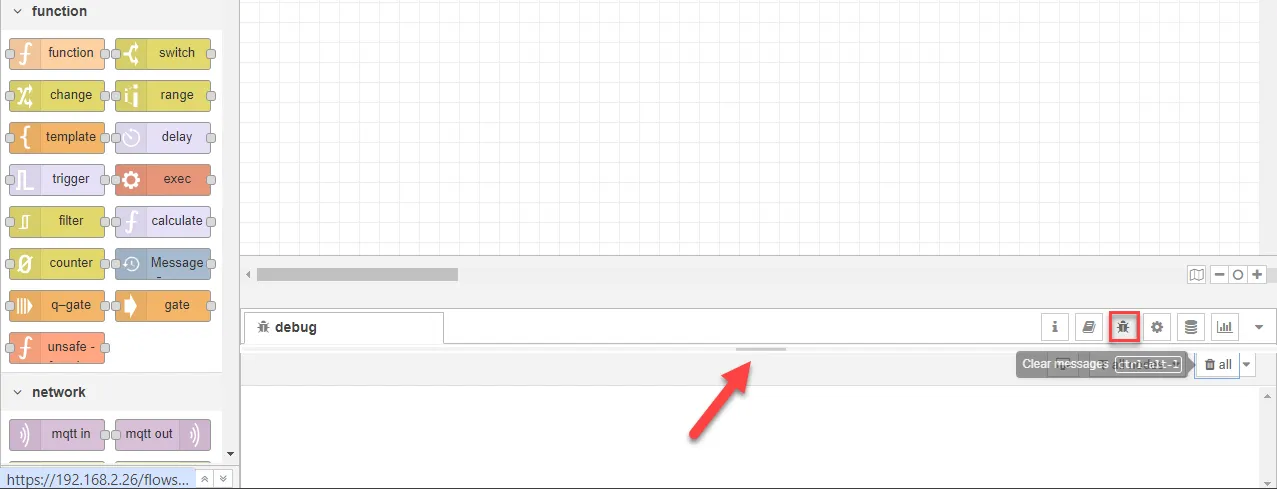 Flows canvas debug section
Click the Inject node button to return the trip time to ping the address in milliseconds (ms). The messages return a boolean false if no response is received or if the host is unresolved.
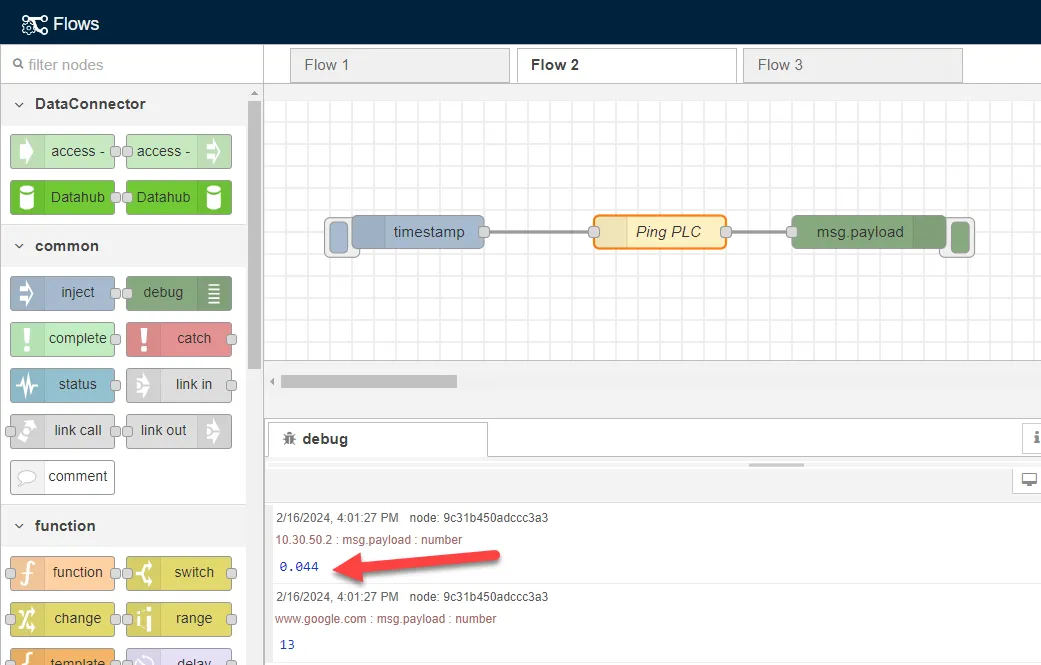 Completed flow canvas with output