Use the Siemens S7CommPlus Driver to Read Optimized Data Blocks
The Siemens S7CommPlus driver allows users to read tags in their Siemens S7-1200 and S7-1500 PLCs using symbolic addressing. Tags in optimized Data Blocks, non-optimized Data Blocks, and named registers can be accessed.
Note: Support for tags and Data Blocks in Software Units is available from the Litmus Edge 3.16.7 release. Software Units are only available in the S7-1500 series.
Configure your Siemens S7-1200 or S7-1500 PLC in TIA Portal
- Open your TIA Portal project.
- In the project tree, right-click your PLC and select Properties… from the popup menu. The Properties window opens.
- To obtain the device’s IP address (if you do not already have it):
- From the left pane, select PROFINET interface > Ethernet addresses.
- In the right pane, go to Internet protocol version 4 (IPv4), find the IP address of the PLC, and copy it aside.
- From the left pane, select PROFINET interface > Advanced options > Port [X1 P1] > Port interconnection.
- In the right pane, enter “Any partner” in the Partner port field.
You do not need to edit any Protection & Security settings from the default settings in TIA Portal. The driver will automatically select the approriate authentication mode.
You do not need to disable optimized block access in any Data Block properties. The driver can access optimized Data Blocks.
Authentication Modes
The Siemens S7CommPlus protocol has three levels of authentication, which are described below. The driver will automatically select the appropriate authentication mode based on the PLC's firmware version and protection setting.
- P1 Authentication: Provides basic, unencrypted access, suitable for S7-1200 PLCs with firmware versions below V4.0. This level is designed for environments where top-tier security isn't a priority.
- P2 Authentication: Incorporates symmetric key-based security for S7-1200 PLCs with firmware V4.0 to V4.4 and S7-1500 PLCs with firmware V2.0 to V2.8. This middle tier offers a balanced approach, securing systems against moderate security threats.
- P3 Authentication: Offers the highest level of security using TLS handshake protocols for S7-1200 PLCs with firmware versions V4.5 and above, and S7-1500 PLCs from V2.9 onwards. If TLS is disabled, the system automatically defaults to P2 authentication, ensuring continuous security.
Browse and add tags in Litmus Edge DeviceHub
Browsing and adding tags to the Siemens S7CommPlus includes the following tasks:
Step 1: Add Siemens S7CommPlus Device to DeviceHub
- In Litmus Edge, navigate to DeviceHub > Devices.
Click the Connect a Device box. The Connect Device dialog box appears.
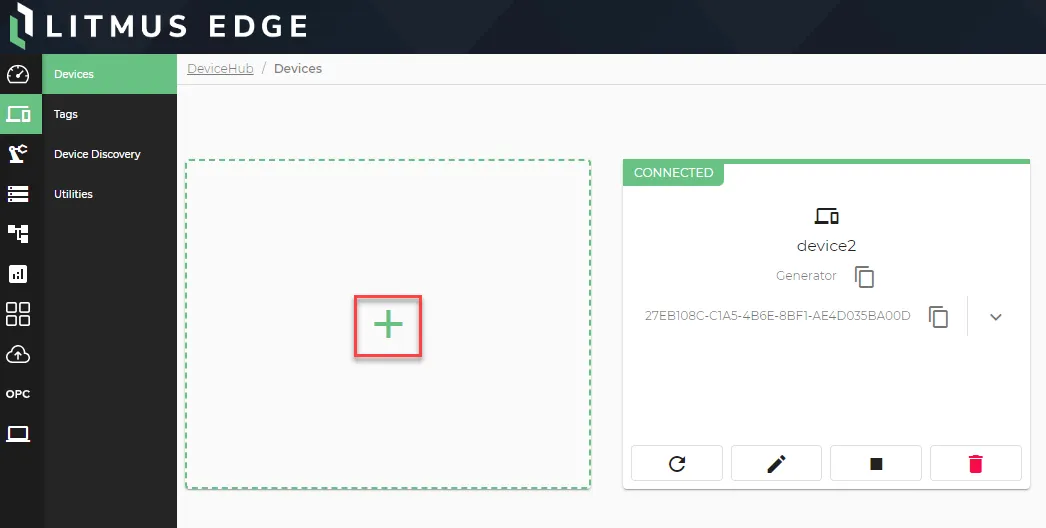 Connect a Device box
- In the Device Type drop-down list, select Siemens.
- In the Driver Name drop-down list, select Siemens S7CommPlus.
- Configure the parameters for the device. See Connect a Device and Siemens S7CommPlus to learn more.
- Copy the name you gave to the device and paste it somewhere for reference later.
Step 2: Browse for Tags
For browsing tags in Litmus Edge, please refer to the following guidelines based on your version:
- If you are using Litmus Edge version 3.16.x or below, please refer to the Browse for Tags (3.16.x and below) page for instructions on how to browse for tags.
- If you are a using a version greater than 3.16.x, please refer to the Browse for Tags (after 3.16.x) page for instructions on how to browse for tags.
- Ensure to use the correct DeviceHub device with your configuration.
Make sure to check your version before proceeding to ensure you are following the correct steps.