Create an Analytics Flow
2 min
An analytics flow collects, processes, and exports data at the edge. Use Add Flow to build a complete flow. The Create Flow dialog guides you through each processor type in sequence and adds connections automatically. To add processors individually instead, see Add Processors and Processor Connections.
Video
Create an Analytics Flow
To create an analytics flow:
- Navigate to Analytics > Instances. The Instances pane appears.
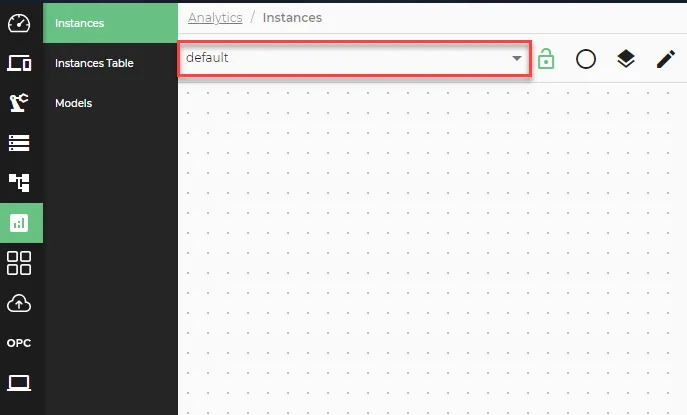
- In the Instances pane, use the Select group drop-down to select the group you want to add the flow to.
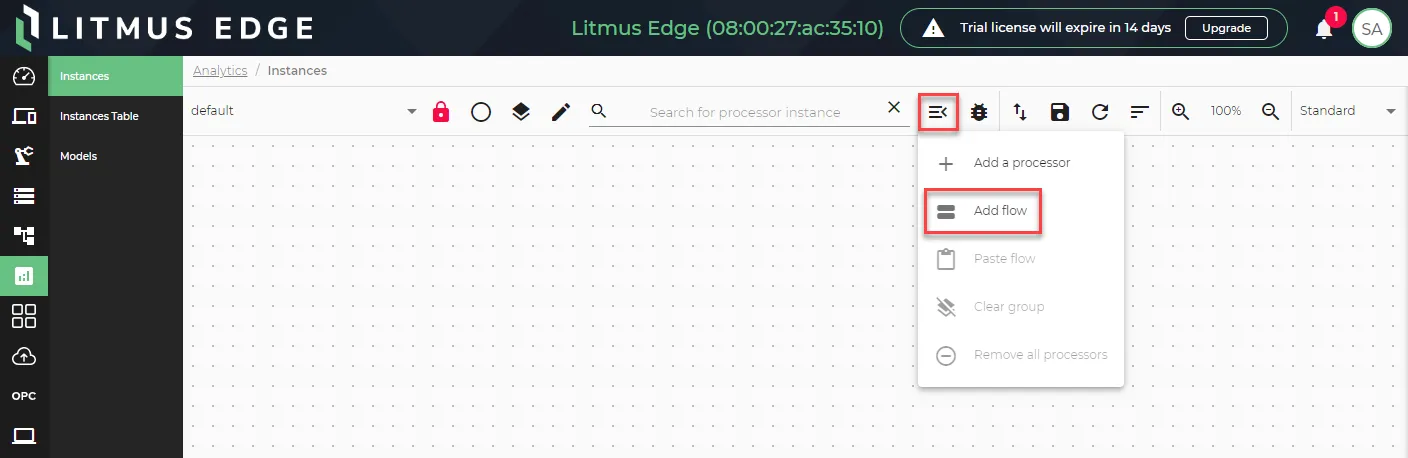
- Click Add Flow in the left navigation. The Create Flow dialog appears.
- In the Create Flow dialog, enter a name for the flow.
- Select an input processor and configure its parameters. See Input Processors for details.
- Click Next.
- Select a function processor and configure its parameters. See Statistical Functions for details.
- Click Next.
- Select an output processor and configure its parameters. See Output Processors for details.
- Click Next.
- Click Create Flow. The flow appears on the Instances canvas with connections added automatically.