Manage Processors and Analytics Flows
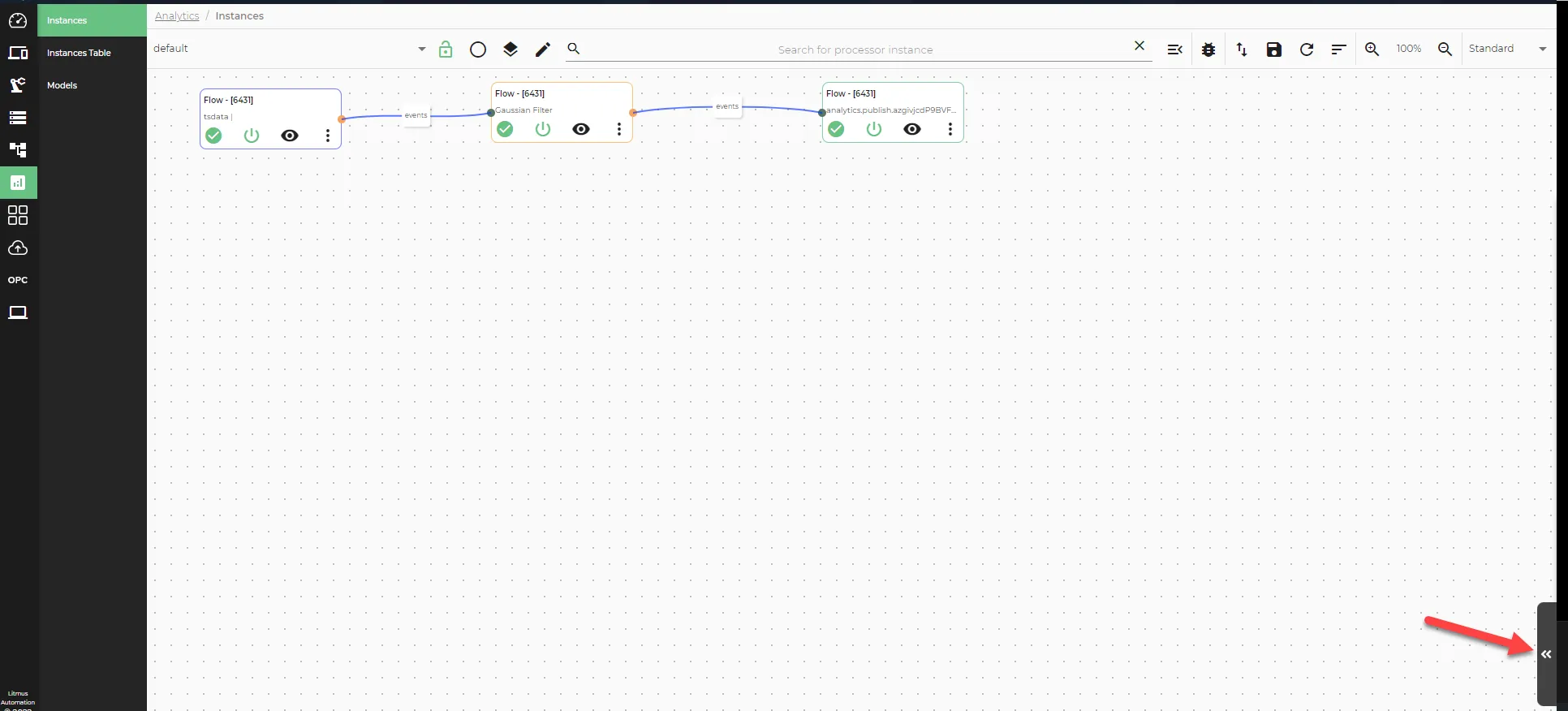
The Instances canvas provides controls for managing both the canvas layout and individual processors and flows. Navigate to Analytics > Instances to access these options.
Analytics Canvas Management Options
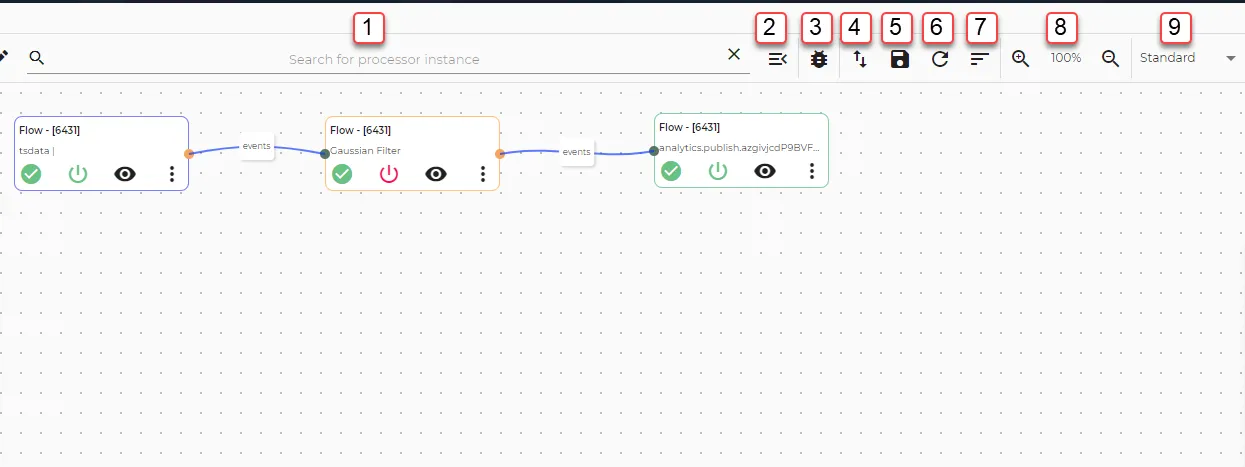
Action | Details |
|---|---|
[1] Search for processor instance | Use the drop-down list to highlight selected processors on the canvas. Click X in the Search for processor instance field to clear the search. |
[2] Canvas menu | Opens canvas menu options.
|
[3] Show debug window | Displays the debug panel. Click View processor output on an input or function processor to view its live output. The debug panel cannot display output from output processors because output processors publish data immediately upon receipt. Once published, the data is no longer available in the UI. |
[4] Import/Export menu | Import analytics flows as JSON files, or export flows by selecting individual flow groups or all groups. |
[5] Save | Saves the flow group. |
[6] Refresh | Refreshes all analytics flows in the selected group. |
[7] Re-arrange processors | Adjusts the layout and position of processors on the canvas. |
[8] Canvas zoom in and out | Changes the zoom level for better visibility of flows. |
[9] Canvas view | Two view options:
|
Processor and Flow Management Options
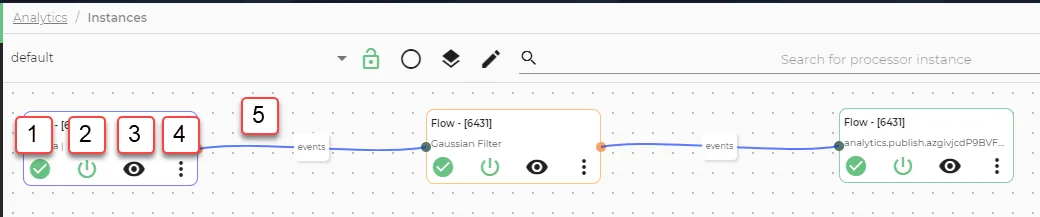
Action | Details |
|---|---|
[1] Status icon | Hover over to view the status and ID of the processor. |
[2] Enable/disable processor | Activates or deactivates the selected processor. |
[3] View processor output | Displays processor output in the debug panel. The debug panel cannot display output from output processors because output processors publish data immediately upon receipt. Once published, the data is no longer available in the UI. |
[4] Processor menu | Options vary by processor type:
|
[5] Edit or break a connection | Click a connection between two processors to edit the connection name, or click Break Link to remove the connection. |
View the Canvas Legend
Open the canvas legend to display color-coded information about processor and connection types.