Personal settings and support chat
2 min
This feature offers enables you to toggle a chatbot (that is displayed across all LEM interfaces) that assists you in contacting a Litmus representative directly.
Access personal settings
Personal Settings are available both on Litmus Edge Manager User Interface and Litmus Edge Admin Console.
To access the Personal Settings:
- Log in to Litmus Edge Manager or Litmus Edge Manager Admin Console.
- From the top of the window, click the User icon, and then select Personal Settings.
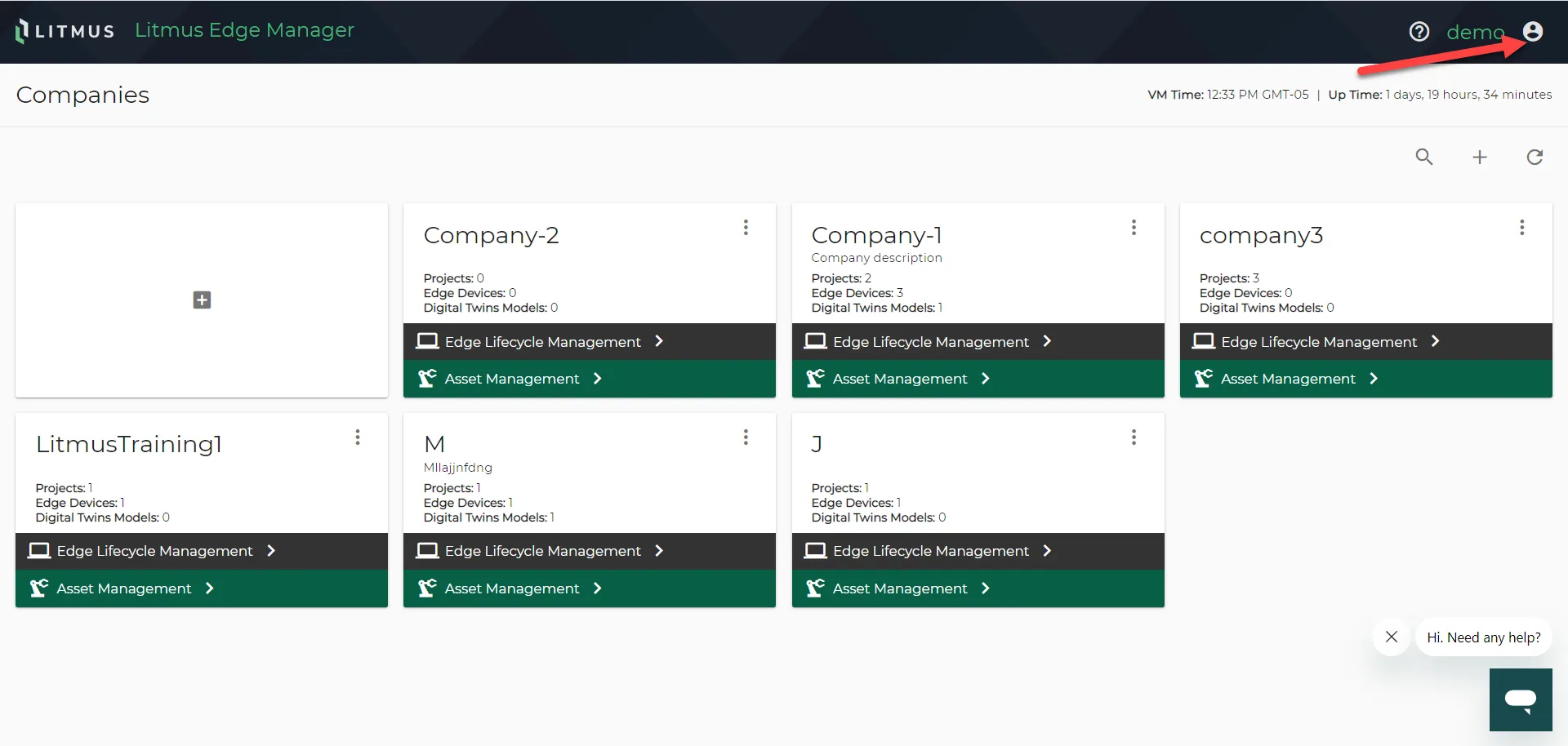
Litmus Edge Manager User Interface : Access Personal Settings 1/2
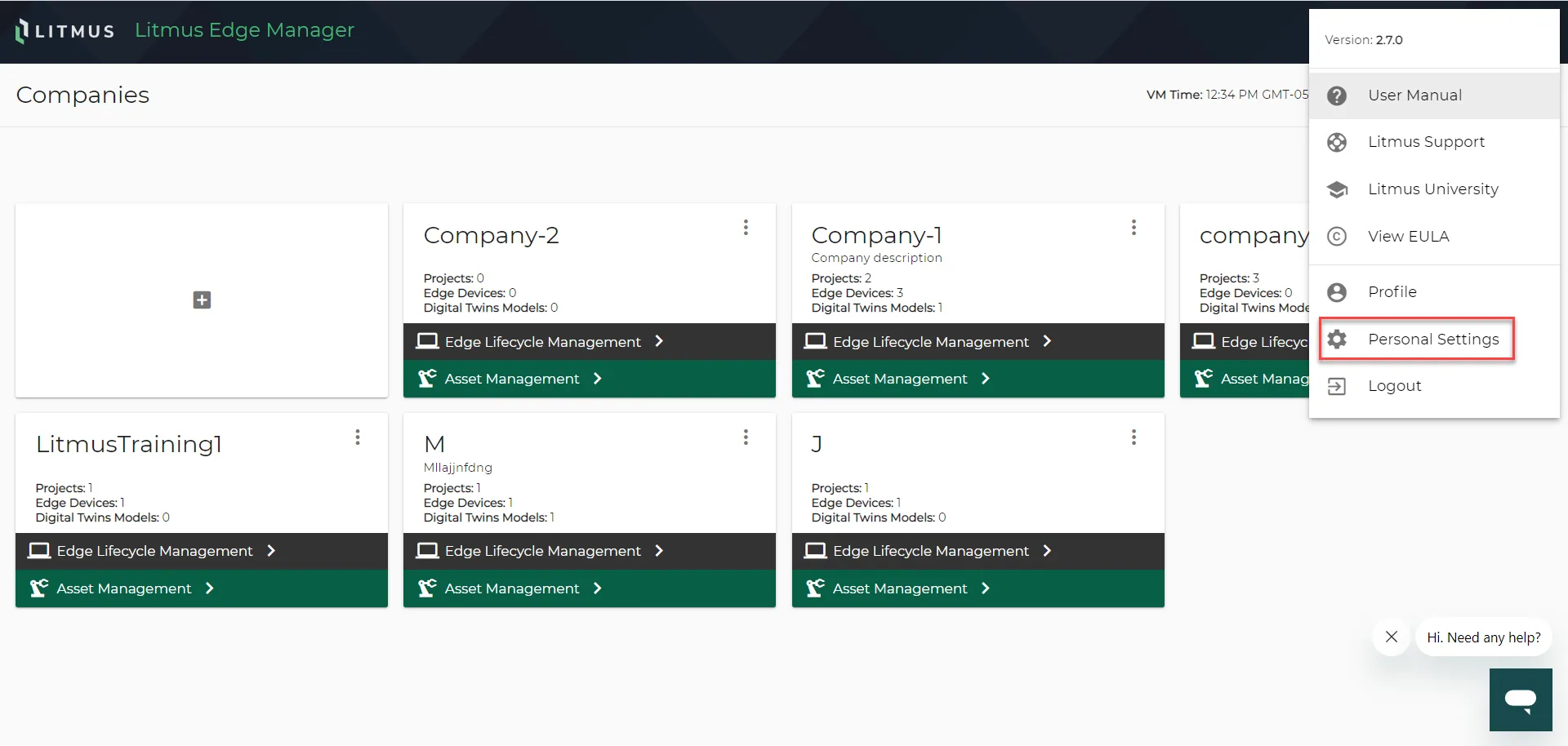
Litmus Edge Manager User Interface : Access Personal Settings 2/2
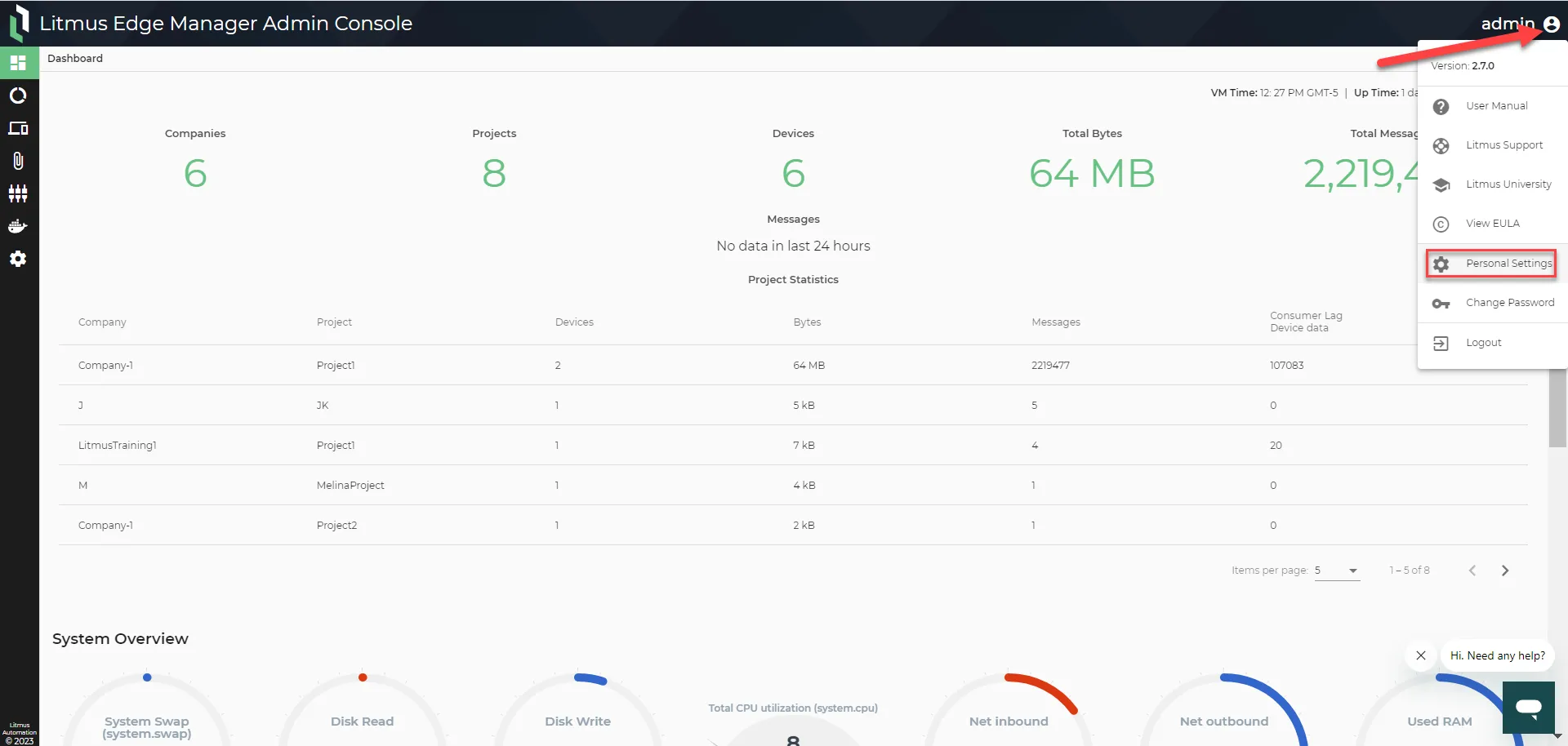
Litmus Edge Manager Admin Console : Access Personal Settings
Refer to the following actions you can take from the Personal Settings pane.
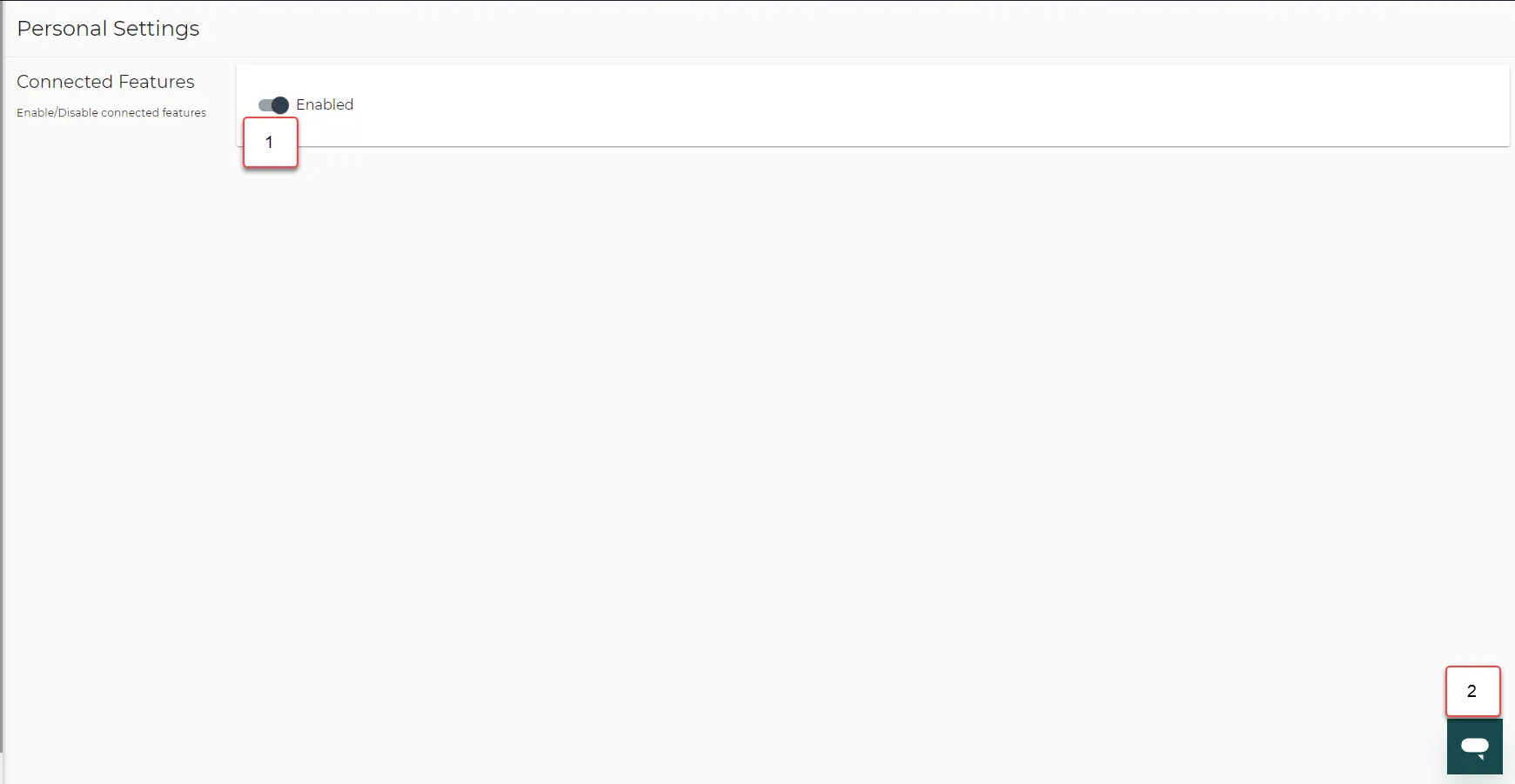
Litmus Edge Manager User Interface / Admin Console: Personal Settings
Action | Details |
|---|---|
[1] Enable/Disable Connected Features | Toggles the availability of the support chat box. |
[2] Expand/Collapse Support Chat Box | This support chat box is available on every other page of Litmus Edge Manager User Interface and Litmus Edge Manager Admin Console. |