Deploy AI/ML model
1 min
The AI/ML Models pane allows the deployment of machine learning models to multiple edge devices at once.
Ensure you do the following:
- Have imported a ZIP file that contains the necessary model configurations and parameters. See Import AI/ML models for details.
To add an AI/ML model in bulk to your edge device(s):
- Click Bulk Deploy button from the AI/ML Models pane. The Model Deploy Master dialog box appears.
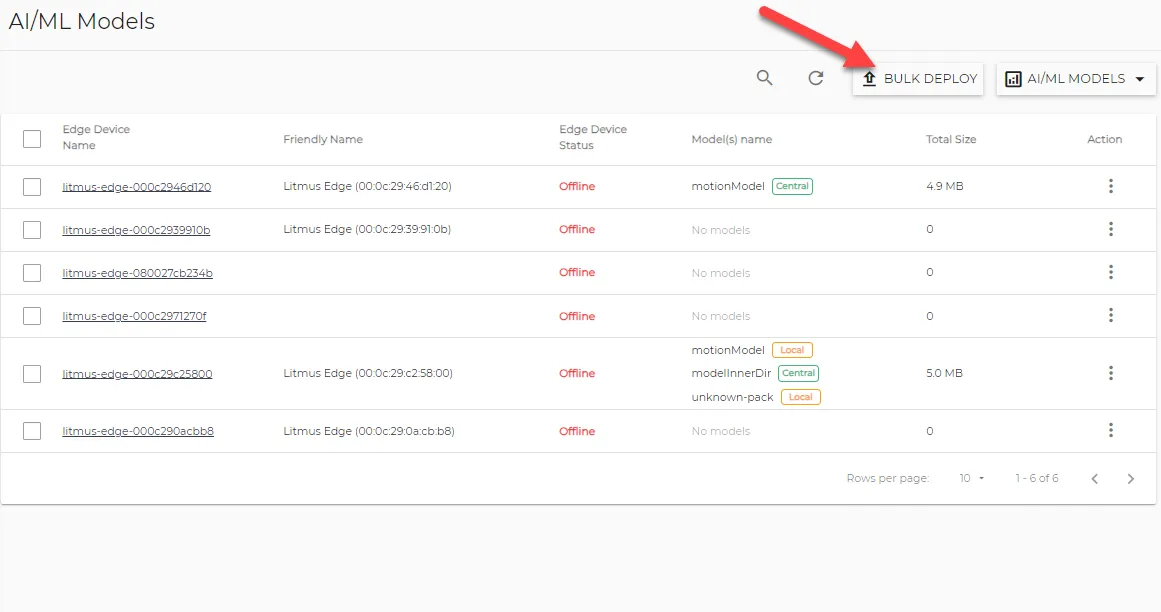
AI/ML Models pane
- From the Select Devices pane, select the checkbox next to the edge device(s) you wish to add the models to. Then, click Next.
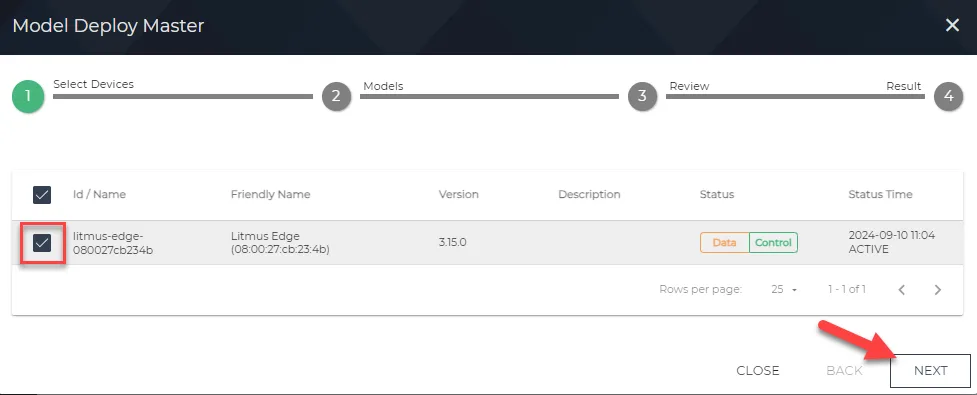
Select Devices pane
- From the Models pane, select the model you want to deploy from the list of available models. Then, click Next.
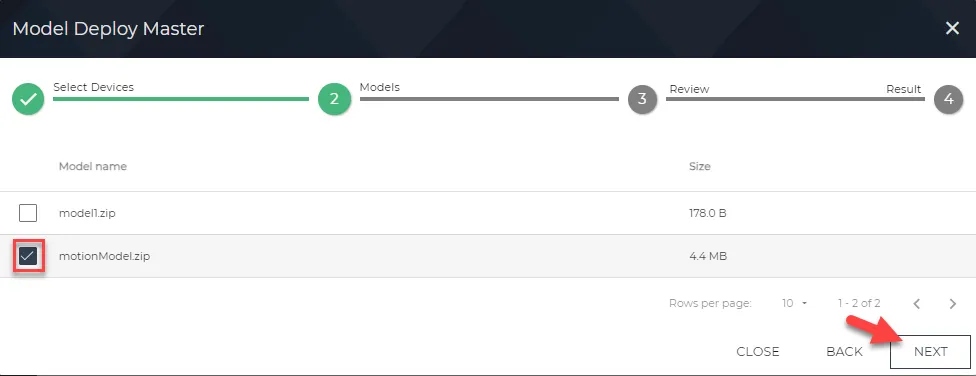
Models pane
- Review the Summary of the target devices and the selected model, and click DEPLOY MODELS.
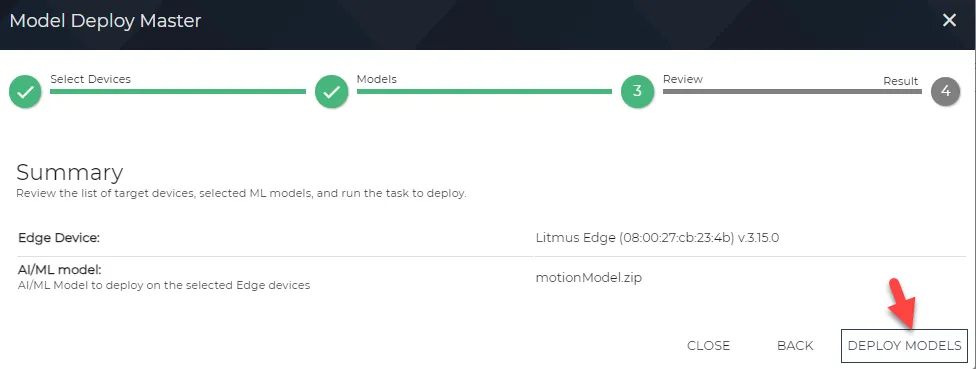
Review page
- Once the Status has changed to SUCCESS, click FINISH.
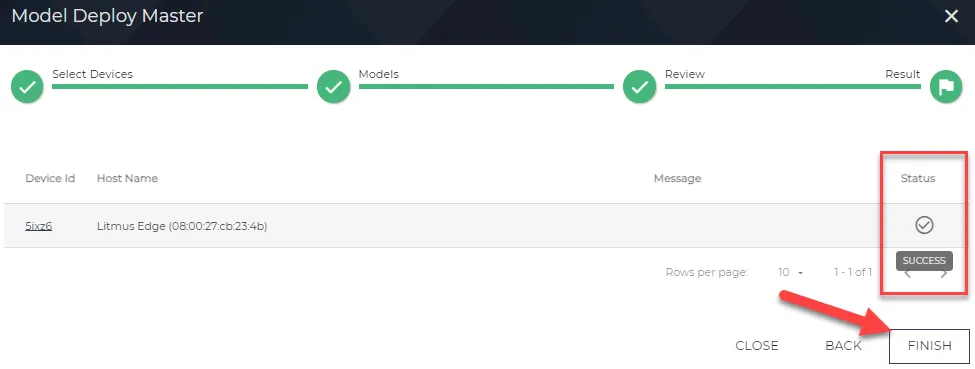
Result pane