Import AI/ML models
3 min
You can upload a new model or display available models from AI/ML Models page.
Note: You can only upload the models as a ZIP file containing a saved model directory with variables, assets, and a .pb (protocol buffer) file.
Before you begin
Ensure to have a ZIP file that contains the necessary model configurations and parameters.
To upload an AI/ML model zip file:
- Navigate to AI/ML Models pane.
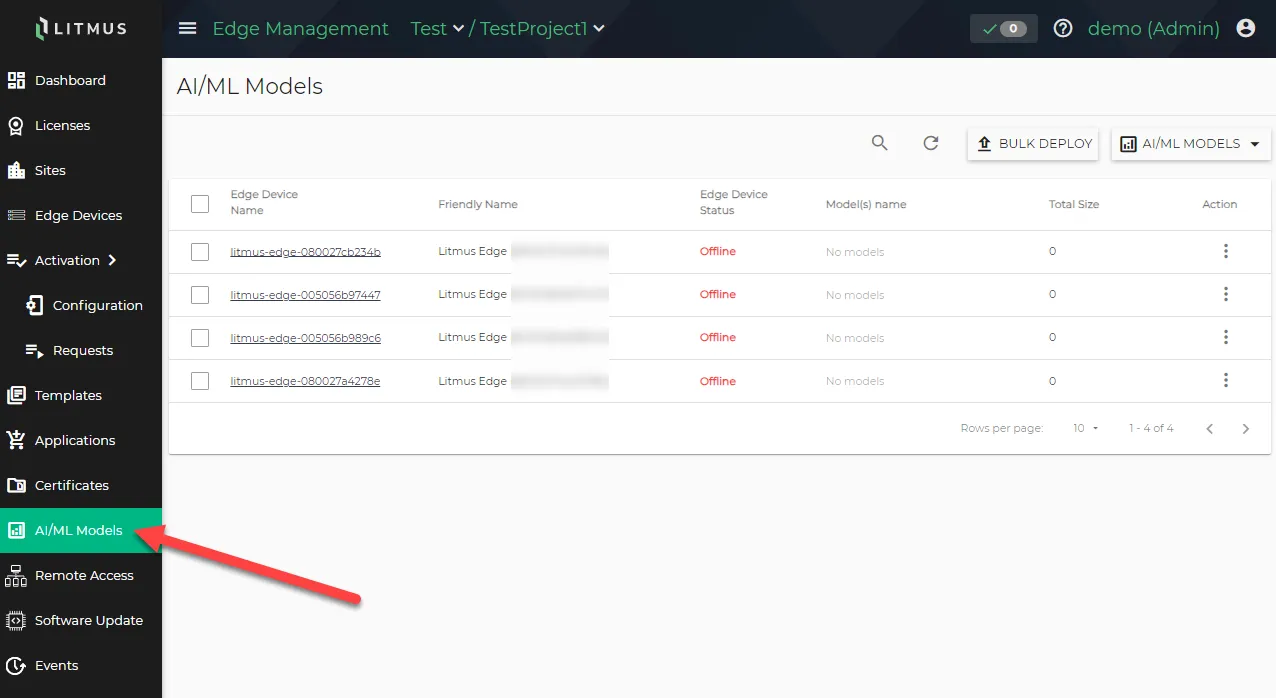
AI/ML Models pane
- Click AI/ML MODELS drop-down menu and select the Upload New AI/ML Model option. The Upload AI/ML Model dialog box appears.
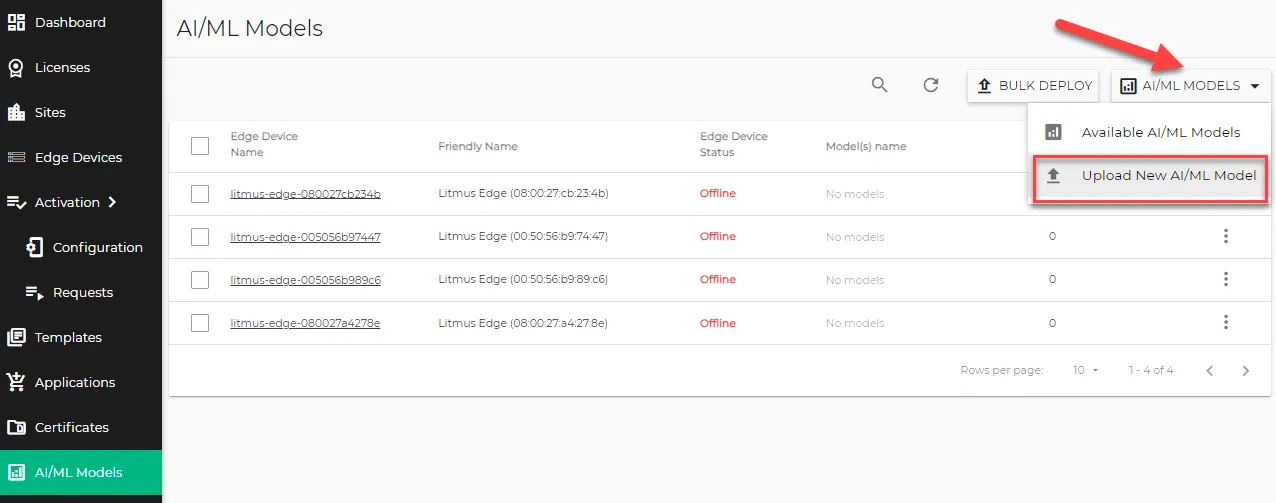
AI/ML Models pane
- Click Select File and navigate to select the ZIP file from your local computer.
- File Name: (Optional) Rename the file if needed.
- Note: You can only upload the models as a ZIP file containing a saved model directory with variables, assets, and a .pb (protocol buffer) file.
- Click Upload.
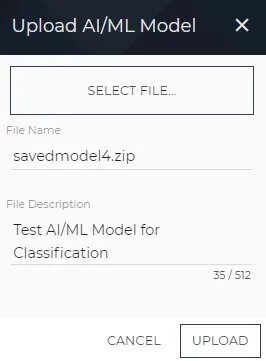
Upload AI/ML Model dialog box
Next steps
Refer to the following guides for access to example AI/ML solutions.