Management
The Management page in Settings has two options:
- Reboot: Restart the Litmus Edge Manager instance.
- Edge Device Metrics Sync: Control how often Litmus Edge Manager polls connected edge devices for metrics data.
Note: The Management module is available for Litmus Edge Manager version 2.15.0 and later.
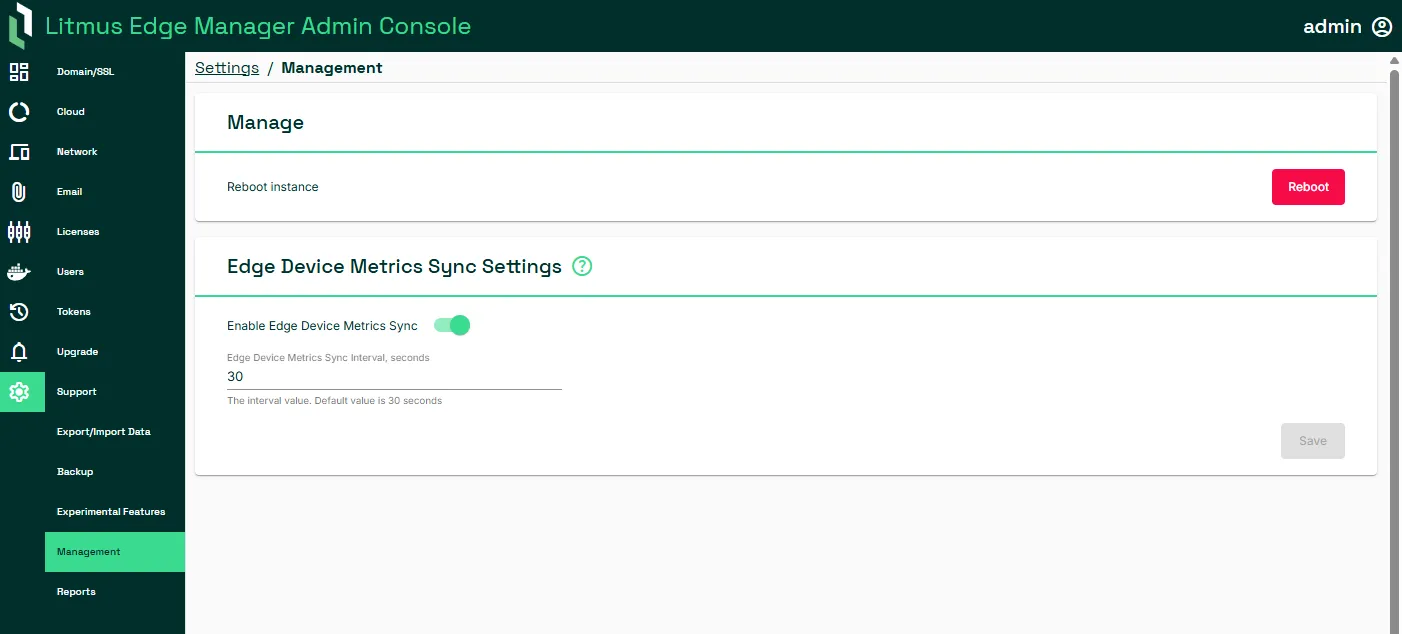
Reboot Litmus Edge Manager
In Manage, click Reboot.
Edge Device Metrics Sync
Edge Device Metrics Sync controls how often Litmus Edge Manager polls connected edge devices for metrics data. Adjusting the interval lets you balance reporting frequency against network and performance constraints. A shorter interval provides more granular visibility into edge device behavior. A longer interval reduces network load in bandwidth-limited environments.
Sync Interval Priority
The sync interval can be configured at three levels: device, project and instance. By default, lower-level settings take priority:
- The device sync setting overrides the project setting for that device.
- The project sync setting overrides the instance setting for all devices in the project.
You can also override these priority settings:
- At the device level by choosing to use the project's metrics sync setting (see Manage).
- At the project level by choosing to use the instance's metrics sync setting (see Project Settings).
Note: Edge Device Metrics Sync Settings is available for Litmus Edge Manager version 2.26.1 and later.
Set the Edge Device Metrics Sync Interval
The default interval is 30 seconds with a valid range of 30 to 604,800 seconds (1 week). Do any of the following:
- Use the Enable Edge Device Metrics Sync toggle to enable or disable synchronization of metrics.
- Update the instance sync interval by providing a new value in Enable Edge Device Metrics Sync.