Analytics
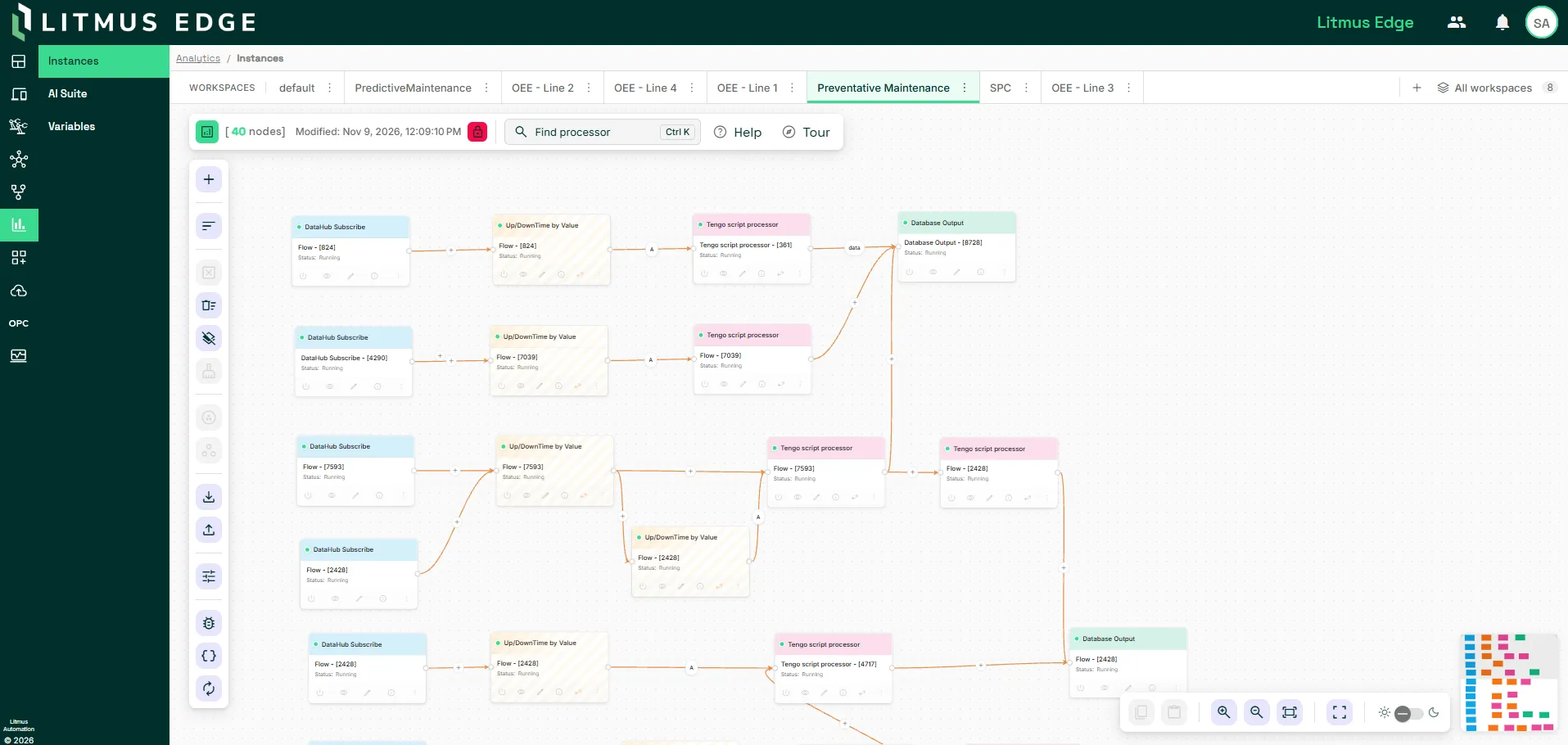
An analytics flow is a series of connected processors that processes and analyzes data at the edge. The Analytics module enables creating and managing analytics flows, running machine learning models, and connecting generative AI providers.
Core components
Processors
A flow consists of a series of connected processors and requires at least one processor of each of the following types:
- Input: Retrieves data from a DataHub topic, database, or generator. Available types include Database Batch Input, DataHub Subscribe, Generator, and Inject. See Input Processors for details.
- Function: Processes input data using KPIs, statistical functions, AI models, or IT Hub processors. Some function processors support multiple simultaneous inputs. See AI processors, IT HubIT Hub, Key Performance Indicators, and Statistical Functions for details.
- Output: Writes function results to a DataHub topic, database, file, or console. Available types include DataHub Publish, Database Output, File Write, and StdOut. See Output Processors for details.
AI Suite
AI Suite is the instance-wide store for the resources that Analytics AI processors use. You upload a resource once, then select it in each processor that needs it. AI Suite groups resources into the following sections:
- Models: Connections to generative AI providers (AI) and uploaded TensorFlow models (TensorFlow).
- Prompt: Instructions, skills, and context files that shape what the model knows.
- Capabilities: Tool definitions and MCP server registrations that the model can call.
- Agent state: Memory and agent definition files. No processor uses these yet.
See AI Suite for details.
Workspaces
A workspace is a container for organizing analytics flows on the Instances canvas. A workspace can contain one or more flows. To create a workspace, click Create workspace in the workspace toolbar. Workspaces are locked by default when saved, so other users can't change them. You can pin a workspace as the default view on the canvas.
Within a workspace, you can group processors visually with a custom name, description, and background color. You can move, copy, and paste groups on the canvas.
See Create and manage workspaces for details.
How analytics flows work
A flow moves data in one direction, from input processors to function processors to output processors.
- Input processors retrieve data and pass it to function processors through connections.
- Function processors process the incoming data using KPIs, statistical calculations, AI models, or IT Hub processors.
- Output processors write the results to a DataHub topic, database, file, or console.
The connection type determines when a function processor runs:
- An Events connection triggers the function processor each time a new value arrives from the connected input.
- A Values connection waits until values arrive from all connected input sources, then triggers the function processor.
By default, a function processor passes only the function result to the output processor. Input fields, such as device ID and timestamp, are dropped. Select Enable passthrough on a function processor to pass the original input data through alongside the function result.
Analytics pages
Analytics has the following pages:
- Instances: The main canvas for building and managing flows with pre-built processors and user-defined logic. Create multiple workspaces to organize flows.
- AI Suite: The AI resource management page. The Models section contains AI for connecting AI models and TensorFlow for uploading TensorFlow models. See AI Suite for details.
- Variables: The page for viewing and managing Analytics variables and their current values. You can sort and filter the list. Variables persist through reboots and updates, and are included when you export or upload an Analytics template.
Next steps
- Analytics GuidesAnalytics Guides
- AI Suite
- Input ProcessorsInput Processors
- Output ProcessorsOutput Processors
- Statistical FunctionsStatistical Functions
- Key Performance IndicatorsKey Performance Indicators