Streaming Logs
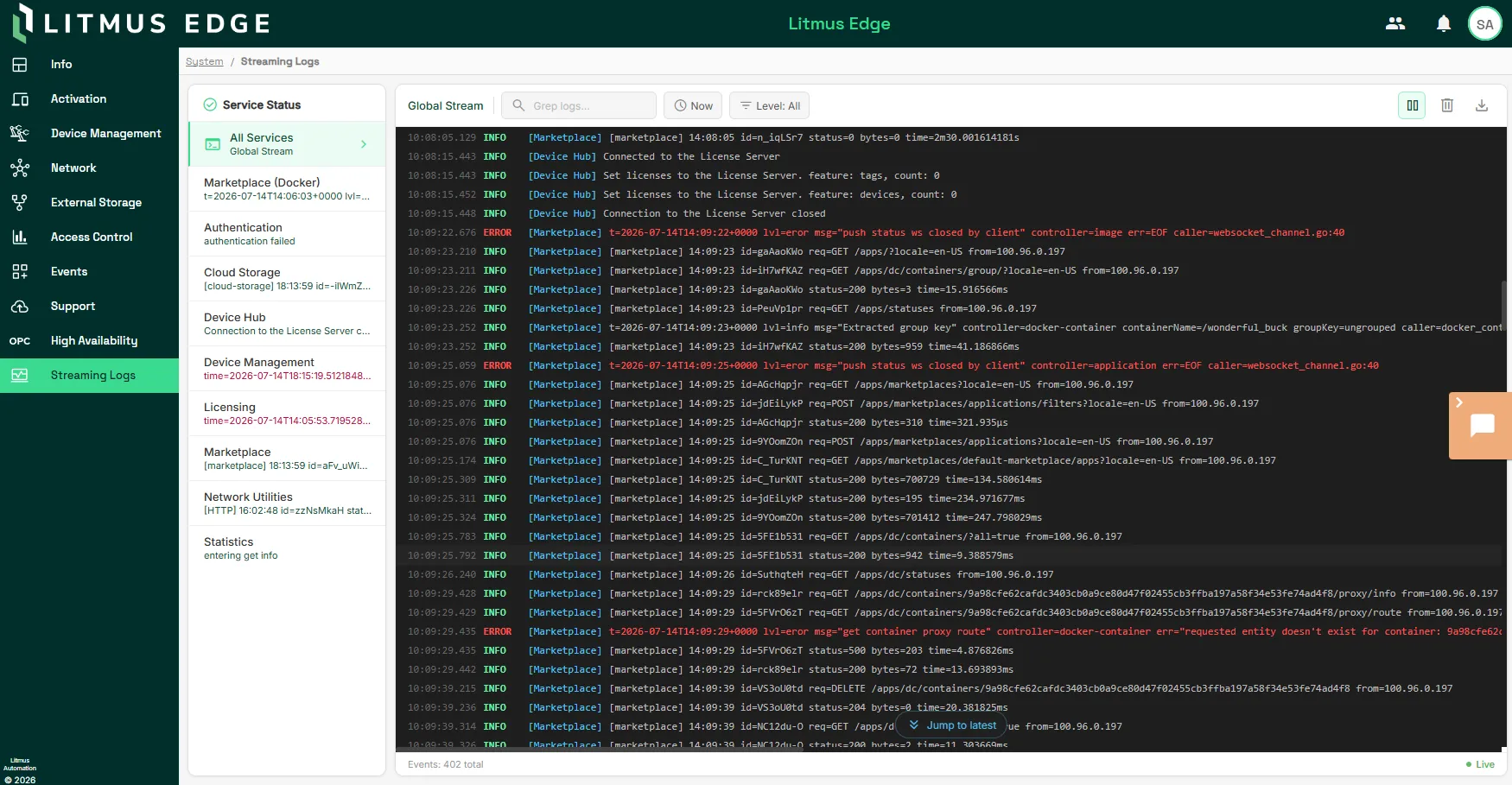
Streaming Logs provides a live view of logs from all Litmus Edge (LE) services running on the device in a single place. Instead of opening a terminal session or downloading a support bundle to check what a service is doing, you can filter, search, and export logs directly from the Litmus Edge web UI.
Why Streaming Logs matter
Litmus Edge runs many services at once, such as DeviceHub and Analytics. Streaming Logs brings that activity into one live view so you can:
- Confirm a service is running as expected without leaving Litmus Edge
- Narrow in on a single service when you are troubleshooting an issue
- Search and filter log messages by log level, time range, or free text to isolate relevant entries
- Export the filtered view as a log file to share with Litmus support or keep for your own records
Core components
- All-services view: Shows log entries from every Litmus Edge service together in the order they were recorded
- Single-service view: Narrows the log stream to the service you select
- Filters: Log level, time range, and free-text search, which you can combine to narrow the entries displayed
- Live scrolling controls: Pause and resume the live stream and clear the displayed logs without deleting the underlying stored log data
- Export: Downloads the currently filtered view as a log file
- Forwarding status: Shows whether this device is forwarding its logs to Litmus Edge Manager (LEM)
How the components work together
Streaming Logs reads log entries directly from the Litmus Edge services running on the device. When you apply a log level, time range, or search filter, the view updates to show only matching entries. Combine filters to narrow the view further. Pausing live scrolling freezes the current view so you can read through entries without new log lines pushing them out of sight. The underlying log stream keeps recording in the background. Clearing the displayed logs only affects what's shown on screen, not the log data stored on the device.
Log forwarding to Litmus Edge Manager is a separate capability from the local Streaming Logs view. Streaming Logs shows you the current forwarding status and you configure and control forwarding itself from Litmus Edge Manager. This mirrors how Litmus Edge Manager's own Streaming Logs pane works. Litmus Edge Manager aggregates logs from every edge device in a project that has forwarding enabled, while this Litmus Edge page shows only the logs local to the device you're viewing.
Note: For fleet-wide log aggregation across multiple edge devices and for enabling log forwarding itself, see the Streaming Logs in LEM.
Limitations and considerations
- Streaming Logs shows logs local to the device you're viewing. To see logs from multiple edge devices in one place, use LEM's Streaming Logs pane instead.
- Forwarding status on this page is read-only. Enable or disable forwarding from LEM.