Integration
The Admin Console > Integration module has the following sections:
- Kafka
- Clickhouse
- Prometheus
- Syslog
- DigiCert
- Git Provider
You can complete data integration from the entire Litmus Edge deployments into third-party applications using Kafka.
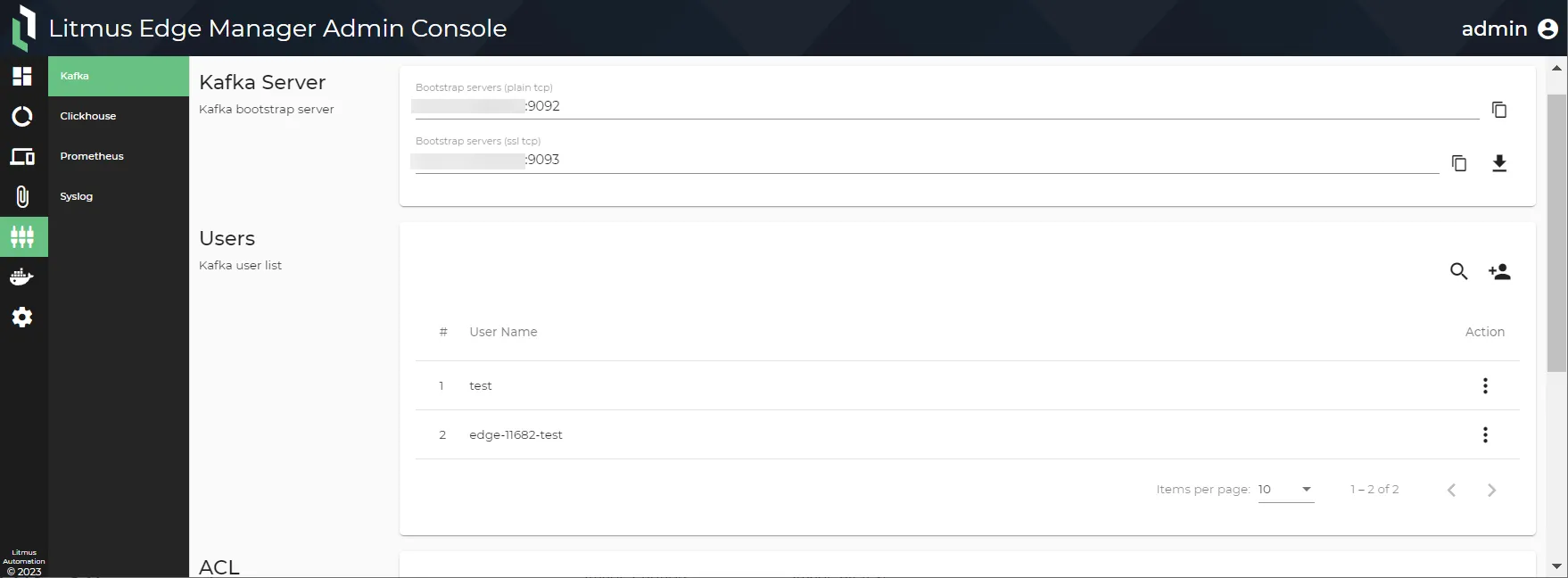
Kafka: Includes the Kafka Server, Users, and ACL sections. You can do the following.
- Download a certificate and copy the connection URLs for the Bootstrap Server and Kafka SSL Connection from the Kafka Server section.
- Add and remove Kafka users from the Users section.
- Change passwords from the Users section.
Clickhouse: Includes the Clickhouse Server, Users, ACL, and Explore sections. You can do the following.
- Edit, enable or disable, and change the port status for each available protocol from the Clickhouse Server section.
- Add and remove Clickhouse users from the Users section
- Change passwords from the Users section.
- Add or remove a company or project for the ACL (Access Control List) from the ACL section. Authorization of topics is controlled by ACL.
- Open a web interface to the Tabix Server for Clickhouse from the Explore section.
Prometheus: Includes Prometheus and Alert Manager sections, available since Litmus Edge Manager 2.10.1. You can do the following.
- Enable/disable Prometheus endpoint to expose an Prometheus URL for a third party client.
- Add an external Prometheus Alert Manager address for Litmus Edge Manager to connect to.
- Test the connection between Litmus Edge Manager and the external Prometheus Alert Manager.
Syslog: Include the Syslog section, available since Litmus Edge Manager 2.7.0. You can do the following.
- Enable/disable log forwarding to an external Syslog server.
- Add an external Syslog server's hostname/IP address and port number
- Test the connection between Litmus Edge Manager and the external Syslog server host.
DigiCert: Includes the DigiCert server URL, Enrollment Profile ID, Enrollment Passcode, and Validate sections. Available since Litmus Edge Manager 2.22.1. You can do the following.
- Set up the DigiCert server URL for communication with the DigiCert IoT Trust Manager.
- Configure the Enrollment Profile ID for authenticating with the DigiCert IoT Trust Manager.
- Generate and use the Enrollment Passcode for authentication between the Litmus Edge Manager Admin Console and the DigiCert IoT Trust Manager.
- Validate the DigiCert integration settings to ensure successful communication with DigiCert IoT Trust Manager.
Git Provider: Connect Litmus Edge Manager with an external version control system (GitHub, GitLab, or Azure DevOps) and store, manage, and track changes to Litmus Edge template files.
Access Integrations UI
To access integrations UI:
- Log in to the Litmus Edge Manager (LEM) Admin Console at the following URL: https://[LEM IP address]:8446.
- From the Navigation panel, select Integration. The Integration pane appears. The user interface below is for Litmus Edge Manager version 2.10.1 and later.
Next Steps
- Kafka
- Prometheus
- Syslog
- DigiCert