Setup a High Availability edge device pairing
High Availability (HA) pairs a primary (active) Litmus Edge device with a backup (standby) device that takes over automatically if the primary fails. This guide walks you through configuring an HA pair from Litmus Edge Manager and enabling it.
Note: High Availability is currently available as a beta feature.
Before you begin
Before you configure a High Availability pair, ensure you have:
- Two Litmus Edge devices running Litmus Edge version 4.0.5 or later, both online and connected to Litmus Edge Manager
- Both devices have valid Litmus Edge licenses
- Litmus Edge Manager version 2.34.0 or later
- Decided which device will act as the primary and which will act as the backup
Note: Configuring HA from Litmus Edge Manager lets you pair and manage devices centrally from a single location without logging into each device individually. Also see High Availability (Litmus Edge Manager) for overview and background information. HA can also be configured directly on each Litmus Edge device without Litmus Edge Manager. See High Availability (Litmus Edge) in the Litmus Edge documentation.
Step 1: Configure the HA pair
To configure the HA pair:
- In Litmus Edge Manager, select a company and project.
- From the navigation panel, select Edge Devices.
- In the Edge Devices page, click the ID link of the device you want to configure as either the primary or backup node. .
- the Edge Devices Details page, select the High Availability tab.
- Toggle Enable High Availability to on.
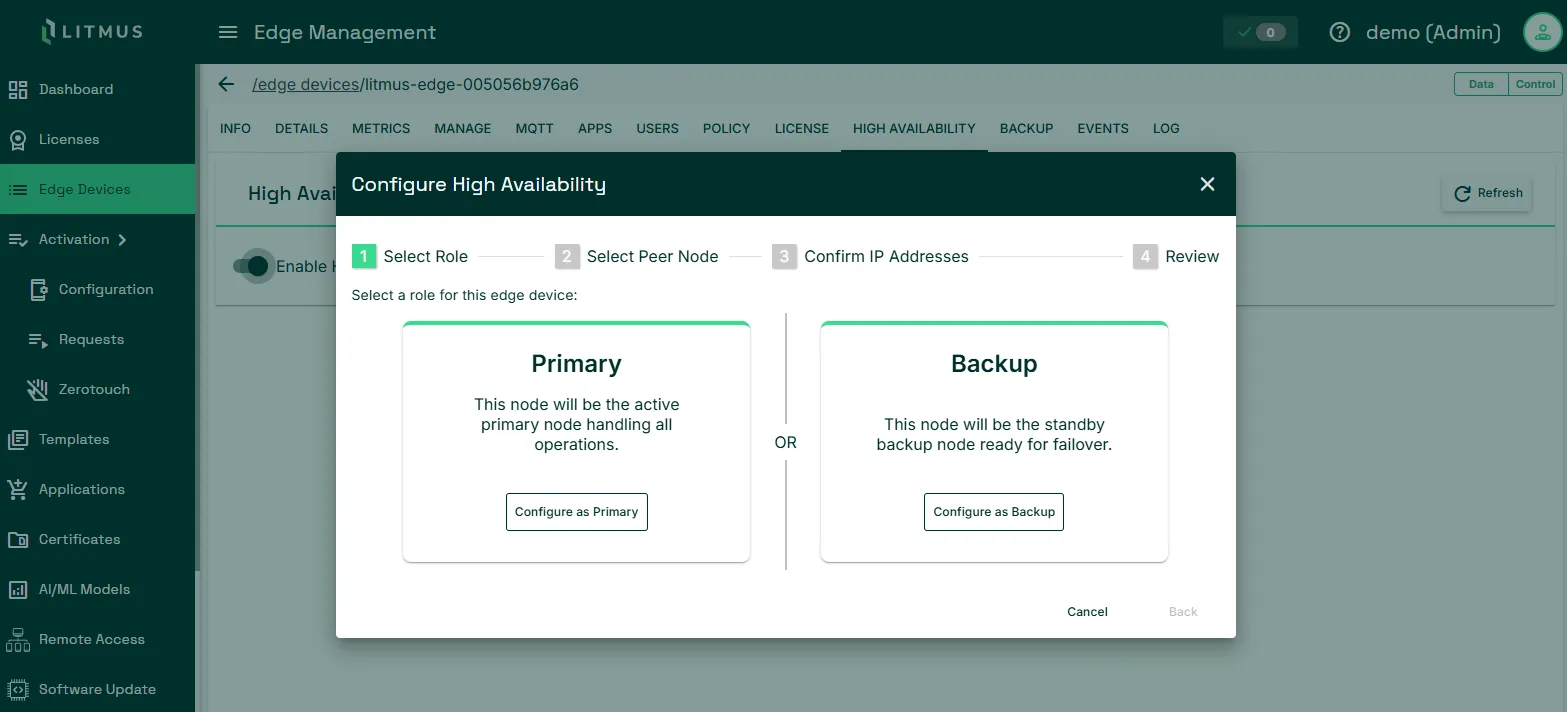
- In the Configure High Availability dialog, under Select Role, choose either Configure as Primary or Configure as Backup.
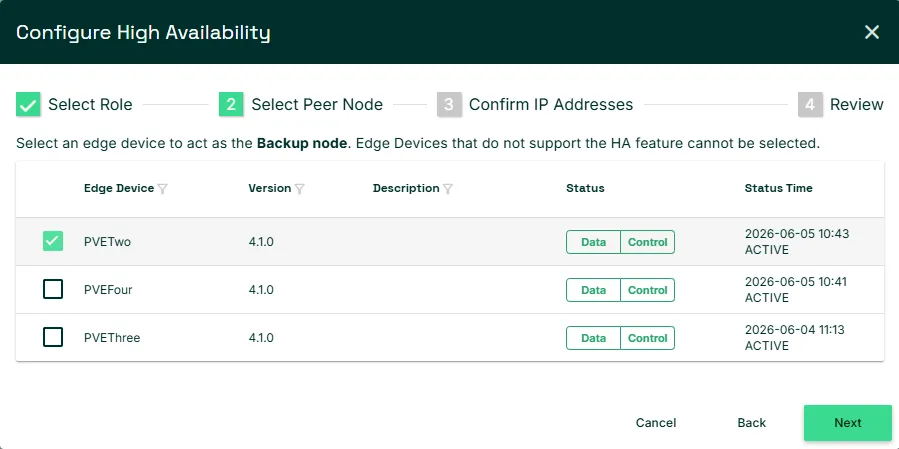
- In Select Peer Node, select the paired device. Click Next.
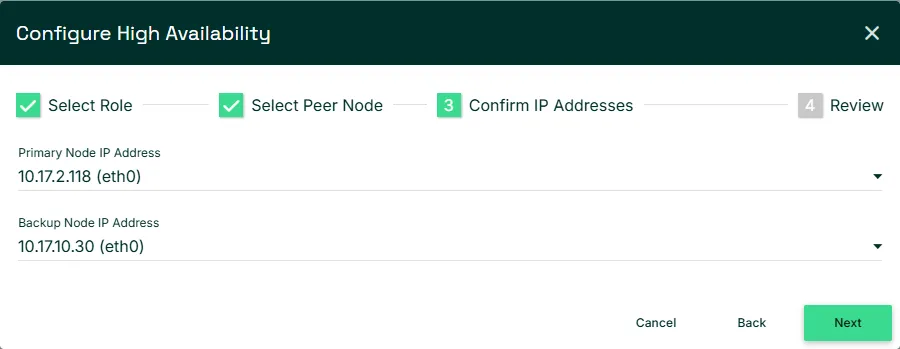
- In Confirm IP Addresses, verify that the primary and backup node IP addresses are correct. Click Next.
- In Review, confirm the configuration details. Click Create Configuration.
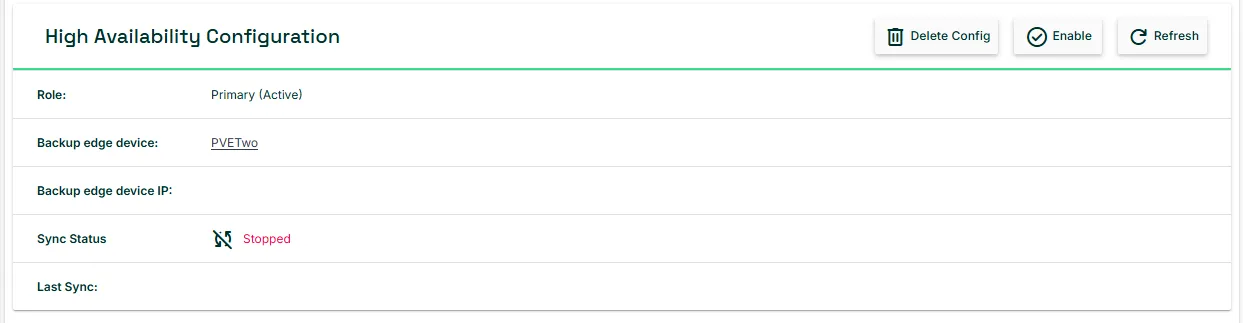
High Availability is now configured but not yet active.
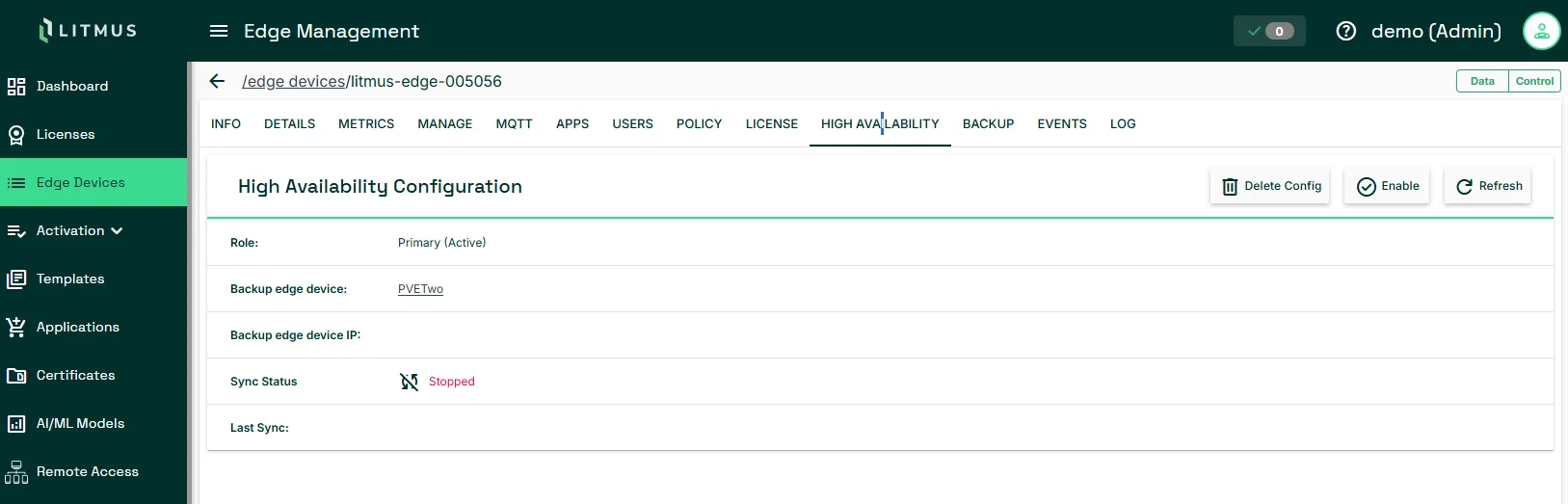
Step 2: Enable High Availability
To activate the HA pair:
- In the High Availability tab, click Enable in the top-right corner.
- Review the confirmation message and click Yes, Enable.
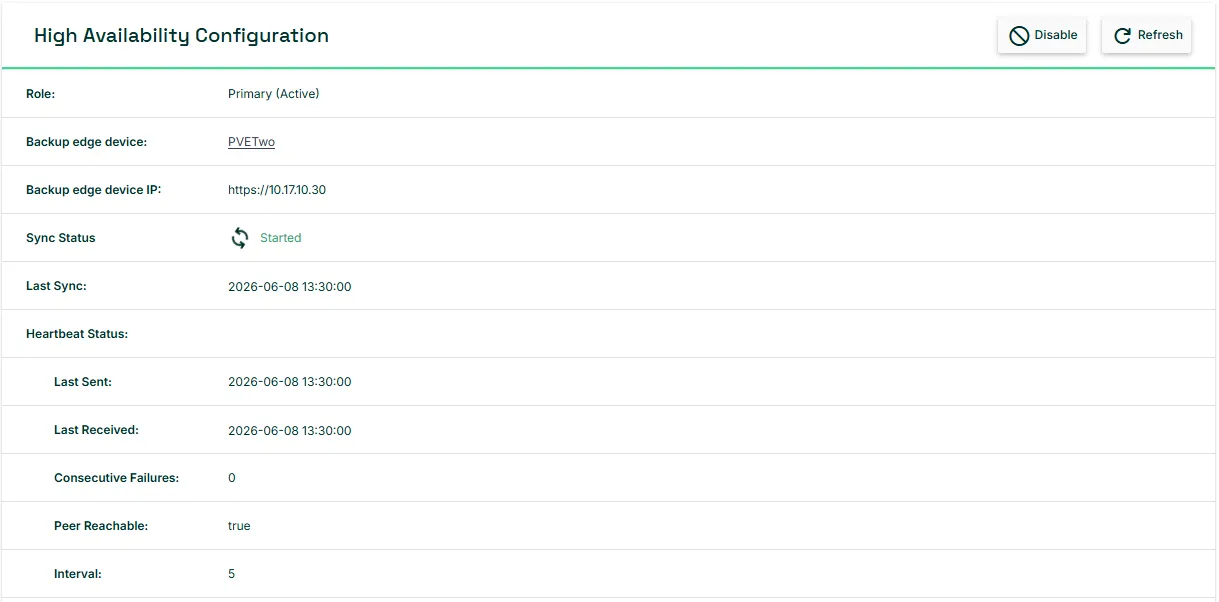
High Availability is now active. The tab displays the current pair status and heartbeat information.
Verify High Availability is working
To confirm the HA pair is configured and running correctly:
- In the High Availability tab, confirm that Sync Status shows Started.
- Check that Peer Reachable is true to indicate that the backup node is reachable from the primary.
If the pair status shows Degraded or Unknown, confirm both devices are online and running Litmus Edge 4.0.5 or later.
Disable or delete an HA configuration
To deactivate HA without removing the configuration, click Disable in the High Availability tab.
To remove the configuration entirely, click Delete Config. Both devices return to an unpaired state.