Configure UNS API (GraphQL) Access using Postman
2 min
This set of instructions explains how to access the Litmus Unify APIs using an external tool: Postman.
Open GraphQL APIs with Postman
Similar to REST APIs, GraphQL APIs often require authentication to ensure that users have the proper access rights to the data. This document outlines the steps to obtain a token for a GraphQL API using the OAuth 2.0 authentication method.
You will need to install and open Postman.
To use Postman to view the component version:
- Open Postman or access the web version of Postman.
- In Clients, click the new client name.
- Click the Credentials tab.
- Click the Copy icon for the Client secret. You will refer to this later.
- Open the Postman application.
-
-
- Open your workspace in the left-navigation menu.
-
-
- Click the New Request icon.
-
-
- Click New.
-
-
- Click GraphQL.
-
-
- For the new request, enter the following URL: https://<Litmus UNS hostname>/mqtt/gql.
-
-
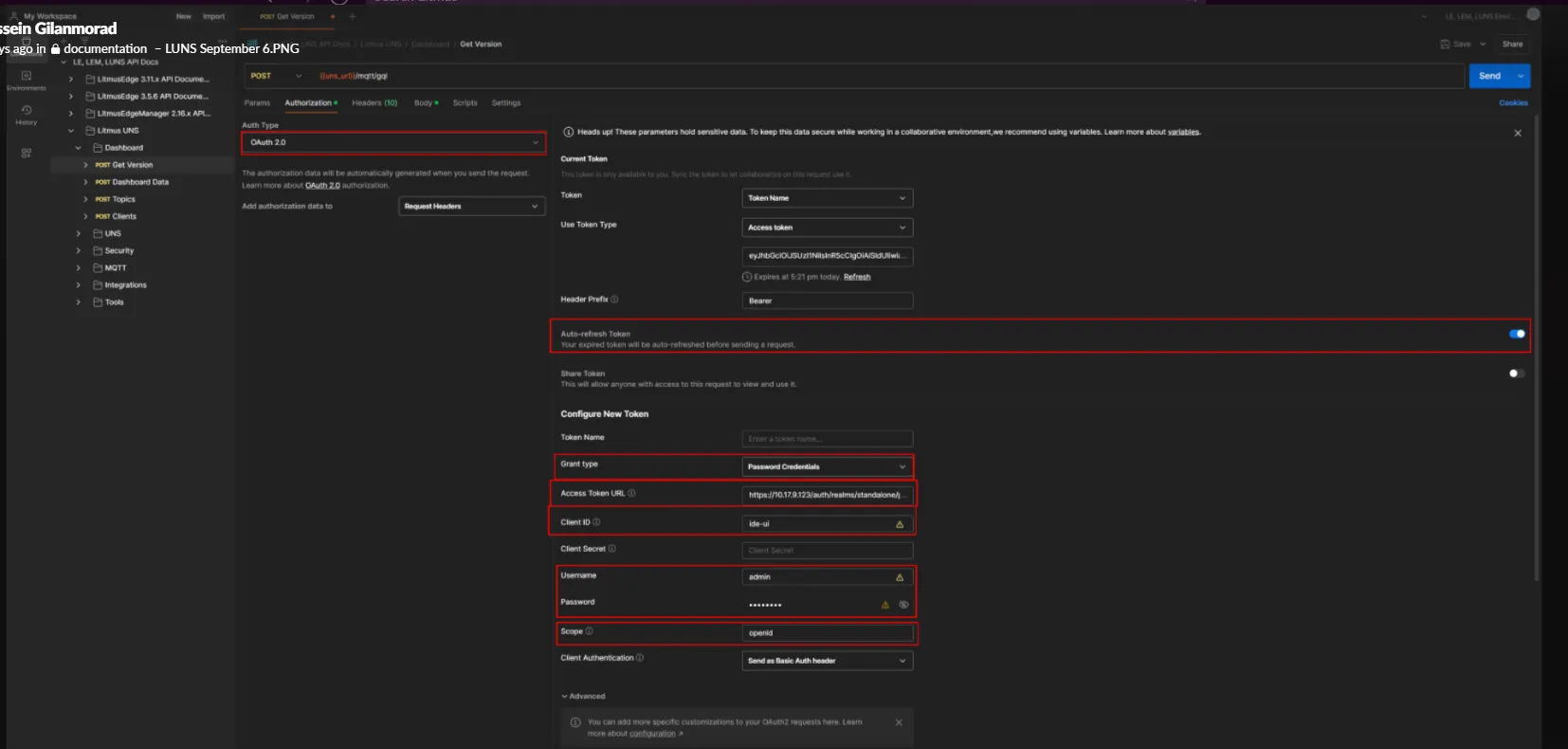
- Click the Authorization tab.
- For the Type, select OAuth 2.0.
- Enter the following details for Configure New Token.
- Token Name: Enter a name for the token.
- Grant type: Select Client Credentials.
- Access Token URL: Enter the following URL: https://<Litmus UNS hostname>/auth/realms/standalone/protocol/openid-connect/token
- Client secret: Paste the client secret copied previously.
- Click Get New Access Token and then Proceed.
- From the Manage Access Tokens dialog, click Use Token. The token is added to the request.
6. Postman will return with a response that the authentication is complete.