Deploying Litmus Unify on Microsoft Azure Kubernetes Services
2 min
You can deploy Litmus Unify on Microsoft Azure Kubernetes Services.
Before You Begin
- Ensure you have a running AKS Kubernetes cluster.
Installation Steps
To deploy Unify on Microsoft Azure Kubernetes Services:
- Download the Unify K8S Secret secret file (litmusautomation-uns-centralportal-secret.yml) from Litmus Central Portal.
- Connect to the K8S cluster instance on AKS via Cloud Shell or other methods. Then upload the above yml file to the working directory.
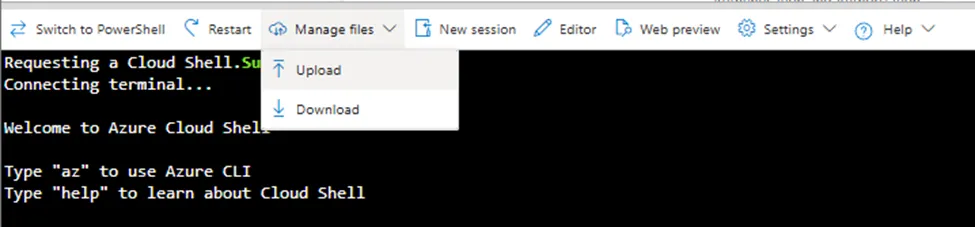
Cloud Shell
- Create the Unify namespace by running the kubectl create namespace uns command in bash.
- Create the Unify secret by running the kubectl create -f litmusautomation-uns-centralportal-secret.yml --namespace=uns command in bash.
- Run the Helm command for installation with helm install uns oci://quay.io/litmusautomation/charts/litmus-uns --version=1.3.4 --wait --namespace uns --create-namespace --set "imagePullSecrets[0].name=litmusautomation-uns-centralportal-pull-secret" .
- When the installation process is completed, the Unify application should be running.
You can reach the webui by the External-IP on the Load Balancer service. Retrieve this by calling the following command:
kubectl get all -n uns