Generate Comprehensive NL License Summary Report
You can create a summary report for Node-Locked (NL) licenses in Litmus Edge Manager. NL licenses are special permissions that allow users to access Litmus Edge instances from various companies and projects.
Before You Begin
License Report Contents
The Node-Locked (NL) license reports will display the license usage by Edge Devices. Here is a sample of the Node-Locked (NL) License Report with key sections included:
Step 1: Access the Node-locked Licenses Pane
To find the settings, follow these steps:
- Navigate to Litmus Edge Manager Admin Console.
- Go to Edge Devices > Node-locked Licenses section from the left menu.
- In the Node-locked Licenses section, you will see the license usage of Edge Devices.
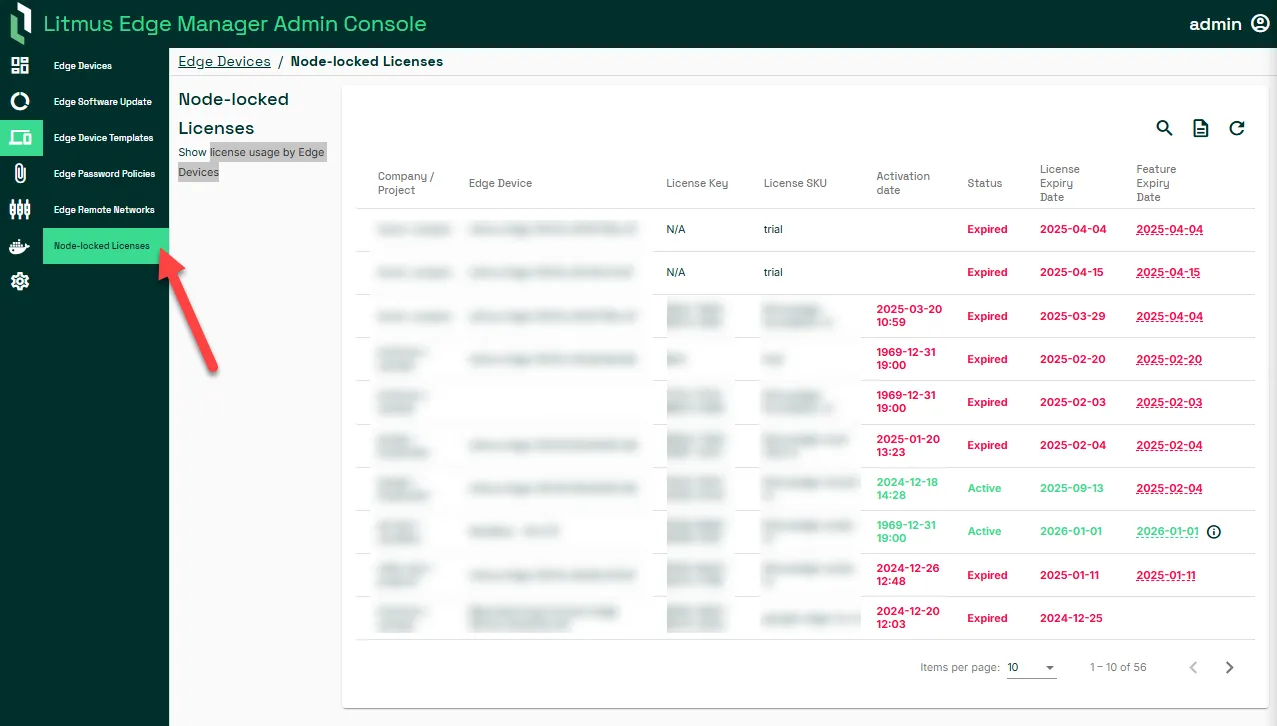
Step 2: Generate Node-Locked Licenses Report
You can see a summary of your node-locked licenses on the Node-locked Licenses page. You can also perform several actions on this page. See Node-Locked Licenses for more details.
To export a copy of the report, click on Generate a Report, and a summary copy of your node-locked licenses will be saved locally on your system.
Note: The filters you have applied may affect the report generation, and you can search by Network Name, Subnet, or Status before generating.
Step 3: View Report Contents
Below is the information you may find in every Node-Locked license report:
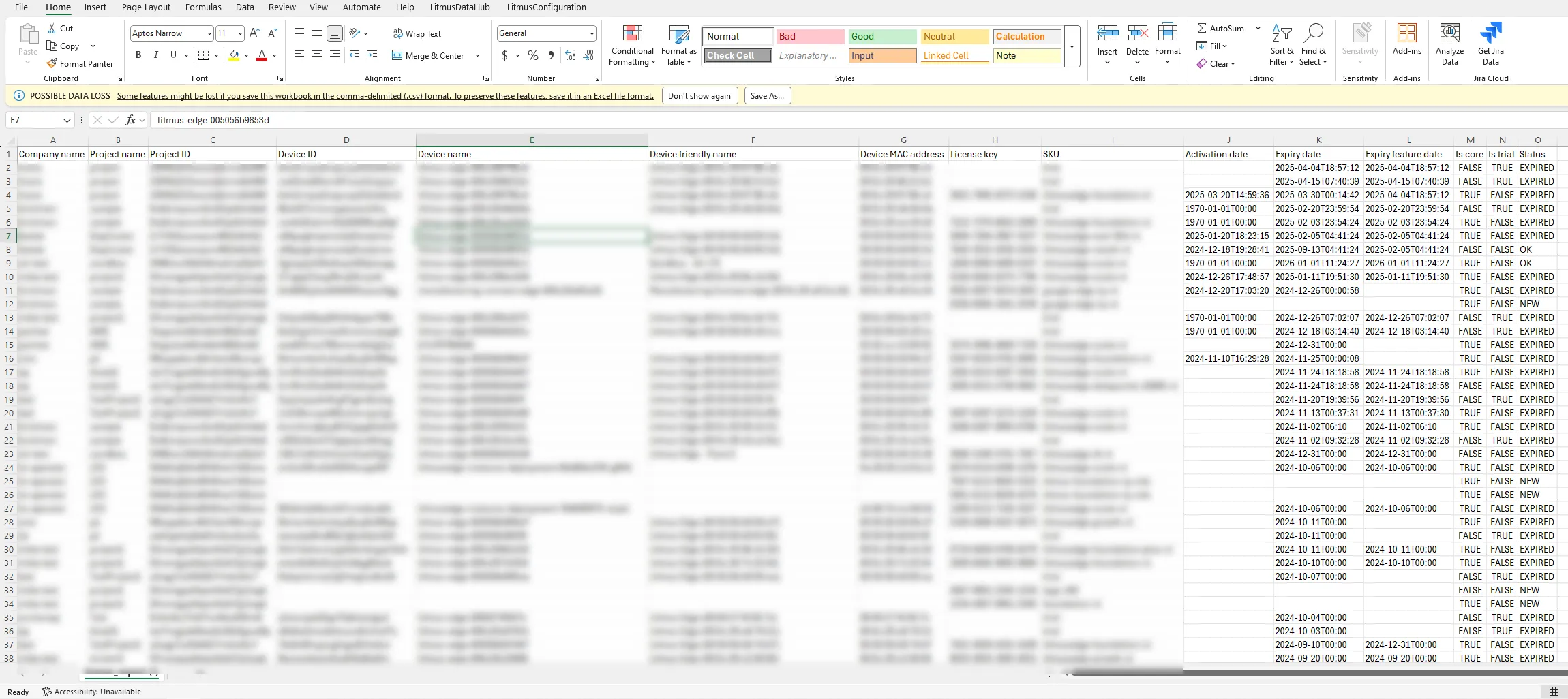
Column | Details |
|---|---|
Company name | The name of the company that the license belongs to. |
Project name | The name of the project where the license is being used. |
Project ID | A unique identification number for the project. |
Device ID | A unique identification number for the specific device using the license. |
Device name | The name given to the device. |
Device friendly name | A more user-friendly name for the device. |
Device MAC address | The unique hardware address of the network interface of the device. |
License key | A unique code that activates the software on the device. |
SKU | The Stock Keeping Unit, which is a code that identifies the specific type of license. |
Activation date | The date when the license was activated on the device. |
Expiry date | The date when the license will no longer be valid. |
Expiry feature date | Sometimes, specific features of the license might expire on a different date. |
Is core | Indicates if this license is a core license for the device. It can be "TRUE" or "FALSE". |
Is trial | Indicates if the license is a trial version. It can be "TRUE" or "FALSE". |
Status | The current status of the license. For example, "EXPIRED", "OK", or "NEW". |