View audit log
3 min
Use the Audit Log page in Litmus Edge Manager (LEM) to review platform activity, filter the entries by time, category, sub-category, level, company, project, or user, and export the results.
Open Audit Log
To open audit log:
- Log in to the Litmus Edge Manager Admin Console.
- From the Navigation panel, select Audit Log.
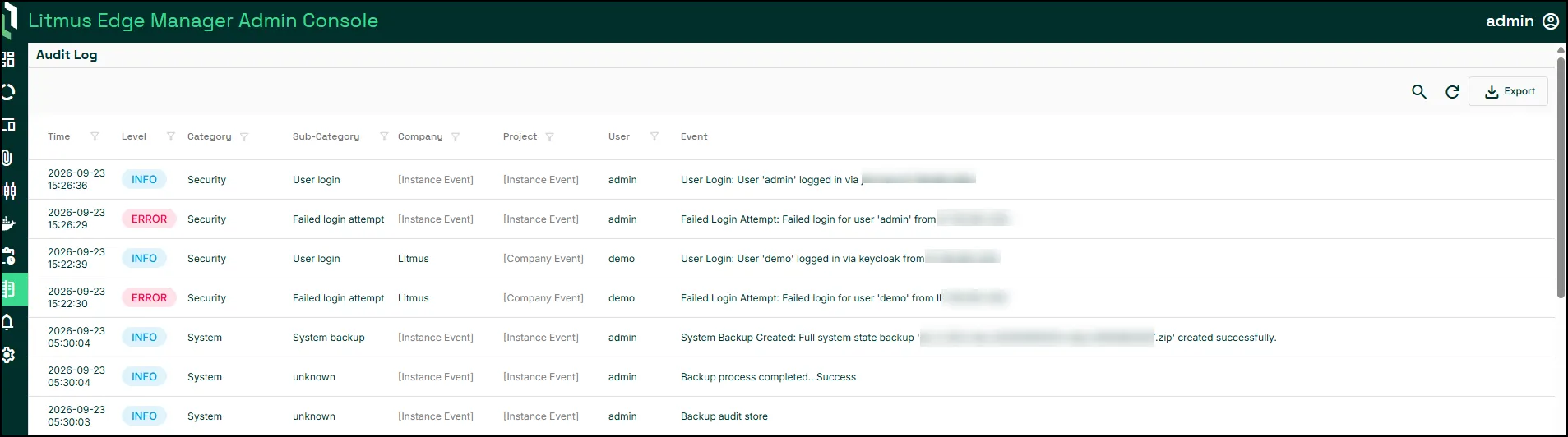
The Audit Log page appears. The list displays the time, level, category, sub-category, company, project, user, and event description for each entry.
Filter audit entries
To filter audit entries:
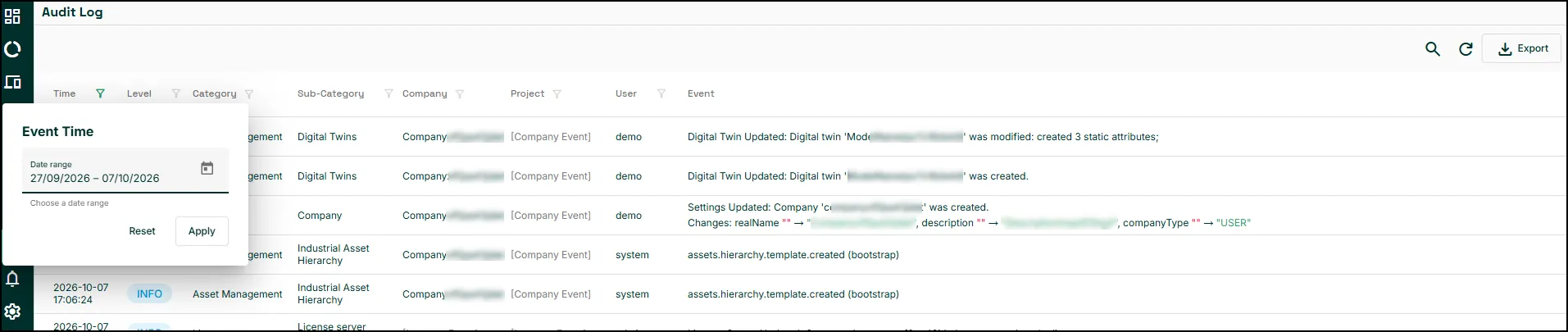
- Select a Time Range or specify a date using the Date filter.
- Select the required Level, Category, Sub-Category, Company, Project, and User filters.
- Enter a term in Search to narrow the results. Search covers the entry message, user, source IP, and the ID of the affected object, such as a device ID, username, backup file name, or project ID, across all matching entries, not only the entries on the page.
The list shows only the entries that match the selected filters.
- To remove the selected filters, select Clear.
Export audit entries
Use Export to save audit entries as a CSV or PDF file.

To export audit entries:
- Apply the required filters.
- Select Export.
- Select CSV or PDF.
Next steps
- EventsEvents