Users
2 min
The Users tab provides a central location for controlling user accounts on all your Litmus Edge devices. Here you can edit user details, update passwords, and add, disable, or remove users on edge devices.
Note: You can manage local Litmus Edge user accounts only. User management does not apply to externally authenticated users, such as LDAP, Active Directory, or OAuth accounts.
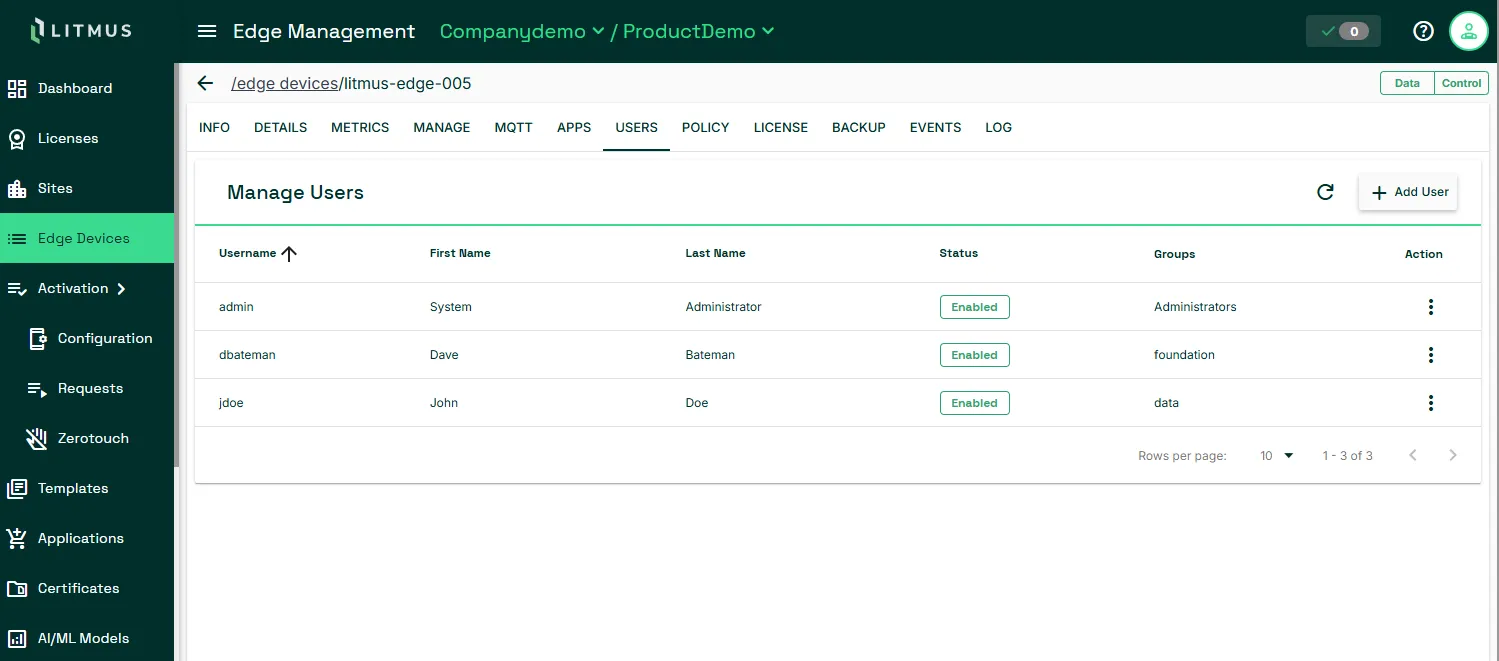
To add a user:
- Click Add User on the right.
- In the Create User dialog, provide user details including a strong password and select a user group to assign the user to.
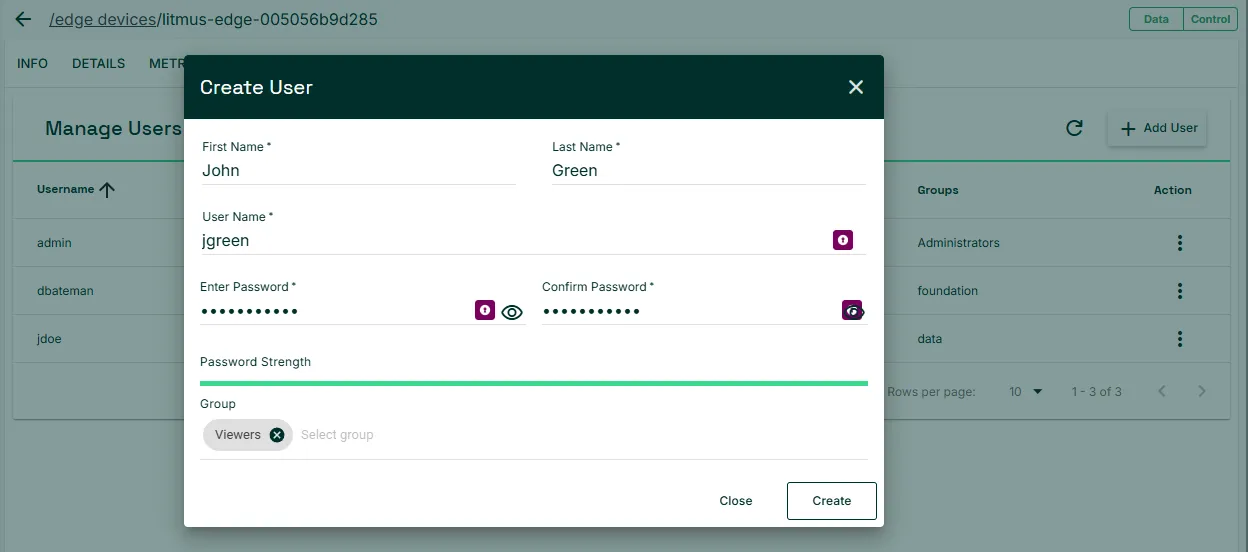
- Click Create.
To manage users:
- Click the Action menu for a user.
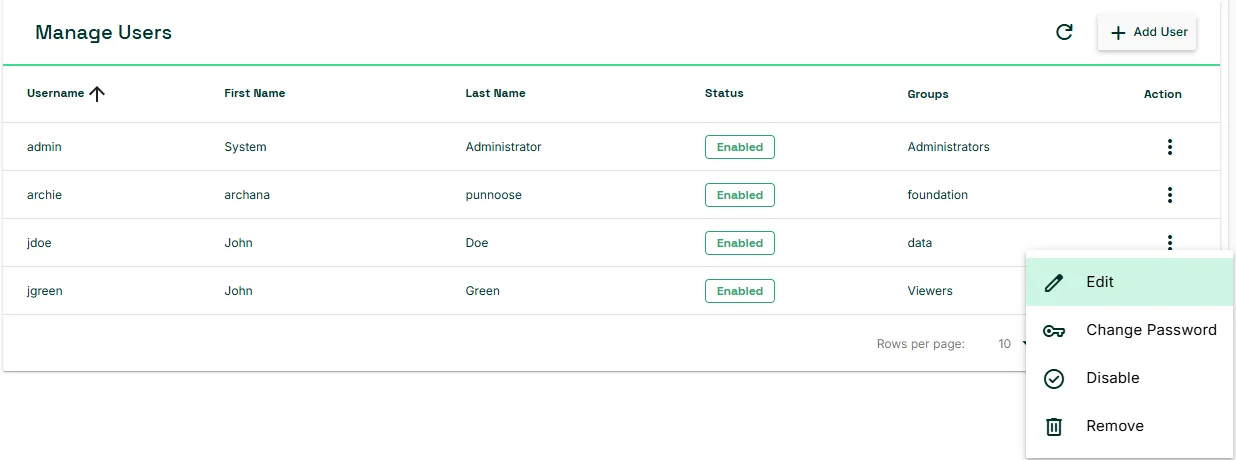
- Do any of the following:
- To update user information, click Edit and update information in the Edit User dialog.
- To update the user's password, click Change Password.
- To disable a user, click Disable. The user becomes disabled and can be reenabled later by choosing Enable from this menu.
- To remove a user from the device, click Remove and click Yes, remove in the confirmation dialog.