Client Details
Client Details is the inspection view for a single client connection. It reports the properties of the connection, the topics the client has subscribed to and published to, and the topics the broker refused. A client has no permissions of its own. The rules on the account it authenticated with determine which topics it can publish to and subscribe to.
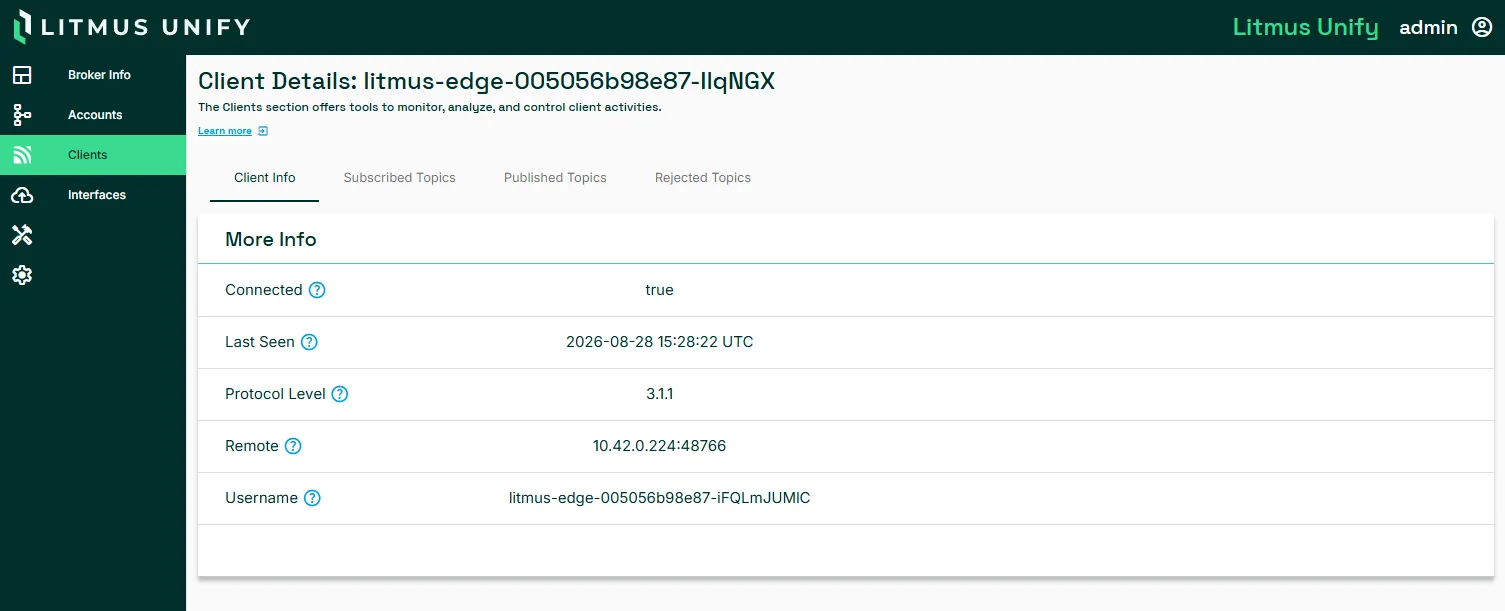
To open the page, select a client ID on the Clients page. The heading shows the client ID that the client sent when it connected.
Tabs
Tab | What it shows |
|---|---|
Client Info | Connection properties for this client. |
Subscribed Topics | Topic filters the client has subscribed to. |
Published Topics | Topics the client has published to. |
Rejected Topics | Topics the broker refused, whether on subscribe or on publish. |
The topic tabs share a layout. Each lists Topic Name with an Action menu, and each has its own Refresh and search box. A tab with no entries displays Topics not found.
Client info
Field | Description |
|---|---|
Connected | true while the client holds an open connection to the broker. |
Last Seen | Time of the client's most recent activity, in UTC. |
Protocol Level | MQTT version the client connected with, such as 3.1.1 or 5.0. Features such as topic aliases and shared subscriptions need 5.0. |
Remote | Source address and port the client connected from. |
Username | Account the client authenticated with. Its rules determine which topics this client can publish to and subscribe to. |
Troubleshooting
Each tab isolates a different failure. Compare them to identify the cause.
- Connected is true and all three topic tabs are empty. The client authenticated but has not subscribed or published yet. This is expected immediately after a connection.
- Entries in Rejected Topics and no entries in Published Topics. The client is publishing and the broker is refusing the messages. The account is missing a Publish rule for that topic.
- Entries in both Subscribed Topics and Rejected Topics. The client receives some data but not all of it. A subscription can succeed while individual topics underneath it are refused, so compare the two lists to find which paths are missing from the account's rules.
- All tabs are empty and Connected is false. The connection has dropped. Check Last Seen for when, then look at the account on the Accounts page to confirm it is still enabled.
All of these are resolved on the account, not on the client. A client has no permissions of its own.
Considerations
- Client IDs are set by the client, not by Litmus Unify. A device that reconnects with a new random ID each time produces a new row rather than reusing the old one. This makes its activity hard to trace. Configure a stable client ID where the device allows it.
- Rejected Topics is the first place to look when a client is connected but exchanges no messages. A successful connection does not indicate that the account has rules.
Related topics
- Clients
- Accounts