Change API Key
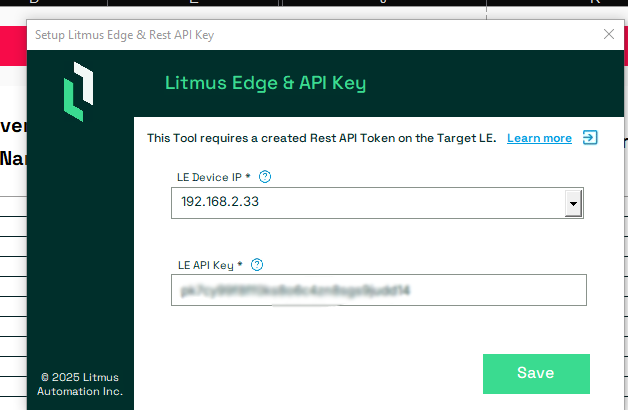
If it is necessary to check and/or change the used API key for a Litmus Edge device, because for example the Key previously used has been deleted, the user can provide a new API Key through the Litmus Edge & API Key form.
Change the API Key when Connected To One LE
To open the Litmus Edge & API Key form when the tool is set to Connect To One LE, a Target IP needs to be set. To open the form press the API key button from the LitmusConfiguration Ribbon.

Provide the new API Key and press the green Save Button.
Change the API Key when Connected To Multiple LE
To open the Litmus Edge & API Key form when the tool is set to Connect To Multiple LE, at least one Target Litmus Edge IP needs to be set.
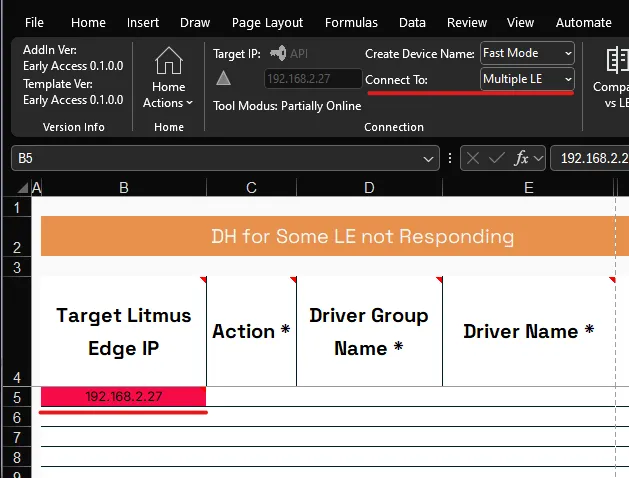
You can verify the API Key in two ways.
Check all API Keys automated
Press the Refresh Sheet button from the LitmusConfiguration ribbon to have the tool check for every Target Limtus Edge IP if it can connect to and request an API Key if necessary.
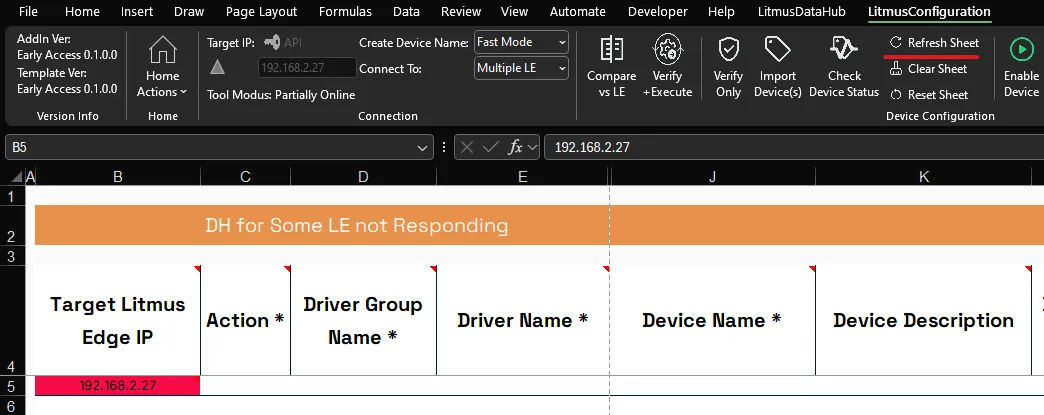
If the tool identifies for example that the API Key it has defined for a Litmus Edge causes a 401 error.
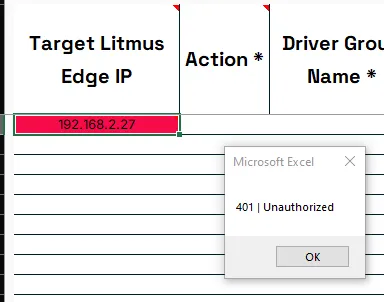
It will request that the user verifies the currently defiend API Key and provide a new valid API Key in case the current API Key is invalid.
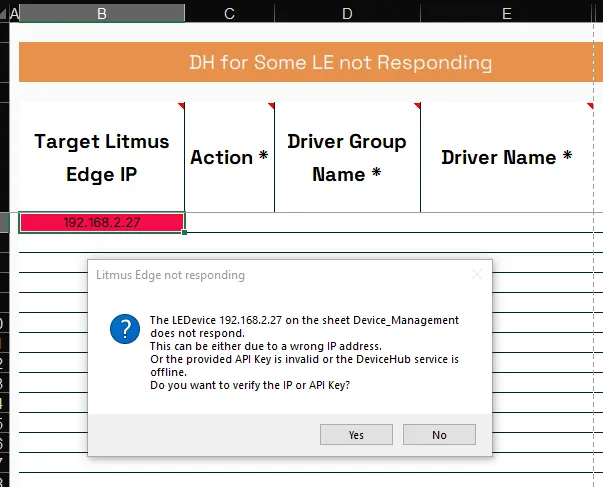
To open the Litmus Edge & API Key form press the Yes button.
You can now Verify the API Key.
Notes:
If the tool is set to Connect To Multiple LE, the tool will check every IPv4 address in the column Target Litmus Edge IP.
Check Keys individually
Check one single Key
Select the IPv4 address in column Target Litmus Edge IP you want to check.
To open the Litmus Edge & API Key form press the API Key button.
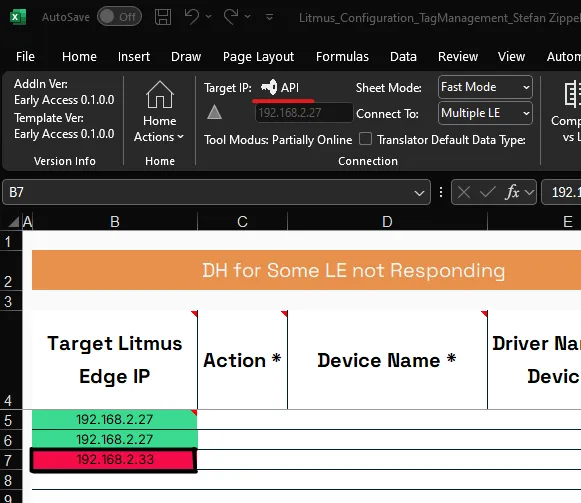
You can now Verify the API Key.
Check multiple Keys one by one
Select either an empty cell in column Target Litmus Edge IP or any other cell of another column.
To open the Litmus Edge & API Key form press the API Key button.
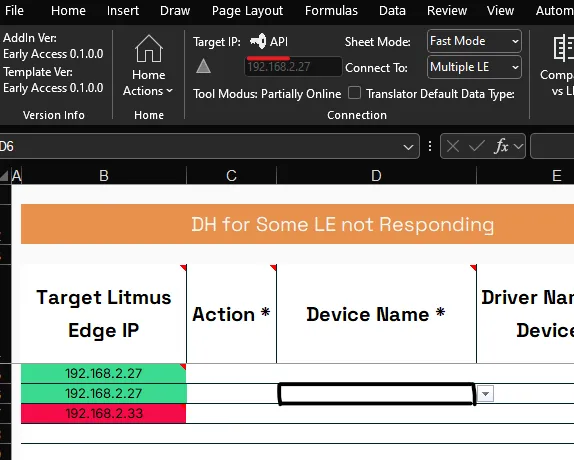
Select the LE Device IP you want to check the API Key from the drop down.
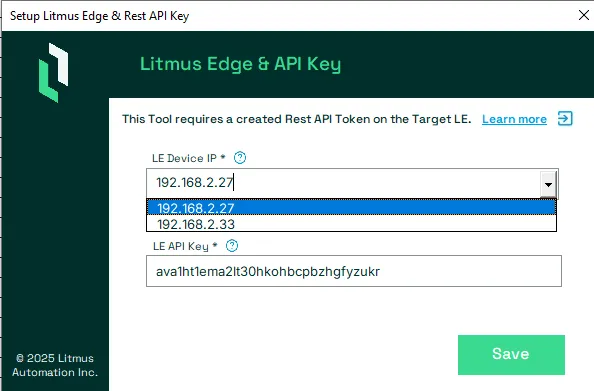
Press the TAB or ENTER key.
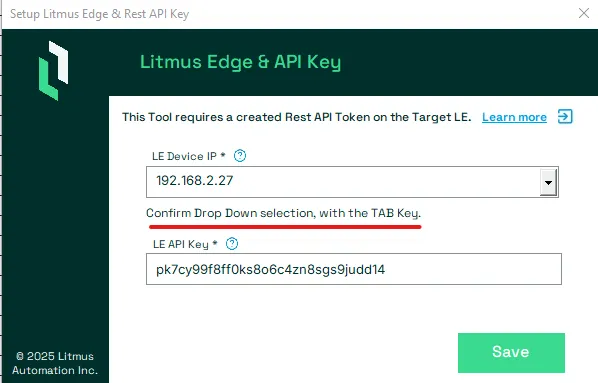
You can now Verify the API Key.
Notes:
Repeat for every LE Device IP you want to check.
Verify API Key
Provide the new API Key and press the green Save Button.
