Topic Registry
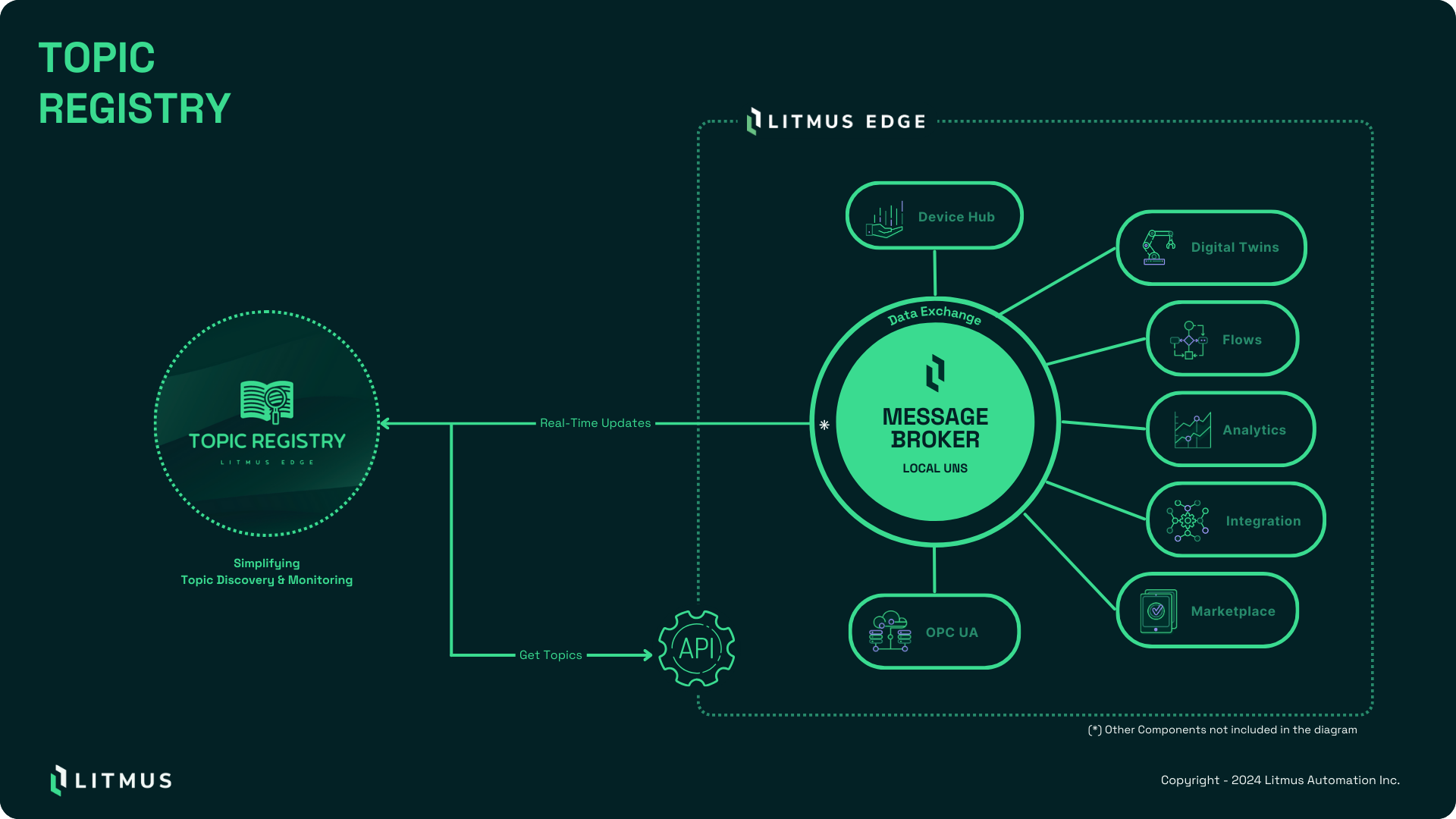
See where your Litmus Edge topics come from, what uses them, and what they carry. Topic Registry brings configuration, topic relationships, and live values into one place so you can trace a data flow without piecing it together across component settings.
Overview
Use Topic Registry when you need to:
- Trace a data flow. Find a topic and inspect the components that publish or subscribe to it.
- Investigate a missing value. Check the latest received value, then watch new messages in a live stream.
- Review tag usage. Find DeviceHub tags with no detected consumers before reviewing collection requirements.
- Understand an existing setup. Explore topic relationships across DeviceHub, flows, analytics, integrations, and digital twins.
- Connect your own tools. Retrieve cached values and open live streams through the REST API.
Topic Registry reads component configuration from Litmus Edge and receives live values from its NATS message broker. The dashboard summarizes the discovered topics. Topic pages connect each value to its configuration context.
Screenshots show example configurations. Topic names, counts, and values depend on your Litmus Edge instance.
Run Topic Registry through Applications or in Docker beside Litmus Edge. Both deployments use the same interface.
Unused-tag results reflect the configuration Topic Registry discovers. Check custom applications and dynamic topic names separately before removing a tag. Namespaces capture messages; they do not identify every consumer.
Install
See Install Topic Registry to install the latest version from the Default Marketplace Catalog, connect it to Litmus Edge, and verify live data.
What's next
- Explore topics to search the inventory and review tag usage.
- Inspect topic details to read values and trace relationships.
- Monitor live data to watch new messages.
- Add topic namespaces to capture custom application and dynamic flow topics.