Digital Factory Demo
Digital Factory Demo
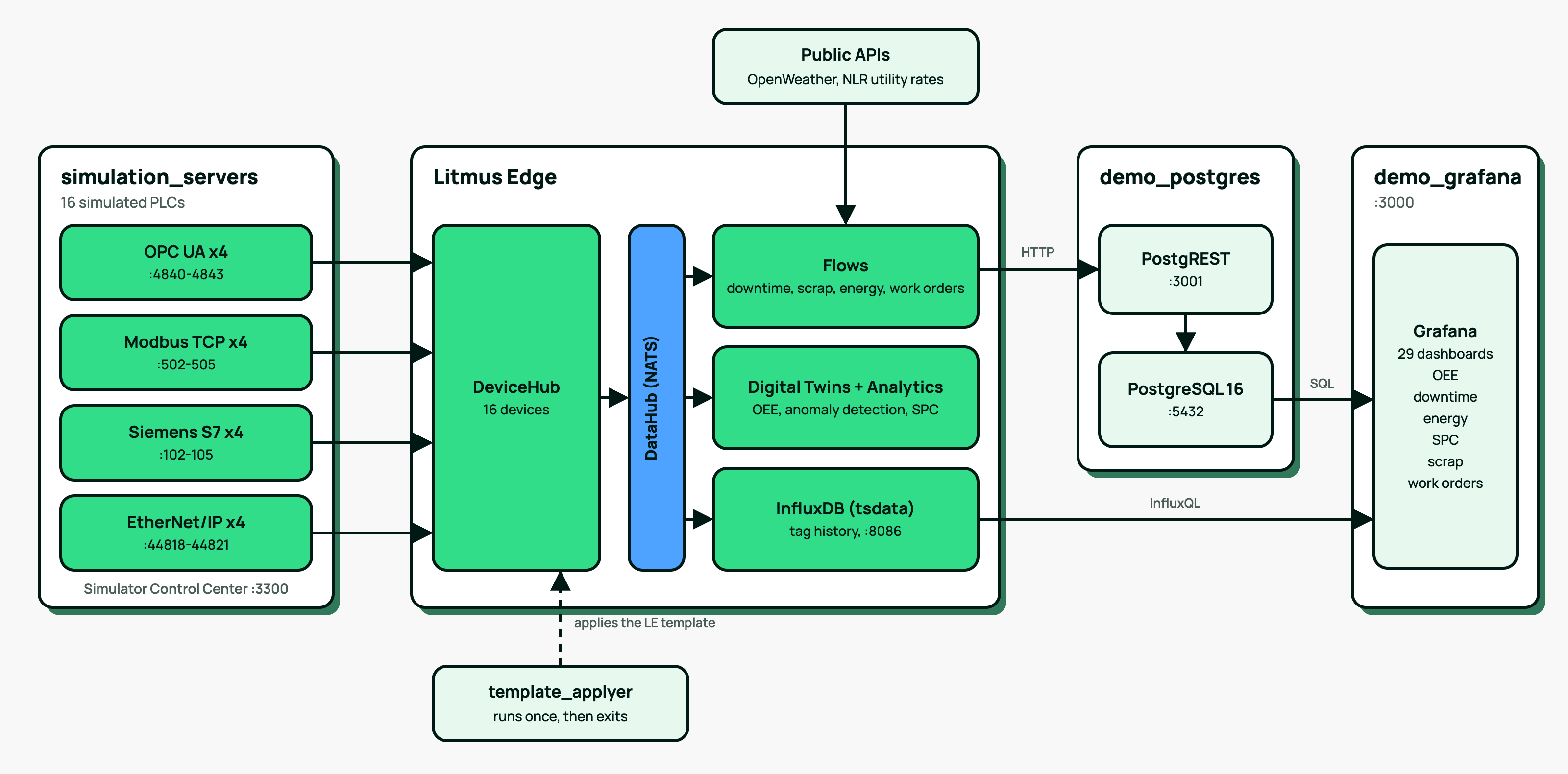
A multi-line factory simulation that streams PLC data through Litmus Edge into PostgreSQL and visualizes it in Grafana. Ships as a single "demo install" container that loads (or pulls) all dependencies and configures Litmus Edge automatically.
Current version: 4.0.0. Version 4.0.0 replaces MSSQL and MySQL with PostgreSQL and PostgREST.
What deploys
Inside Litmus Edge's docker engine, four containers come up on a dedicated 172.29.0.0/24 bridge:
Container | Purpose |
|---|---|
simulation_servers | 16 simulated PLCs: 4 each of OPC UA (4840-4843), Modbus TCP (502-505), Siemens S7 (102-105), Rockwell EtherNet/IP (44818-44821), plus a Simulator Control Center UI on :3300 |
demo_postgres | PostgreSQL 16 with fault, reason-code and work-order tables seeded, and PostgREST serving the API the Litmus Edge flows write through |
demo_grafana | Grafana with provisioned datasources and 29 dashboards (executive, OEE, downtime, energy, SPC, scrap, work orders) |
template_applyer | One-shot configurator: applies the Litmus Edge template (devices, tags, flows, digital twins, analytics, integrations), then exits |
template_applyer finishing in Exited (0) is expected: its job is done on first run.
Minimum requirements
- Litmus Edge 4.4.x
- ~5 GB disk for all bundled images
- 3 GB RAM headroom
- Internet access from Litmus Edge for the energy dashboards (weather from OpenWeather, utility rates from the NLR utility rates API). Everything else runs offline.
This Solution might be removed in the future if valid license is not installed
Prerequisites
To be able to run the Digital Factory Demo you need a running Litmus Edge 4.4.x instance.
For a quick start, Litmus offers two Options:
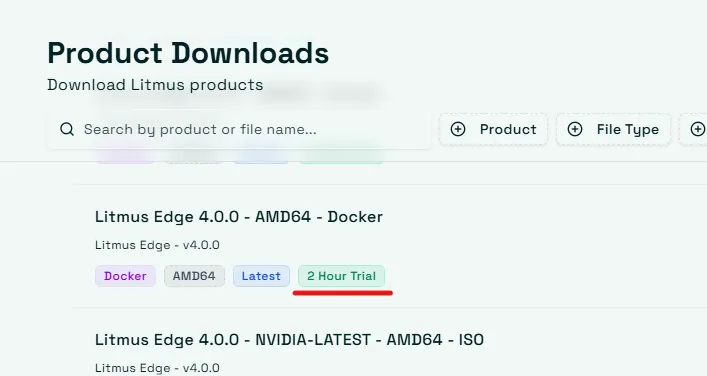
- Litmus Edge Developer Edition with a 2 hour rolling license.
Products with 2 Hour Trial have a specific Tag ("2 Hour Trial"). Make sure to download one of these Versions.
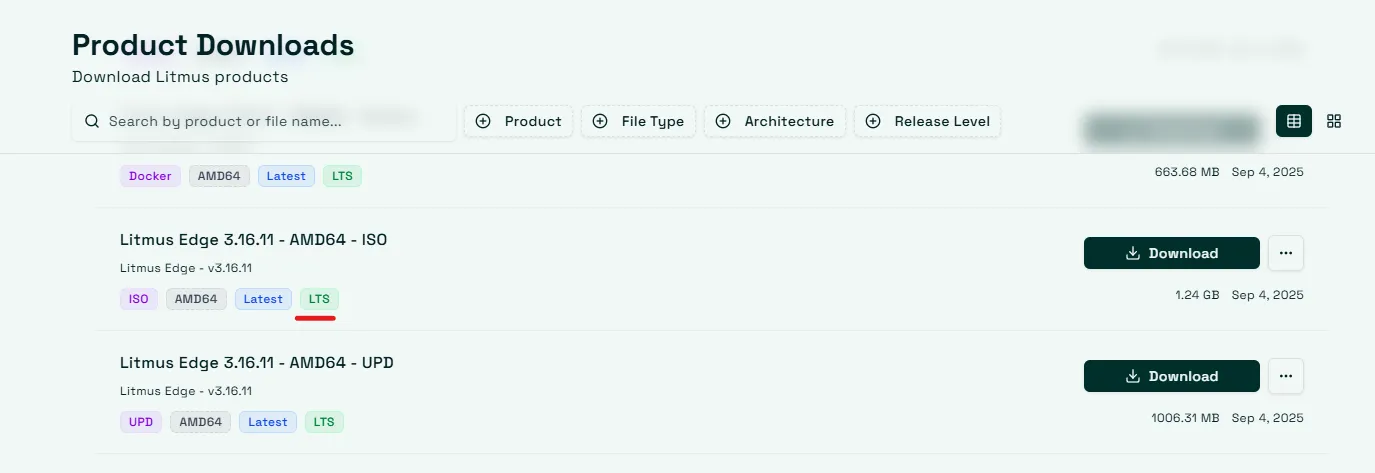
Products for 15 Day Trial have a specific Tag ("LTS"). Make sure to download one of these Versions.
Our Documentation Portal provides guidance on Installation and Deployments, First Time LogIn. If you require further assistance, contact your sales representative or account executive.
Installation Options
Online Installation Digital Factory Demo - LE has internet; the install image pulls every component from litmusedge.azurecr.io at deploy time.
Offline Installation Digital Factory Demo - LE has no internet; the install image carries every component as bundled tarballs (~3.5 GB single artifact).
Both downloads are on the Digital Factory Demo solution page.
Endpoints after install
- Grafana: http://<le-host>:3000 (default admin/admin)
- Simulator Control Center: http://<le-host>:3300
- Litmus Edge UI: https://<le-host> (or :8443, depending on LE deployment)
- PostgreSQL: <le-host>:5432, database litmus (sa/Demo1234)
- PostgREST: http://<le-host>:3001
Dashboards
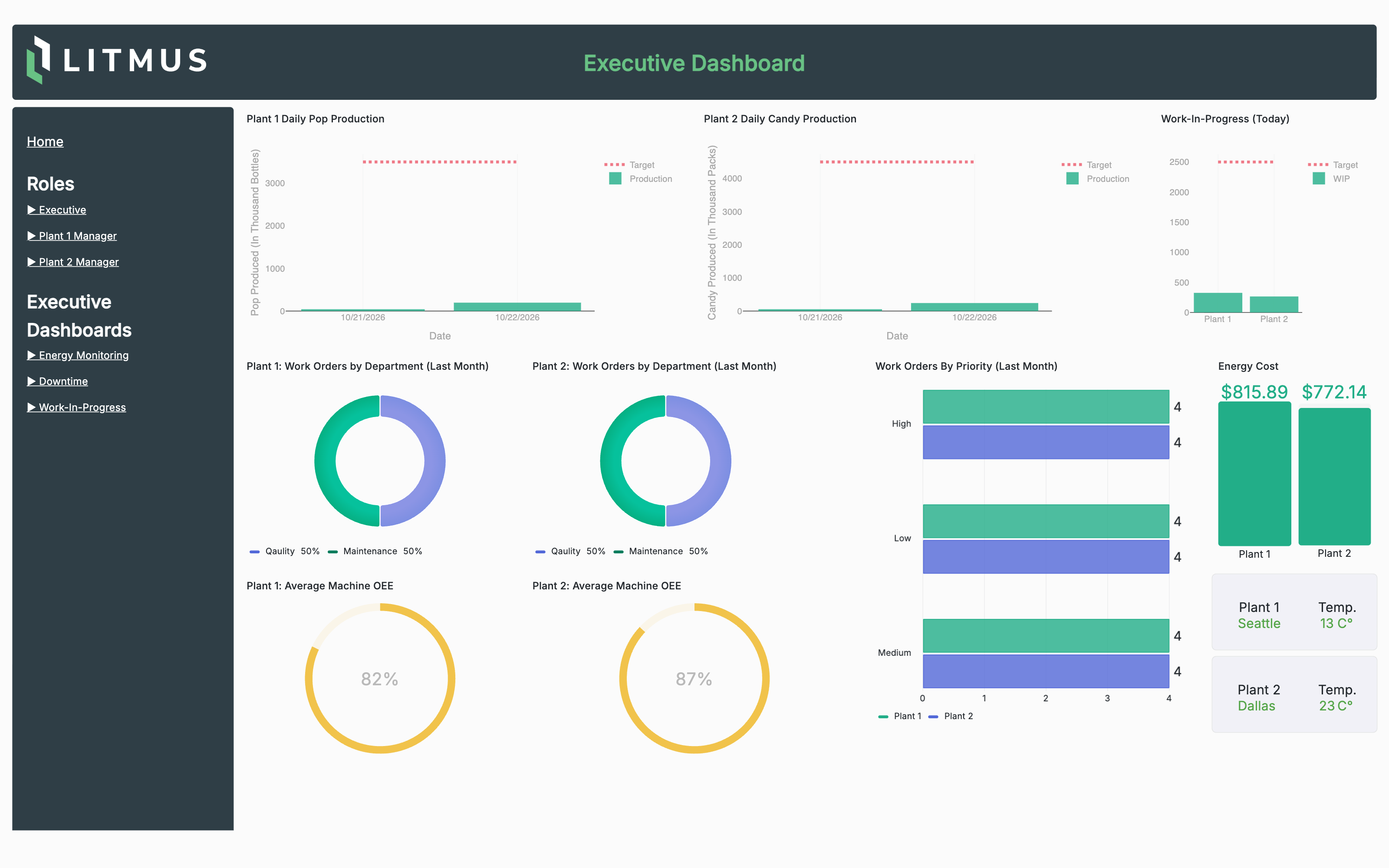
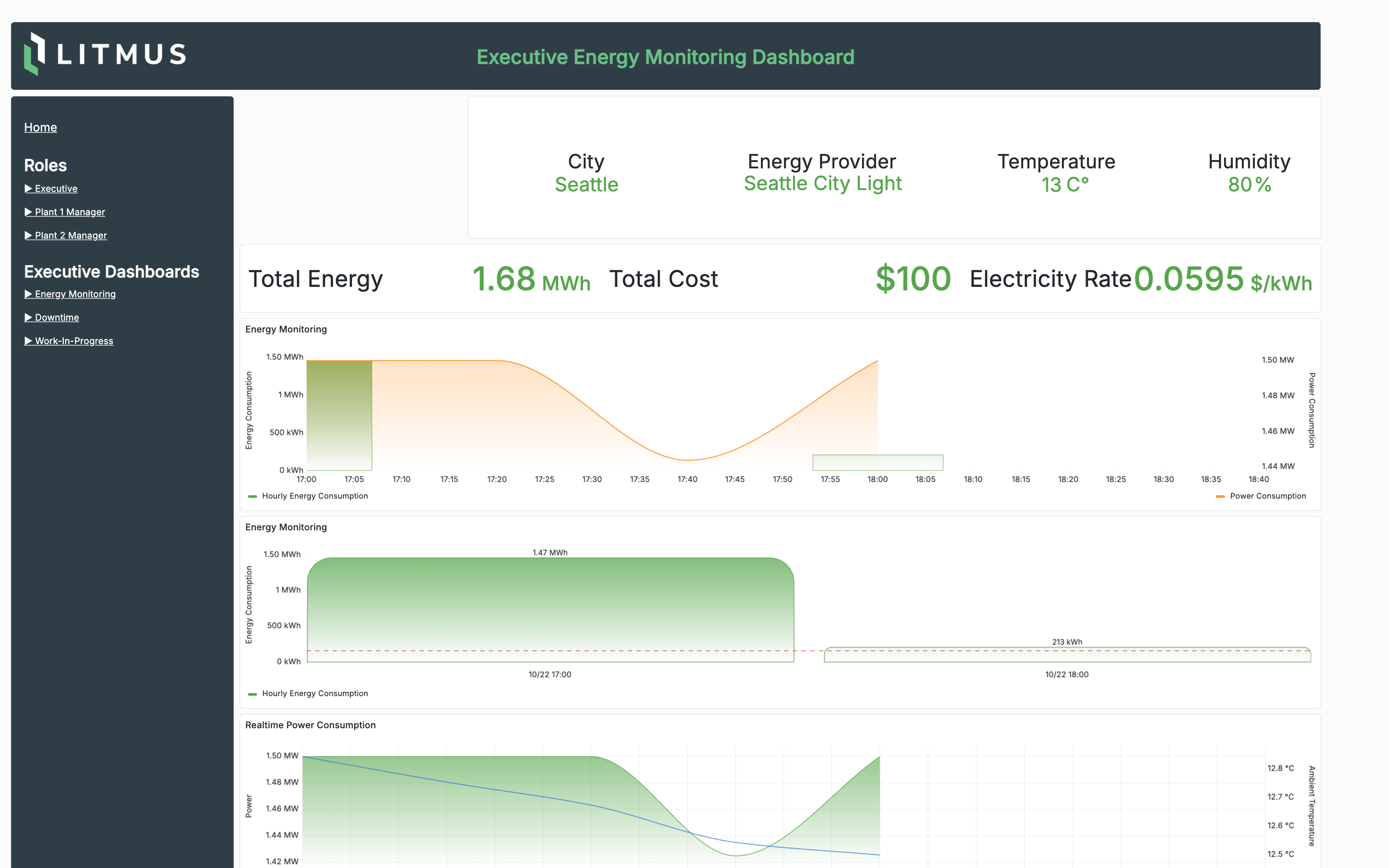
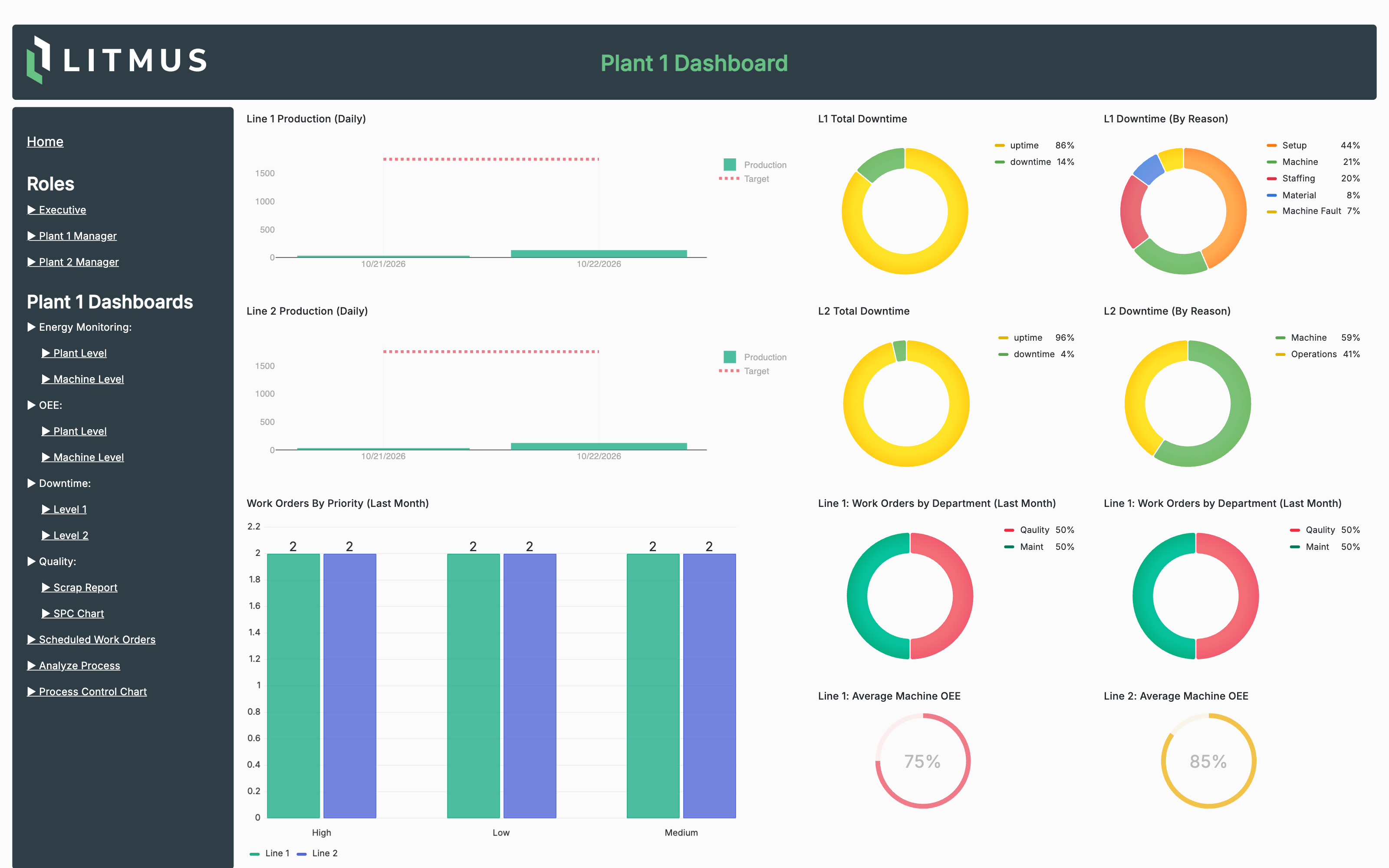
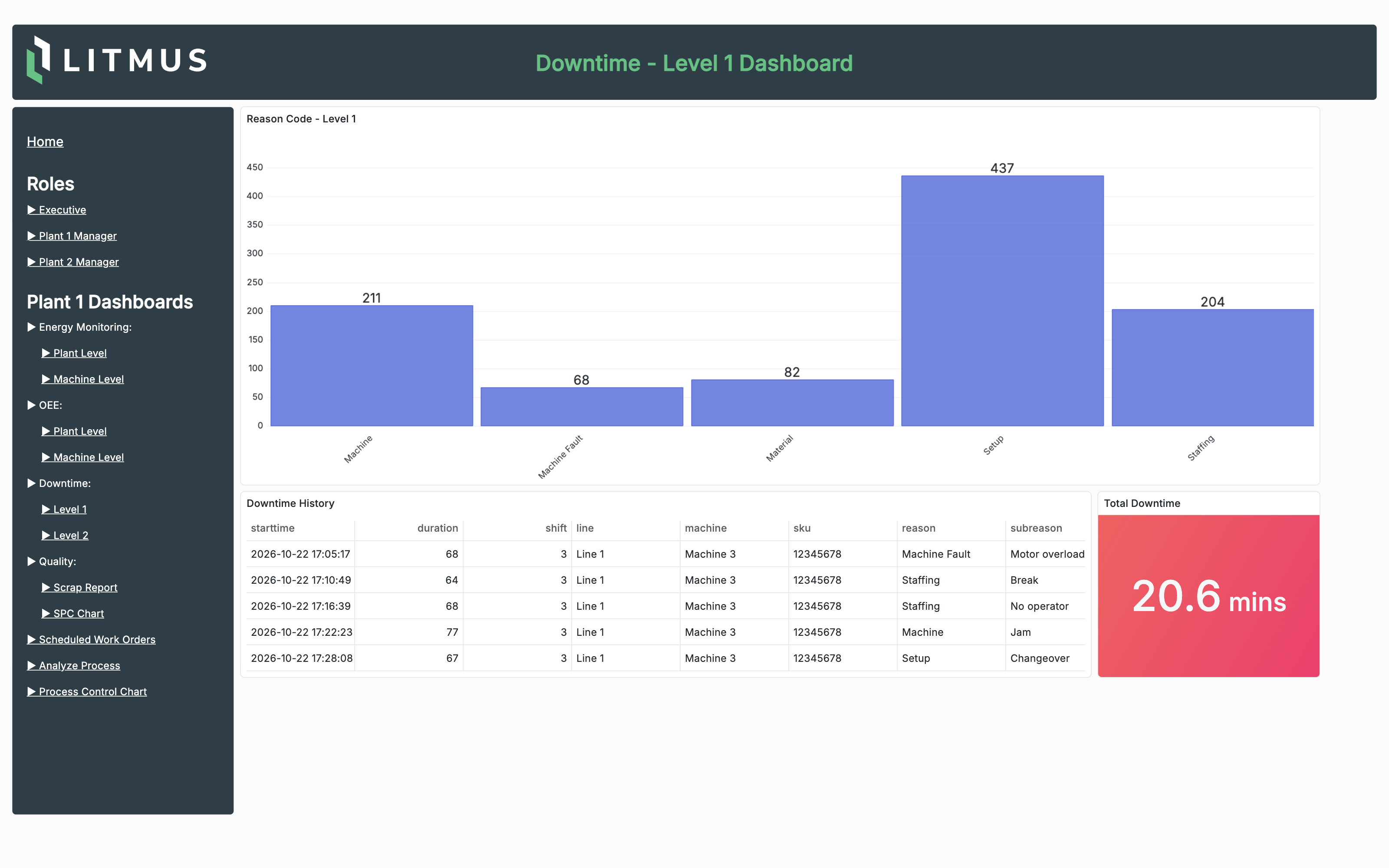
Grafana ships with 29 provisioned dashboards. A few of them, after the demo has run for a couple of hours:
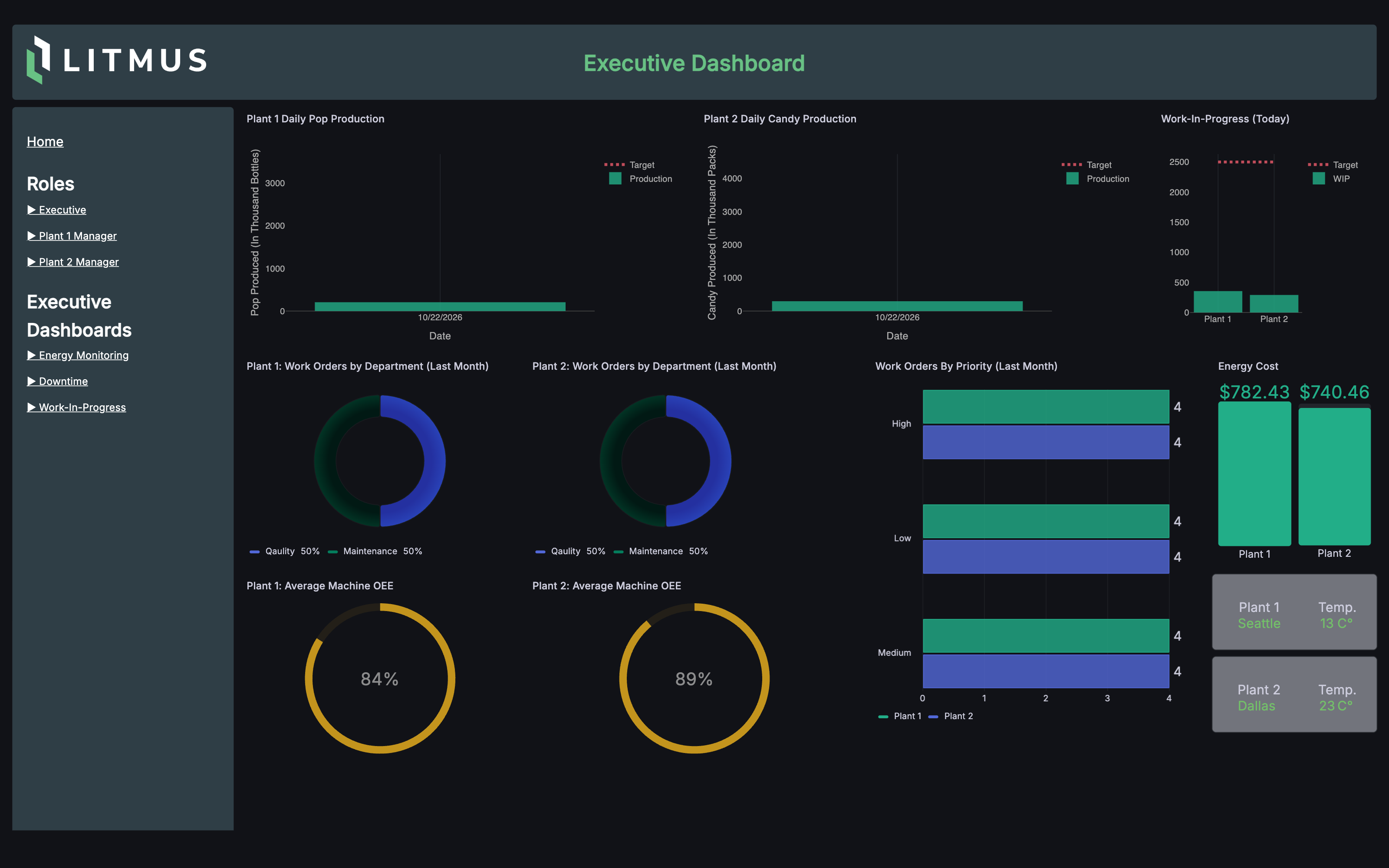
Executive dashboard: daily production against target, work orders, OEE and energy cost per plant.
Energy monitoring: power and energy per plant, priced with live utility rates and shown against local weather.
Plant dashboard: production, downtime by reason, work orders and OEE for each line.
Downtime: downtime by reason code, with the event history behind it.
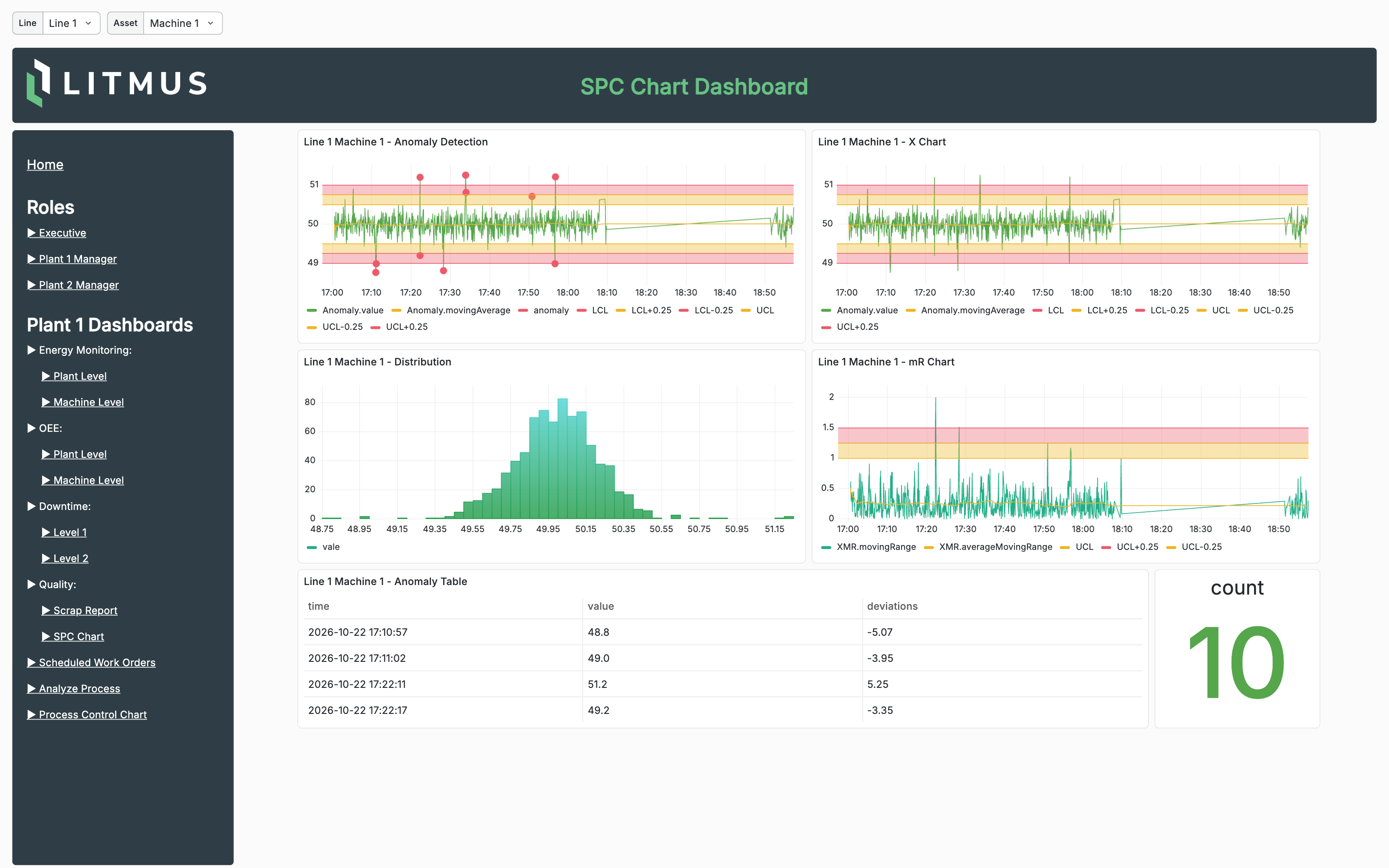
SPC charts: anomaly detection, X and moving-range charts and the value distribution per machine.
All dashboards also work in Grafana's dark theme.