Static Attributes Wizard
Static Attributes allow to manage the metadata for the model.
To assist with the definition of the Static Attributes and ensure that the JSON Object is correctly formatted, the DT Model Management Tool provides a Static Attribute Wizard.
Access the Static Attribute Wizard
Notes:
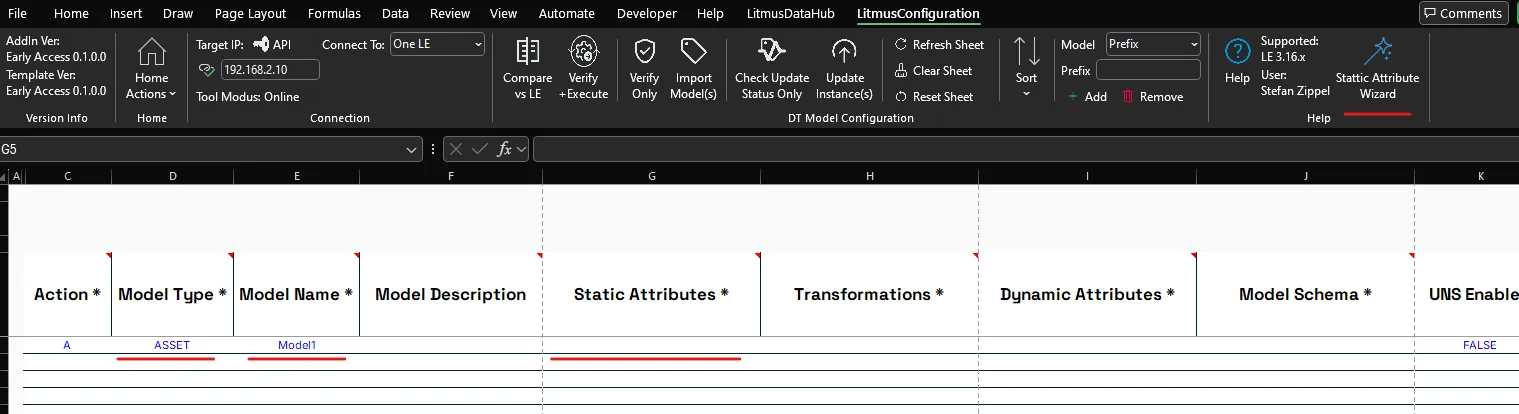
To access the Static Attribute Wizard it is required that:
- A Model Type is selected
- A Model Name is defined
Select the respective cell in Column Static Attrbiute for the Model you want to define Static Attribute.
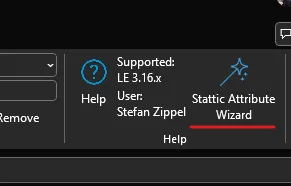
If all conditions are met, the Static Attribute Wizard button is shown in the Help section of the LitmusConfiguration ribbon.
Open the Static Attribute Wizard by pressing the Static Attribute Wizard button.
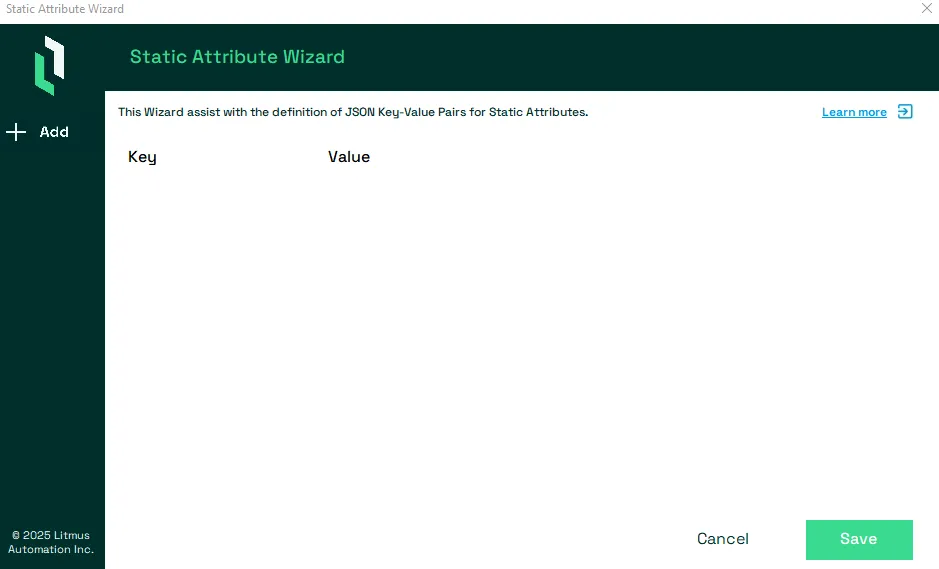
The Static Attribute wizard will show.
Notes:
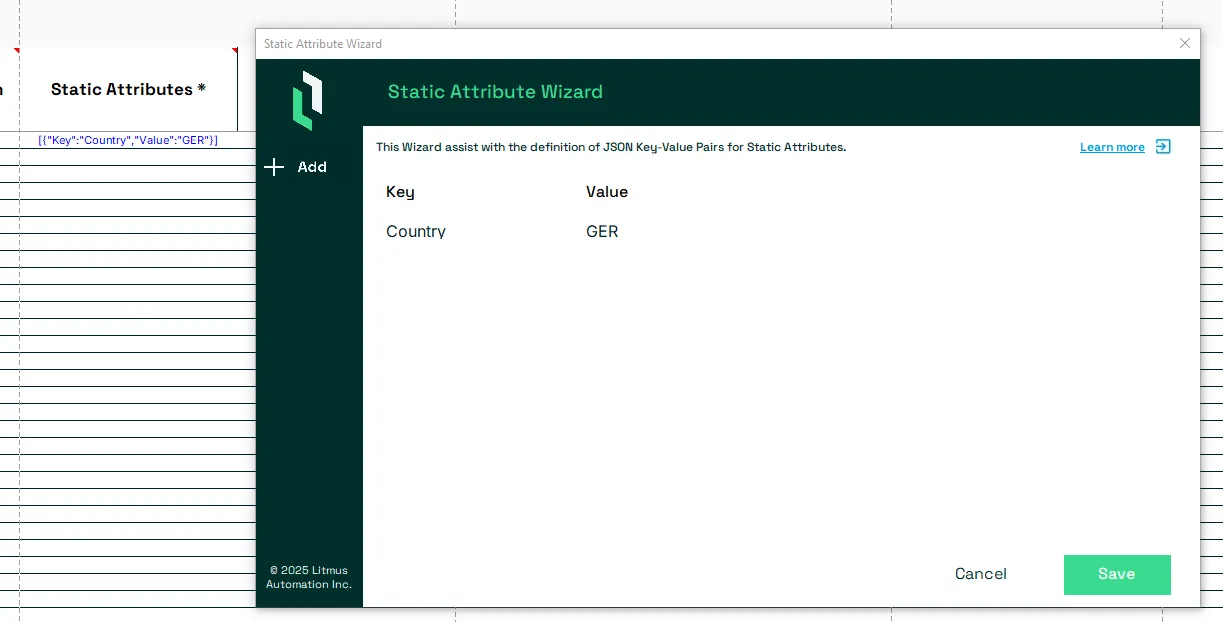
If the Model has already Static Attribute defined, they will be shown in the List.
Add a new Static Attribute Key-Value Pair
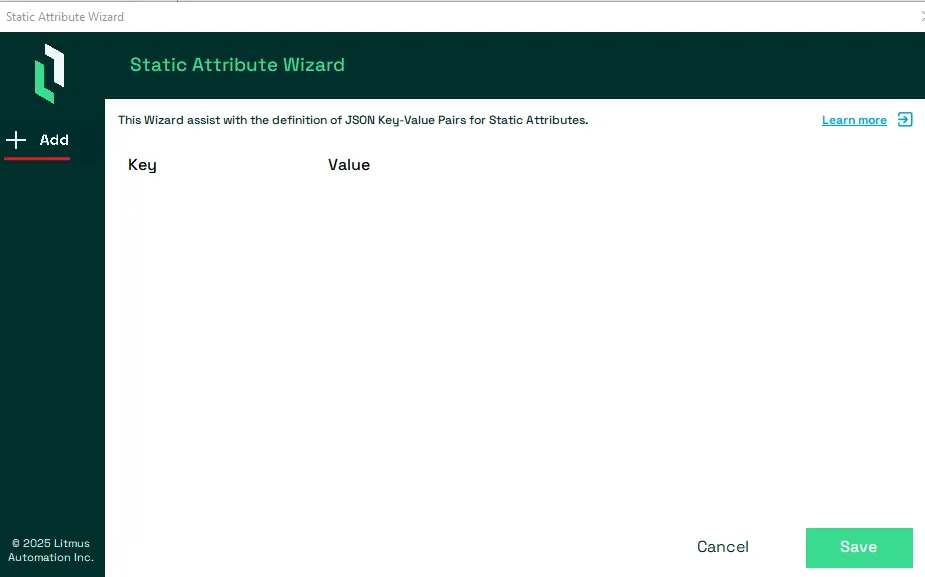
To add a new Key-Value pair, press the Add option from the left panel.
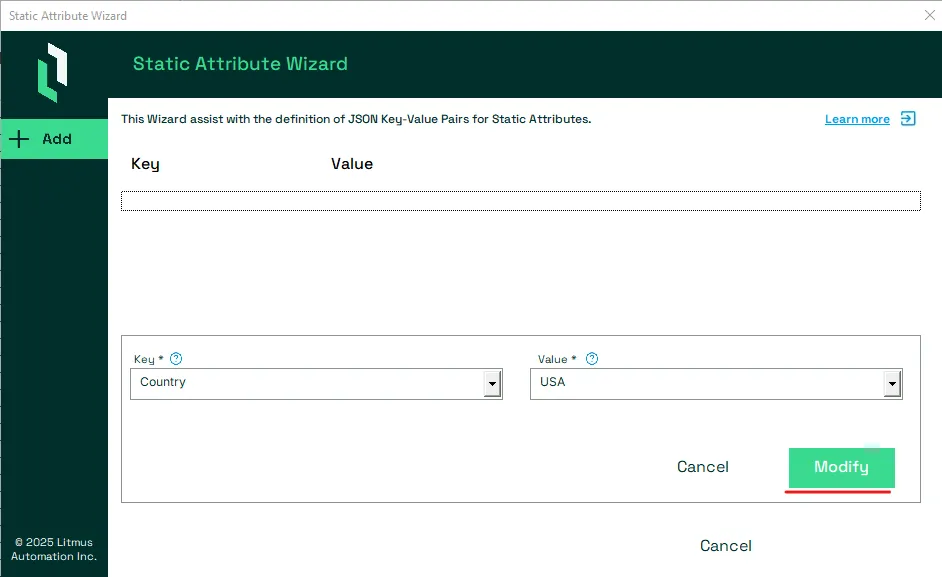
Provide both the Name and the Value, which are mandatory, for the Key-Value pair. To accept the entry press the green Modify button.
Notes:
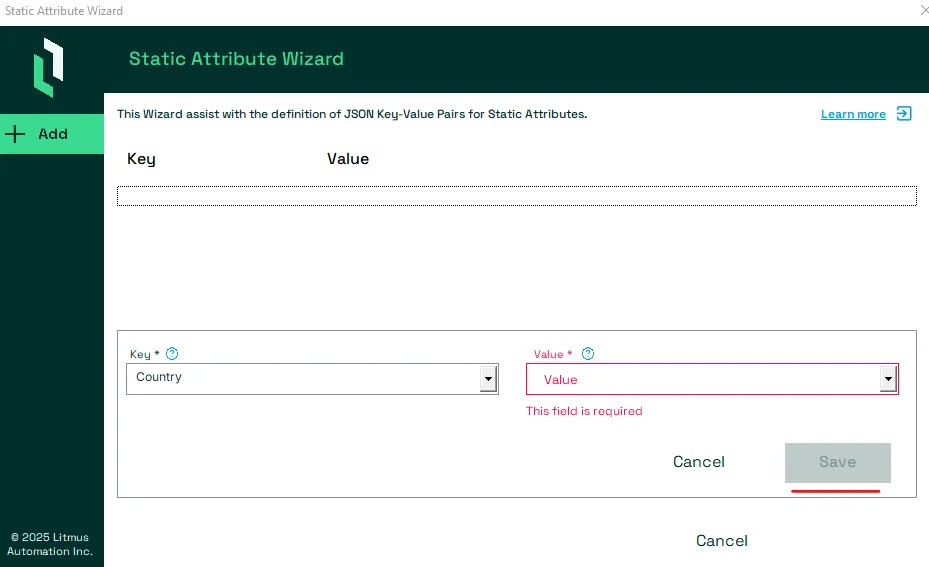
If not both Name and Value are provided, the Modify button will remain grayed out and the Key-Value pair can not be saved.
The wizard also performs a verification for each entry and will show any violation in red. In this case the Modify button will also be grayed out to prevent the saving of any invalid Key-Value pair.
Edit a Static Attribute Key-Value Pair
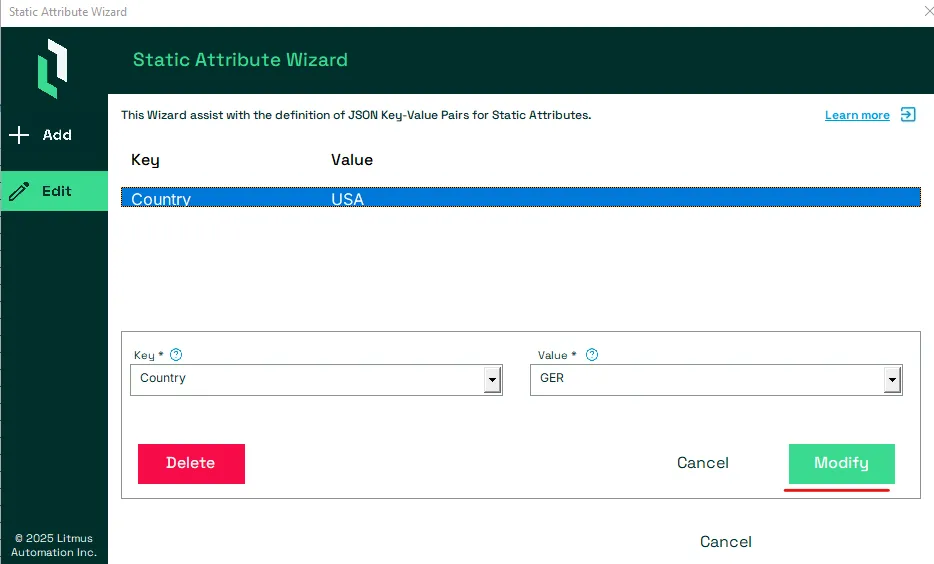
Select the Key-Value pair you want to edit to open its Edit screen.
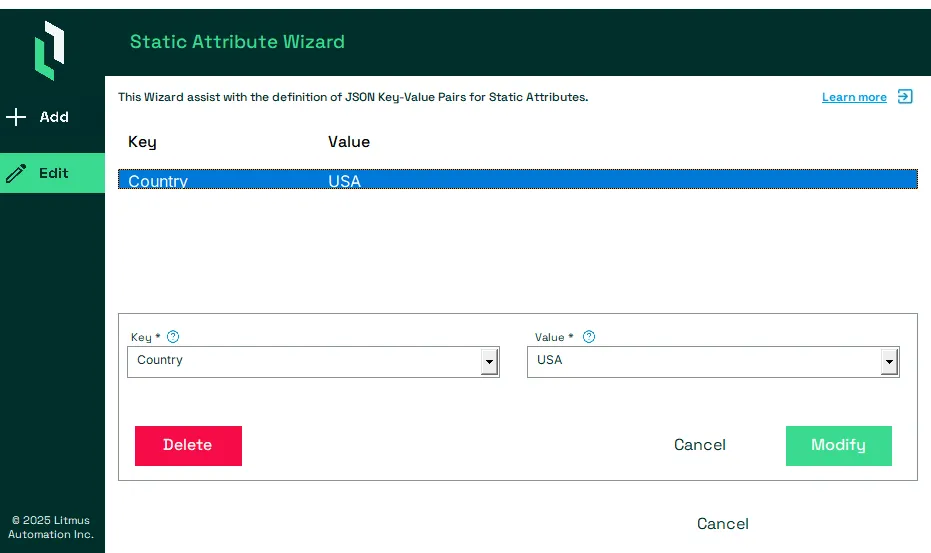
Edit the Name and/or Value and press the Modify button.
Notes:
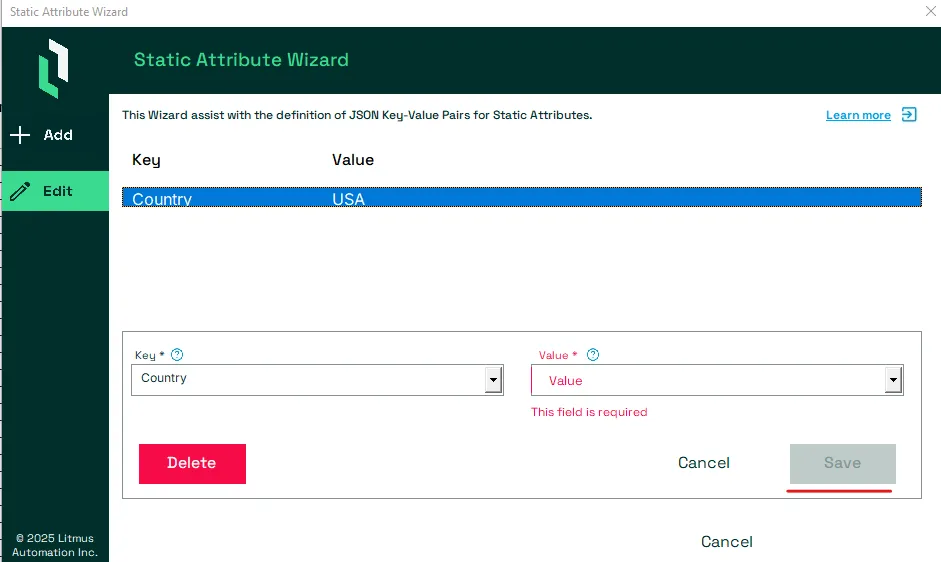
If not both Name and Value are provided, the Modify button will remain grayed out and the Key-Value pair can not be saved.
The wizard also performs a verification for each entry and will show any violation in red. In this case the Modify button will also be grayed out to prevent the saving of any invalid Key-Value pair.
Delete a Static Attribute Key-Value Pair
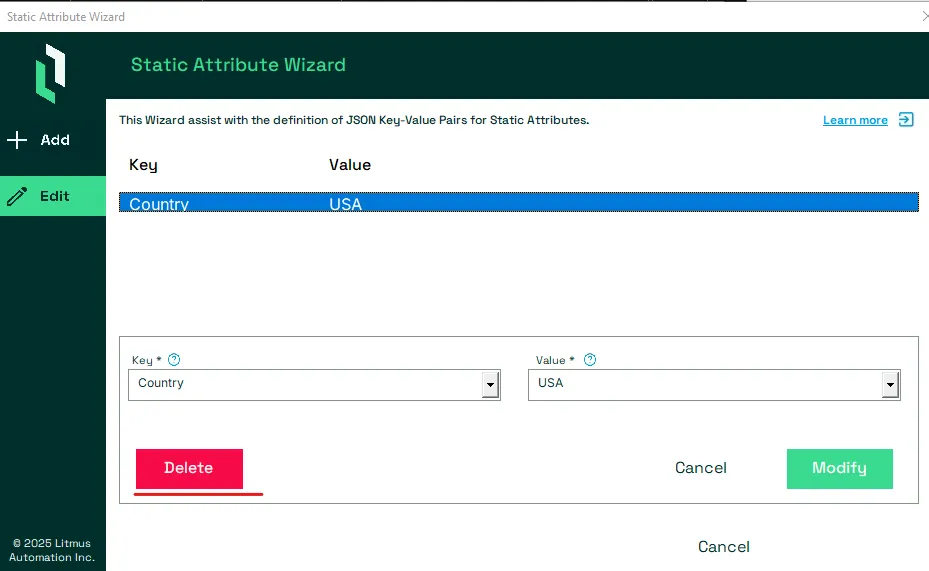
Select the Key-Value pair you want to delete to open its Edit screen.
To delete the Key-Value Pair press the Delete button.
Notes:
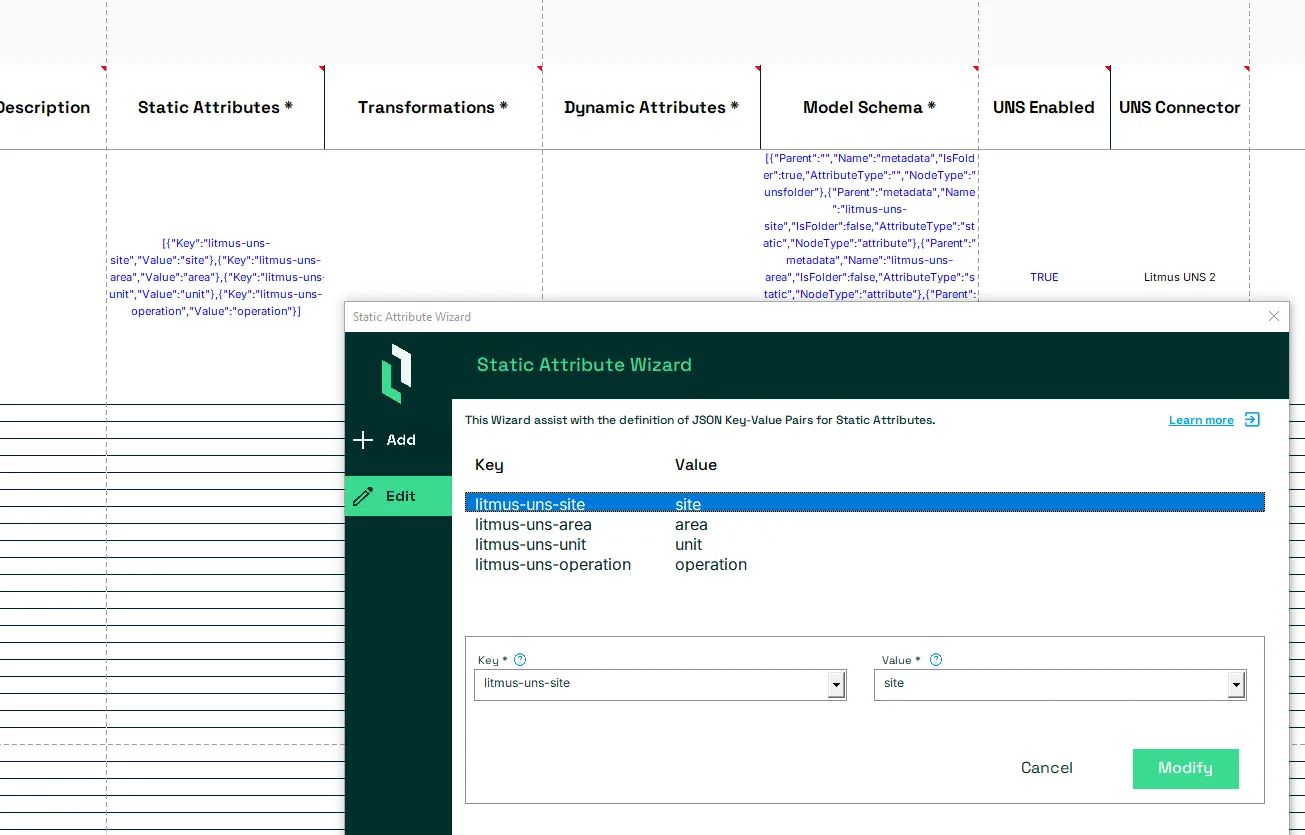
Static Attributes which have been added from Litmus UNS, can not be deleted.
Save the Static Attributes
To save all the defined Key-Value pairs as a new Static Attributes JSON Object, press the Save button.
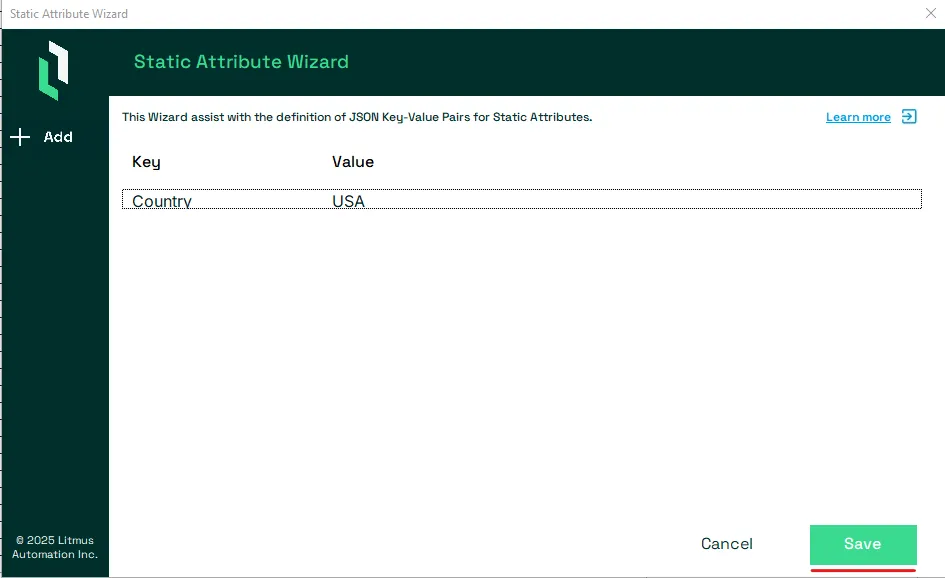
This will create the correctly formatted Static Attributes JSON Object and store it in column Static Attributes for the Model.
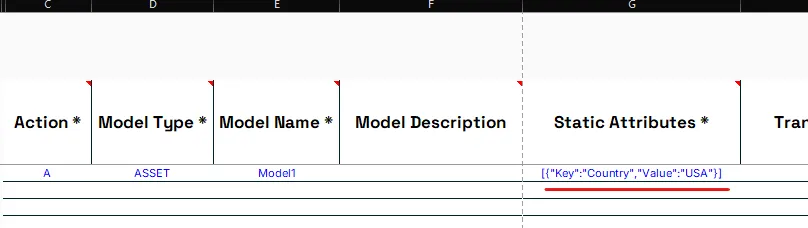
Important: This will overwrite the current value in column Static Attributes.
Cancel the Static Attribute Wizard
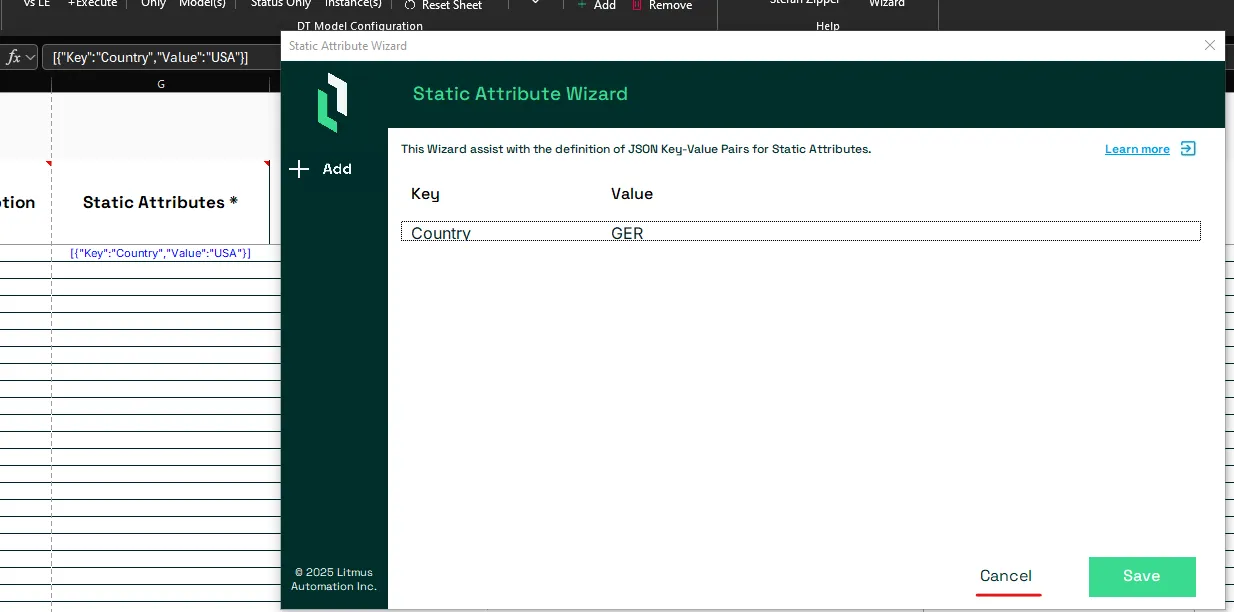
If a user decides to not save the current Static Attribute Wizard configuration, they can press the Cancel button.
Notes:
This will not overwrite the current value in column Static Attributes.