Video Frame Streamer
1 min
Overview
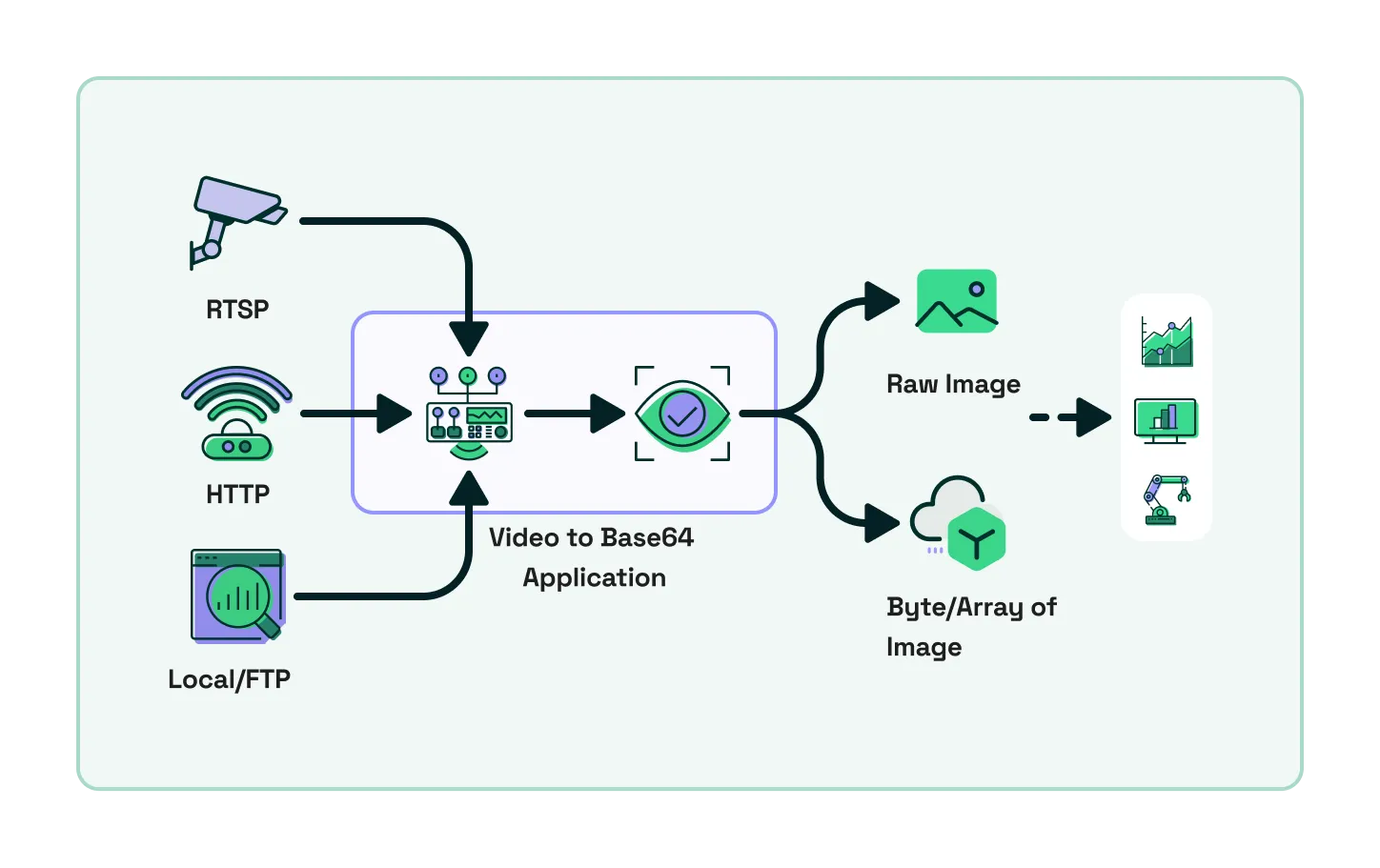
- Log in to your LitmusEdge, Navigate to Applications -> Images
- Click on Upload Image and upload the tar file there
- Navigate back to Applications -> Containers and enter the following command there:
- docker run -e NATS_FPS=10 -e VIDEO_URL=<location of video> -e DATA_IN_BYTES_OR_ARRAY=array -e PUB_TOPIC=images <image>:<tag>
- Replace the <image>:<tag> with the accurate image name and tag name. Enter every value without quotes: the Containers page passes quotes through as part of the value, and the container then rejects the topic
- Replace the <location of video> with the location on ftp-data or HTTP or RTSP location. Example location of video for testing can be something like https://test-videos.co.uk/vids/bigbuckbunny/mp4/h264/360/Big_Buck_Bunny_360_10s_1MB.mp4
- Some other environment variables that can be changed: NATS_FPS=10 anything above 15 can affect performance heavily, depending on hardware DATA_IN_BYTES_OR_ARRAY 'byte' or 'array' PUB_TOPIC which nats topic to publish the processed output to
- Optionally, node-red-contrib-image-output can be installed in Flows to view the raw images as a live output (this library decodes base64 to a raw image)
- Use the topic used in PUB_TOPIC with .rawImage to get the image preview in flows, example in this case- images.rawImage