Quick Start

Deploy the node on a Litmus Edge device from the Marketplace, point it at your MQTT broker, and confirm the data reaches your host application.
Prerequisites
- Litmus Edge 4.0.x or later, with at least one DeviceHub device connected and publishing tags
- A Litmus Edge API token. See Create an API Token
- An MQTT broker reachable from the device, and its credentials if it requires them
- The LE Sparkplug Edge Node on Litmus Central, where you download the image or get registry access
What You Provide
Value | Example | What it does |
|---|---|---|
Litmus Edge API Token | 0iriyynzv5xjac1aupqxm4j2tzuls5pf | Reads devices, tags, and Digital Twins from the Litmus Edge API |
Sparkplug Group ID | Plant1 | Groups Edge Nodes that belong together |
Sparkplug Node ID | Line1 | Identifies this node inside the group |
MQTT Broker URL | tcp://192.168.1.20:1883 | Where Sparkplug messages are published |
The group and node IDs become part of every topic the node publishes, so pick names your host application will recognize. Neither may contain /, +, or #, which are reserved in MQTT topics — the node replaces those characters, and spaces, with _.
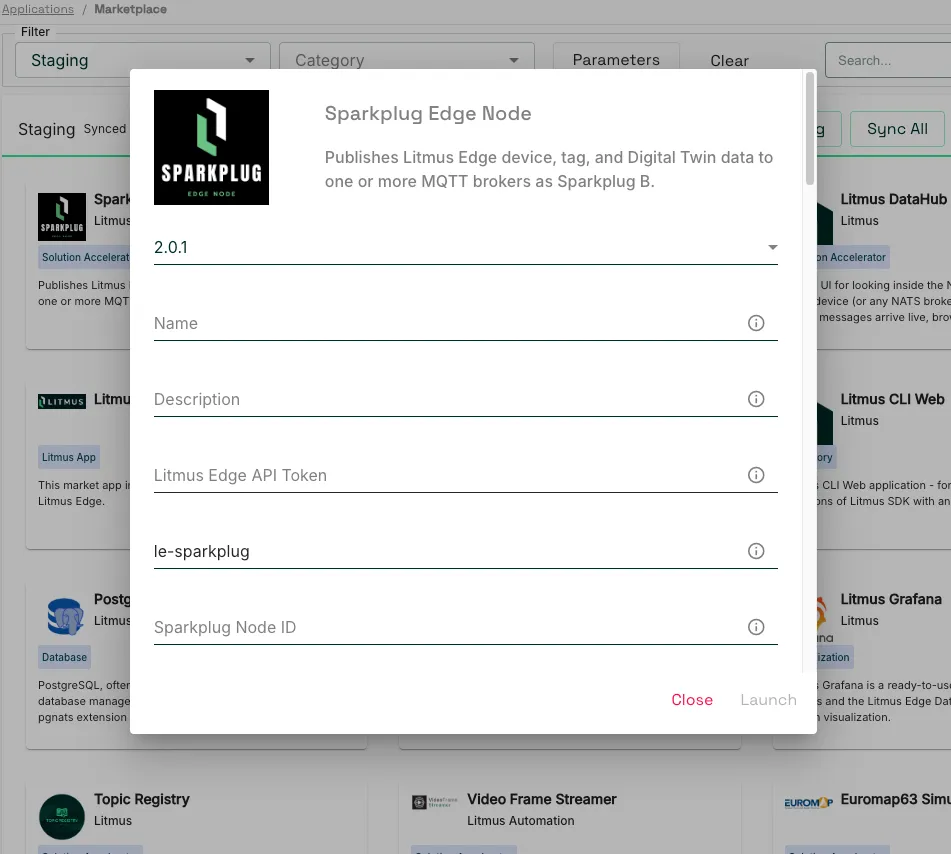
Step 1 Deploy the Node
- In Litmus Edge, navigate to Applications > Marketplace.
- Select the Default Catalog.
- Click the Sparkplug Edge Node tile, published by Litmus.
- Select installation script version 2.0.1.
- Enter a container name, then fill in Litmus Edge API Token, Sparkplug Group ID, Sparkplug Node ID, and MQTT Broker URL. Add MQTT Username and MQTT Password if your broker requires them. Leave every other field at its default.
- Click close, then launch.
The application starts with the data volume and networking it needs already configured. For the full Marketplace workflow, see Deploy a Marketplace Application.
To run the container yourself, or to run it on a host other than the Litmus Edge device, see Deployment.
Step 2 Confirm the Node Started
Open the container's logs in Litmus Edge, under Applications > Containers. Logs are JSON, one object per line. Three messages confirm a healthy start:
component | msg | Meaning |
|---|---|---|
nats | connected | The node reached Litmus Edge |
mqtt | connected | The node reached the broker named in the server field |
sparkplug | birth set published | Birth certificates went out. The devices and dbirth_published fields count them |
If birth set published reports devices as 0, Litmus Edge returned no DeviceHub devices. Check that your devices exist and are enabled in DeviceHub.
Step 3 Verify on the Broker
Subscribe to the Sparkplug namespace from any machine that can reach the broker.
mosquitto_sub -h 192.168.1.20 -t 'spBv1.0/#' -F '%t'Topics arrive in this order:
- spBv1.0/Plant1/NBIRTH/Line1 — the node's birth certificate, once per session
- spBv1.0/Plant1/DBIRTH/Line1/<device> — one per DeviceHub device and Digital Twin instance
- spBv1.0/Plant1/DDATA/Line1/<device> — repeating, as tag values change
Sparkplug payloads are Protocol Buffers, so a plain subscriber prints binary values. Use a Sparkplug-aware client to read metric names and values.
`NBIRTH`, one `DBIRTH` per device, then a stream of `DDATA` means the node is publishing correctly. Point your host application at the same broker and it discovers the node and its devices from those birth certificates.